-
-
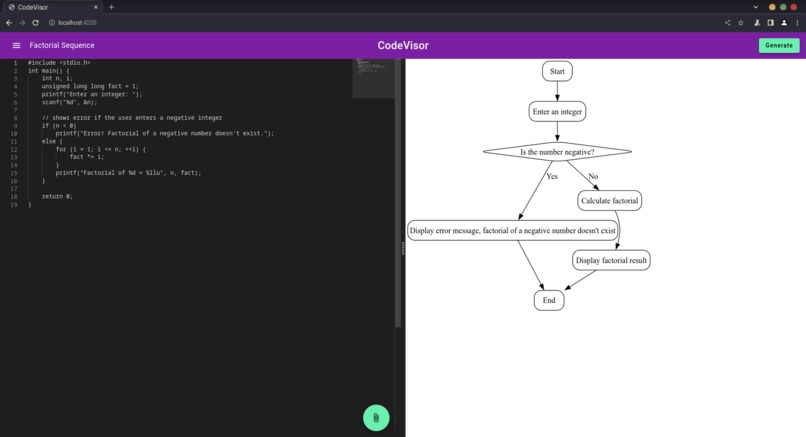
Generating a flowchart for the factorial function
-
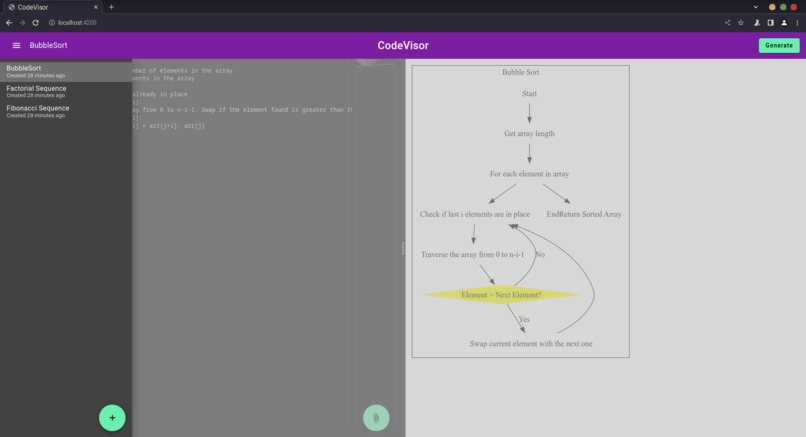
Viewing created projects
-
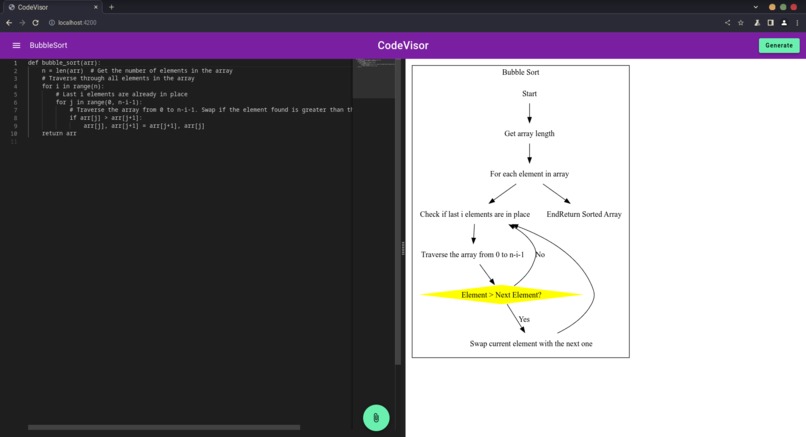
Generating a flowchart for Bubblesort
-
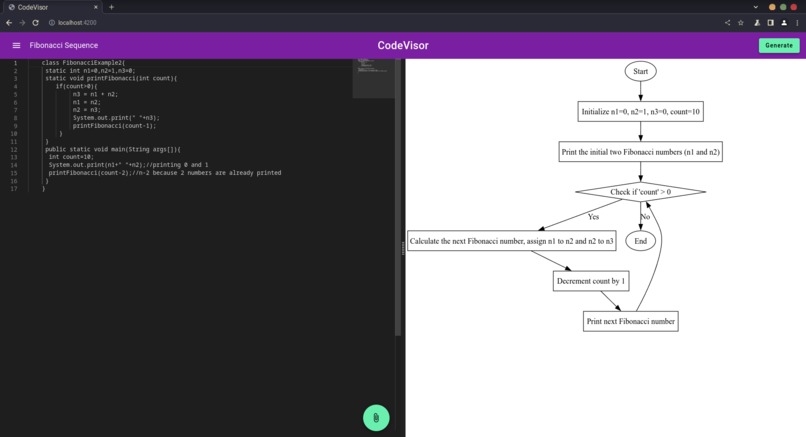
Generating a flowchart for the Fibonacci function
-
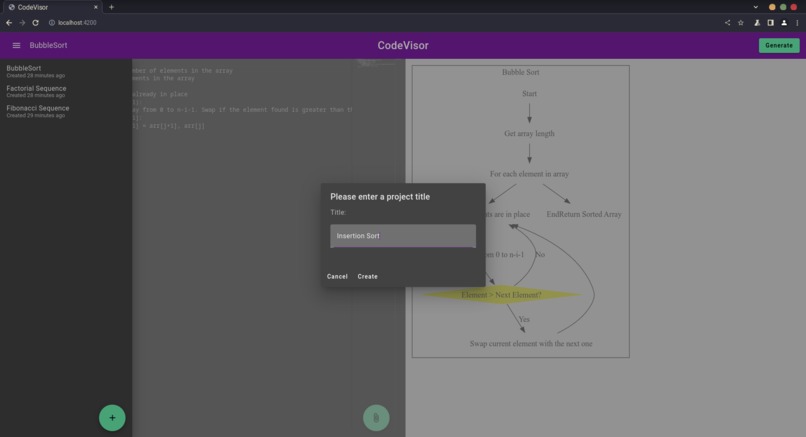
Creating a new projects


Inspiration
In the past few years, generative AI tools have helped us considerably to digest other people's code and improve our own code. Despite their linguistic versatility, their visual skills are relatively primitive, and we're worried that the more visually inclined are being left out in the race to achieve general artificial intelligence. That's why we wanted to design a developer-oriented alternative to tools like ChatGPT to bring these folks "back in the loop".
What it does
We architected CodeVisor with familiar websites like CodePen and JSFiddle in mind—to be simple and to-the-point. CodeVisor presents the user with two panes—the code pane and the preview pane—that enable them to submit code they'd like to be explained visually. The user clicks "Generate", which populates the preview pane with a (mostly) code-free flowchart that traces through the execution of the program. CodeVisor takes advantage of exclusively visual cues like color, shape, space, and placement, to communicate the story the program conveys in an easily accessible format.
How we built it
We began by experimenting with different pipelines, first asking GPT to generate an image with DALL-E, then asking it to write LaTeX code, and eventually settling on a format called Graphviz that produced the kind of high-accuracy flowcharts we were satisfied with. In its final iteration, the product feeds the user's code to GPT, requesting a Graphviz file containing the nodes, edges, and styles that comprise the end-result. Graphviz offered many advantages for us, since the format is straightforward for GPT to understand and gives it less control over complicated typesetting features that it's likely to misapply.
Challenges we ran into
When we asked GPT to generate LaTeX, it consistently missed the mark when it came to arrow and node placement. The flowcharts were difficult to read because GPT wasn't capable of positioning elements of the flowchart properly. We resolved this by cutting down on points of failure, choosing a format like Graphviz that automatically positions these elements and isn't nearly as syntactically complex as LaTeX. Unsurprisingly, this enabled GPT to do what it does best: modeling the logical relationships between different parts of the code.
Accomplishments that we're proud of
We're proud that we managed to accomplish the goal we initially set out on: generating high-quality flowcharts for code written in any programming language. Additionally, we were able to tack on other useful features of our design, like file management, importing code from the filesystem and clipboard, and caching responses from OpenAI.
What we learned
We were able to progress much further than we planned because of how explicitly we planned, prioritized features, and delegated responsibilities. Effectively using version control proved to be a major productivity booster, too, since submitting and reviewing PRs with care prevented us from the toe-stepping we'd all encountered in prior hackathons.
What's next for CodeVisor
We'd like to continue to hone CodeVisor's accuracy, ensuring that low-quality or outright invalid flowcharts don't seep through the cracks of our pipeline. Furthermore, extending our product to support large codebases with a similar degree of support to that provided by GitHub Copilot would help to make our product more marketable to novices and industry professionals alike.
Built With
- angular.js
- express.js
- graphviz
- material
- mongodb
- node.js
- openai


Log in or sign up for Devpost to join the conversation.