-

create account
-
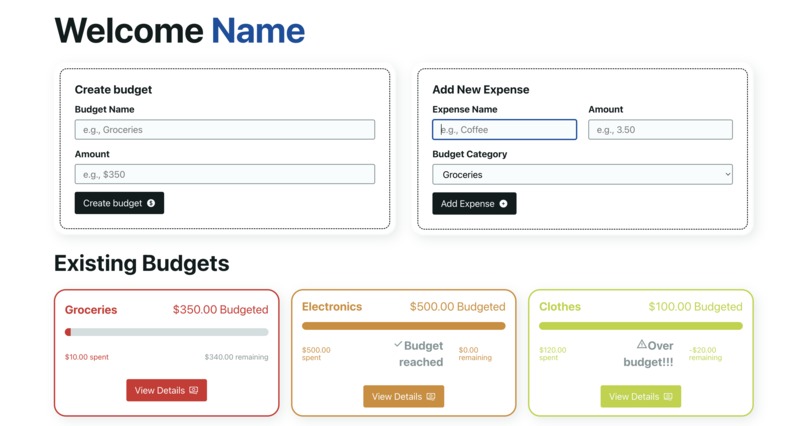
dashboard
-
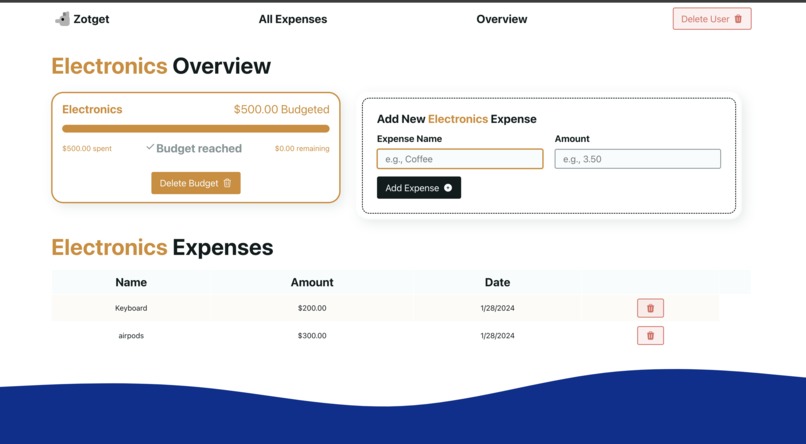
budget page
-
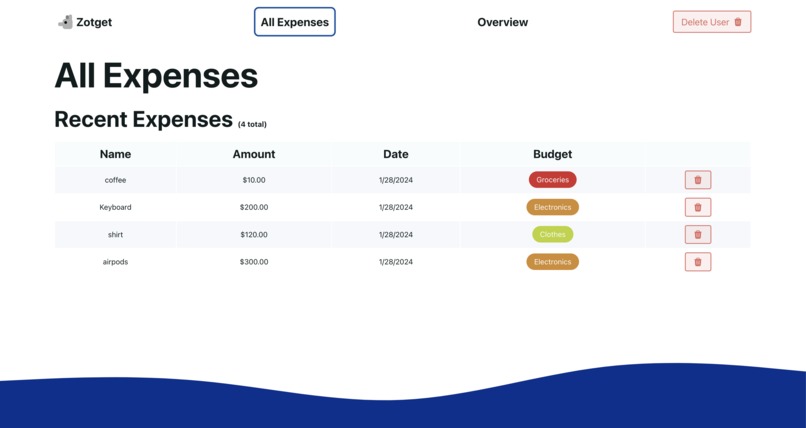
all expenses table
-
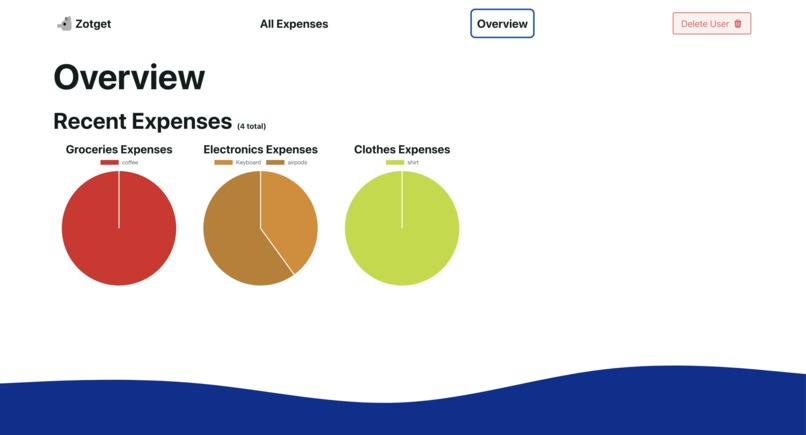
Overview - pie chart table
-
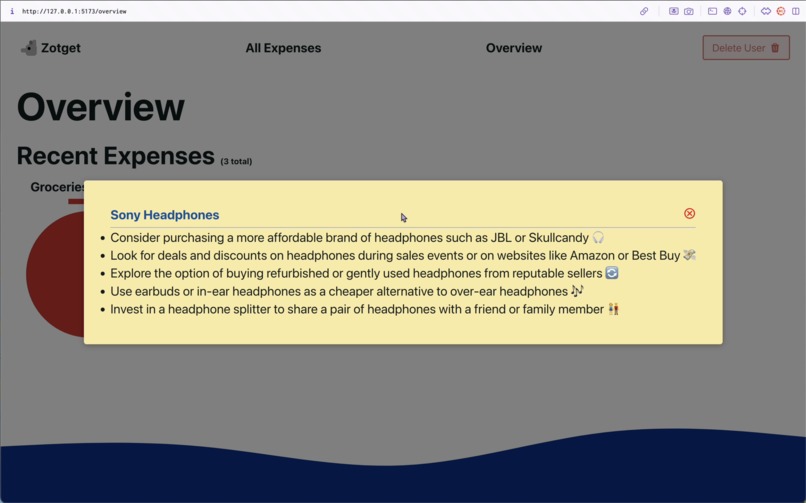
Overview - AI suggestions


Inspiration
We're broke and need to save money.
What it does
- Adding a Budget: Navigate to the Budget page and enter your budget details.
- Adding Expenses: Click on the Add Expense button and fill out the form with your expense details.
- Chart Visualizations: See all of your budgets and expenses with tables and pie charts.
- AI-Powered Suggestions: Click on any expense in the pie chart to get suggestions on how to save money. ## How we built it React, OpenAI api, Chart.js ## Challenges we ran into Adding a dynamic pie chart. Getting the OpenAI API to prompt properly for the popup. ## Accomplishments that we're proud of Everything. ## What we learned Both of our first times using React. Integrating a OpenAI API to our code. ## What's next for Zotget Creating an actual database for multiple accounts, more personalized AI suggestions, choose a timeframe (day, week, month, etc) to track the budgets, and different types of graphs. ### Video demo in Github

Log in or sign up for Devpost to join the conversation.