-
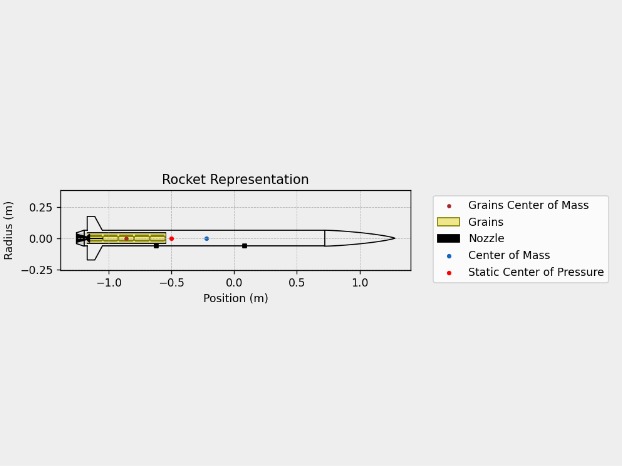
Rocket Representation
-
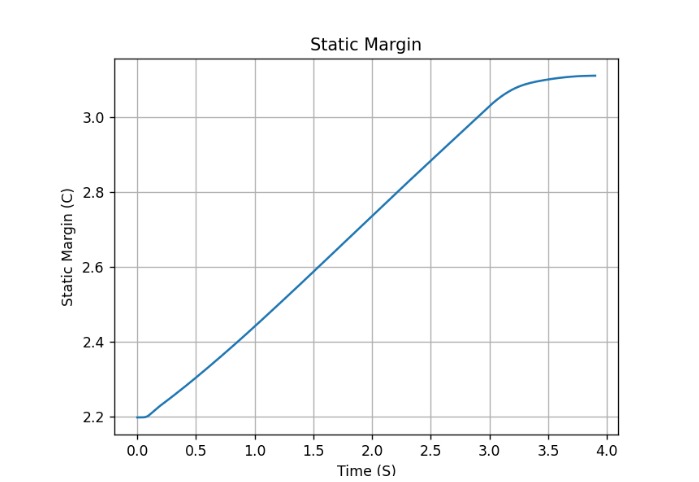
Static Margin Graph
-
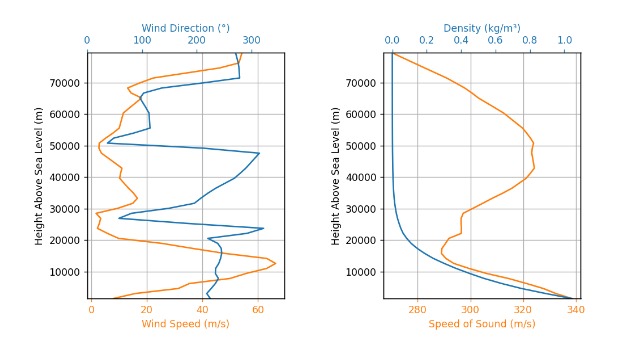
Wind Forecast Graph
-
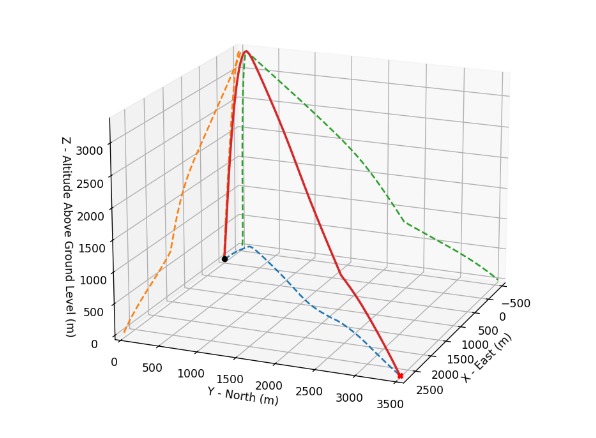
Flight Trajectory Graph
-
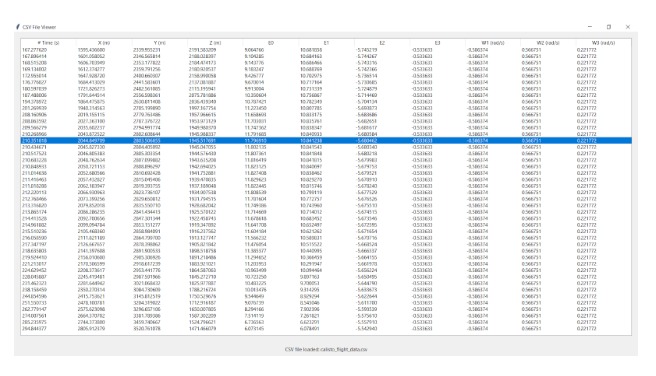
CSV Data Output
-
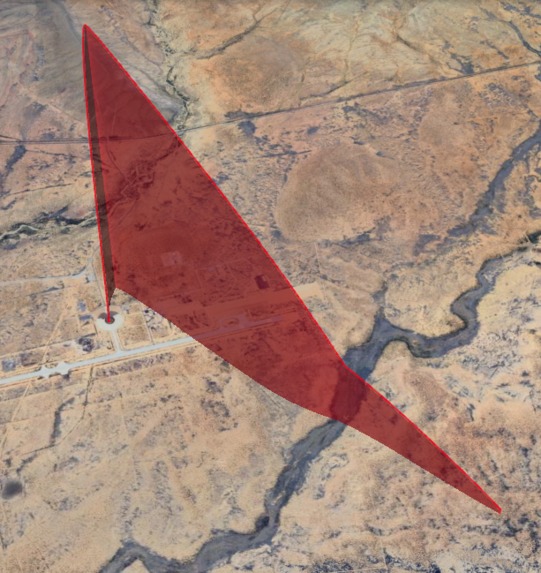
Google Earth Implementation


Inspiration
Our inspiration for creating the rocket launcher simulator app was twofold. Firstly, we wanted to help professionals develop safer rocket launches by providing accurate simulations. Secondly, we aimed to make STEM education accessible to all kids, regardless of their background. So, we made a free app where they can play with launching rockets virtually, learning and having fun at the same time.
What it does
Our simulators can help mission planners optimize parameters such as payload weight, launch site location, atmospheric conditions, and rocket specifications
Our simulator can also provide insights into the expected flight path, velocity, and fuel consumption, enabling engineers to make informed decisions and adjustments as needed.
Furthermore, it allows individuals to familiarize themselves with procedures and emergency scenarios in a safe and controlled environment.
By simulating launches beforehand, we can identify and address potential issues in the development process, reducing the likelihood of failures during actual launches.
Not only does our app help with professionals, it also provides training opportunities for people in space missions, including launch operators, engineers, and astronauts. The simulated launches can also be used as an educational tool for underprivileged kids to familiarize themselves with rocket launches. Our application will be free to use and easily accessible online.
The application takes user input for the motor they are planning to use, the location and time of their launch, and the rocket characteristics. From this, the app creates a forecast for the weather and wind conditions of the launch location at the time of launch and, combining this information with info from the motor and rocket data, calculates and provides interactive graphs for translational/rotational velocity, acceleration, trajectory, fuel consumption, predicted maximum altitude, predicted impact location, thrust/impulse/drag, and energy consumption. It also outputs a KML file that can be imported into Google Earth to see the trajectory of the rocket in the exact location of the launch to provide clearer visualization.
How I built it
Using RocketPy, the calculations and graphing of all the data was made a lot simpler and the frontend was built mainly using tkinter. The entire project is coded in python and displays the generated csv data for position/velocity/acceleration/angle over time using pandas.
Challenges I ran into
Combining the front end with the back end of the code ended up being a challenge due to this being the first time using python in many years and having to experiment with everything again. We also found it difficult to calculate some of the data but after a few hours of research, these issues were fixed in the end.
What I learned
From this project, we learned to perform data analysis with python and output that data to be visually appealing and easy to understand for the user, as well as learn to work with the RocketPy library. We also had to relearn a lot of python syntax due to how long it had been since the last time we worked with the language.
What's next for YOUR Rocket Launch Simulator
We plan to improve the UI to make the user experience smoother and improve ease of access and usability for our application. We also plan to improve the way we display the data and increase the accuracy of our trajectory calculations.


Log in or sign up for Devpost to join the conversation.