-
-
logo
-
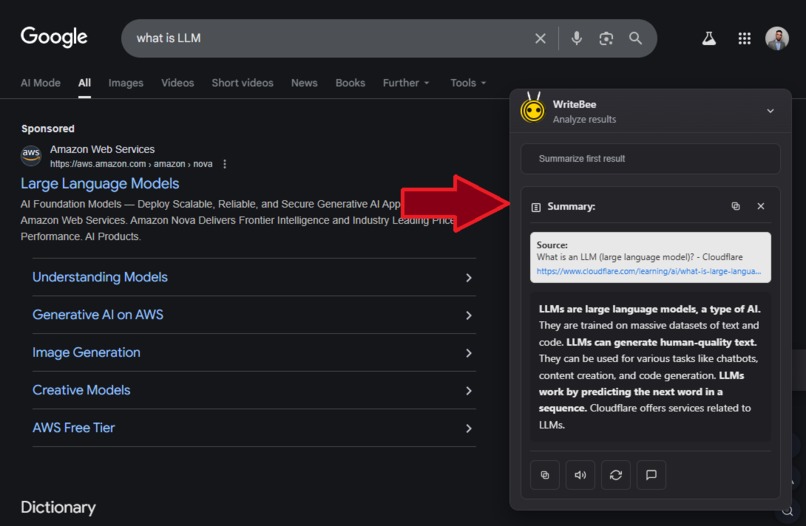
Google search summary
-
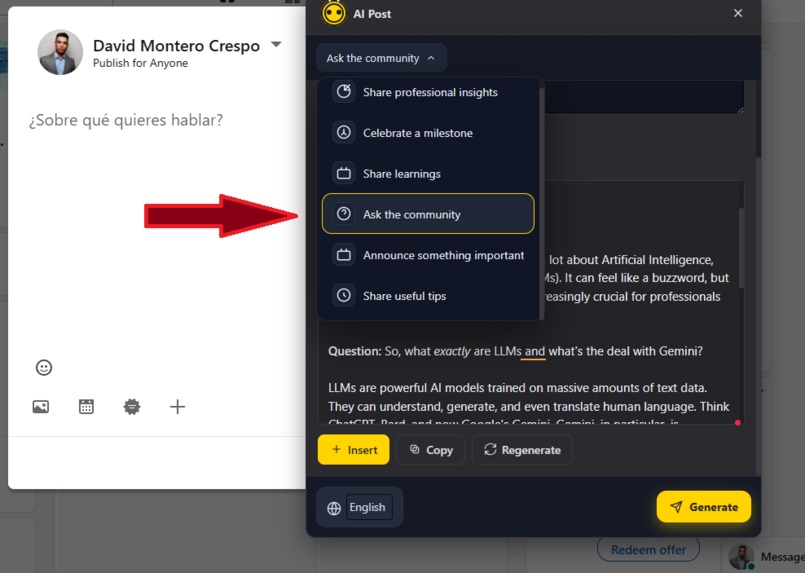
Response to a post on LinkedIn
-
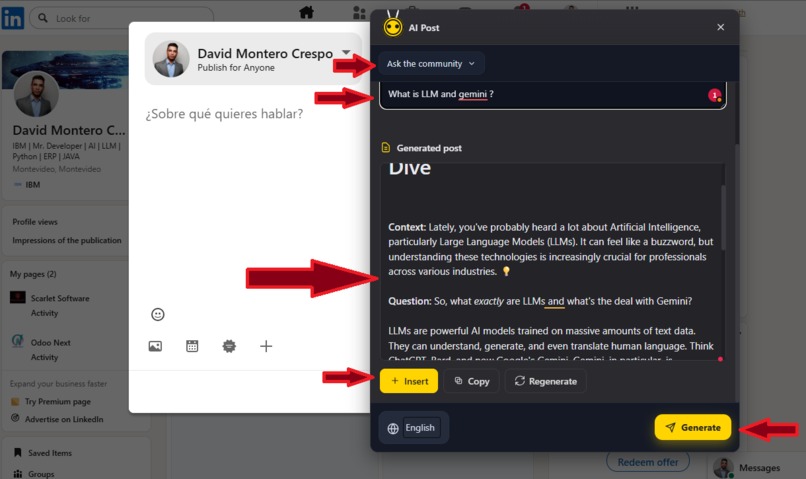
Create a post on LinkedIn
-
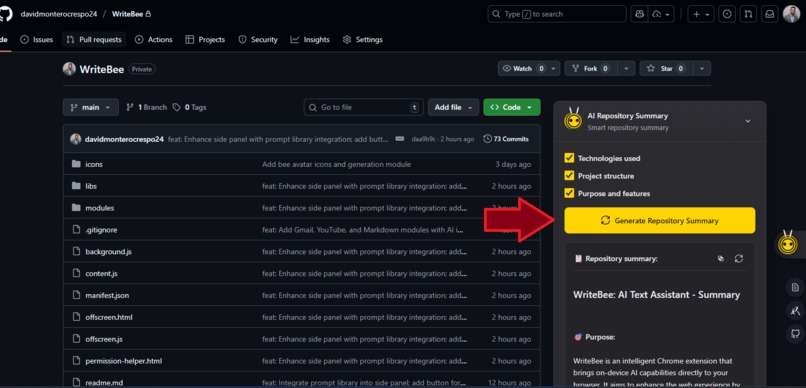
GitHub repository summary
-
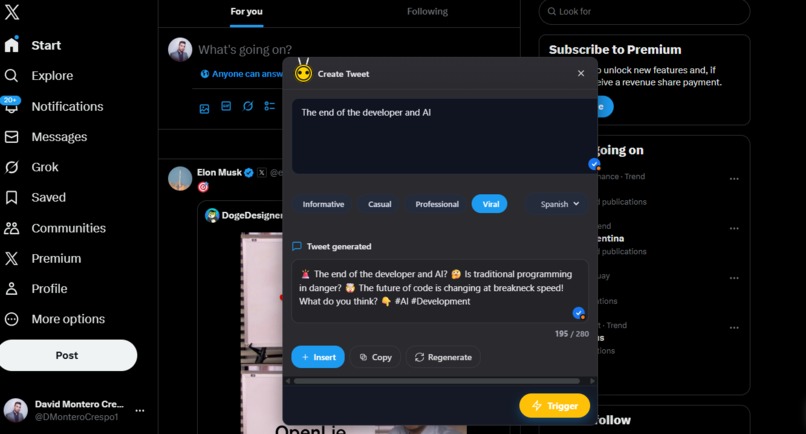
Create and reply to tweets
-
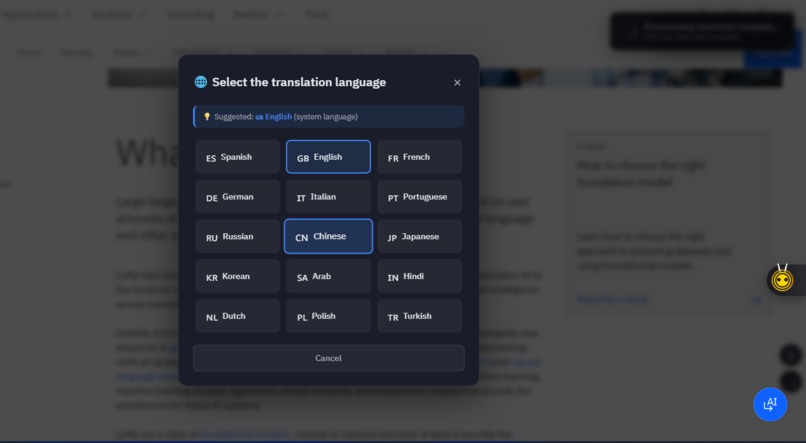
Languages to translate a complete web page
-
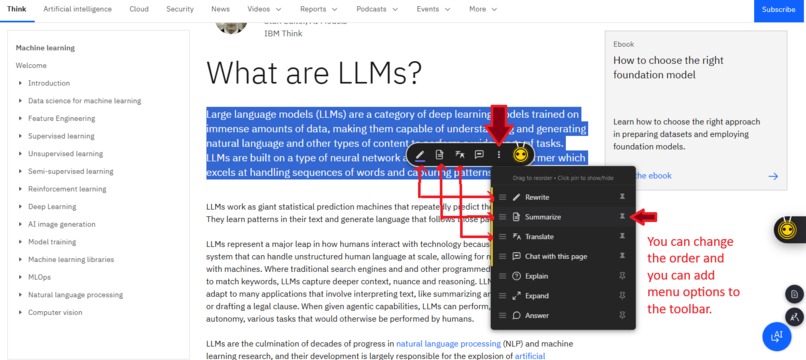
Selecting a text opens a toolbar
-
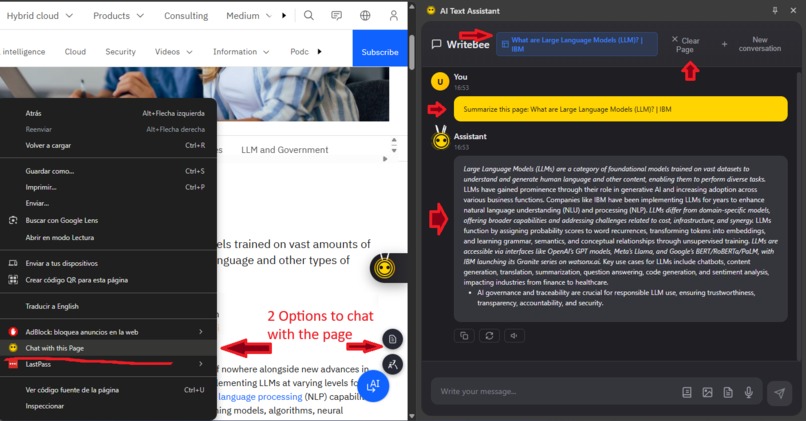
Chat with the current page using mini RAG
-
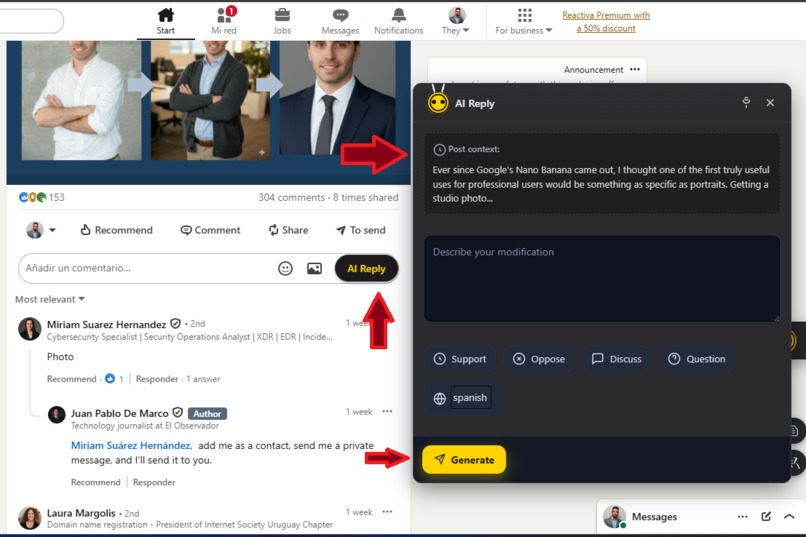
Respond to comments on LinkedIn
-
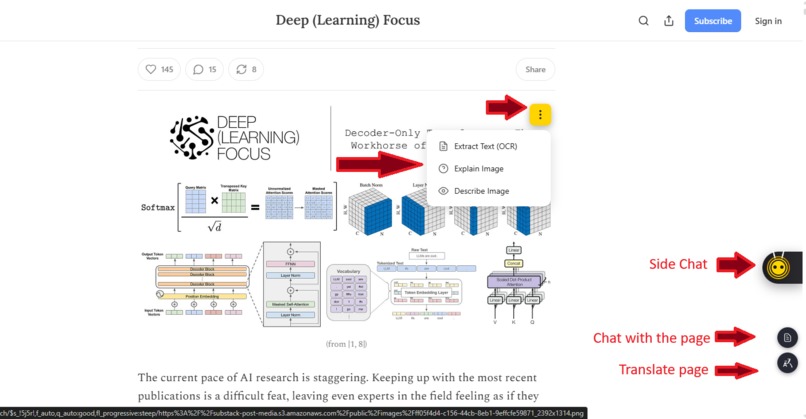
Option to generate a description of an image or convert the image to text in the side chat
-
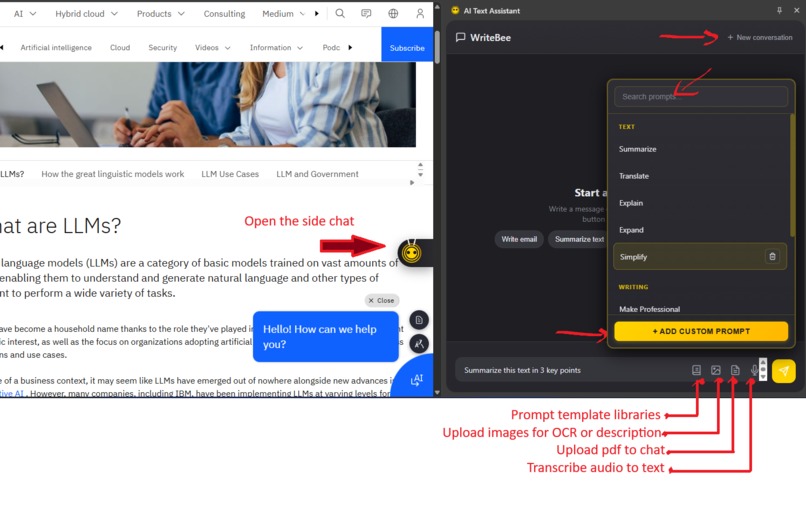
Side chat options
-
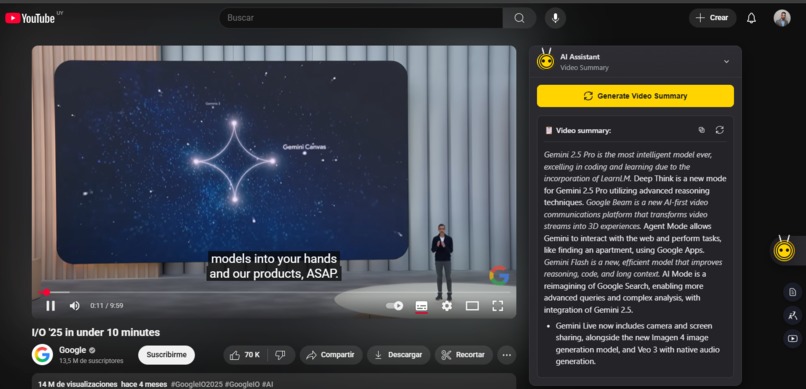
Summary of YouTube videos
-
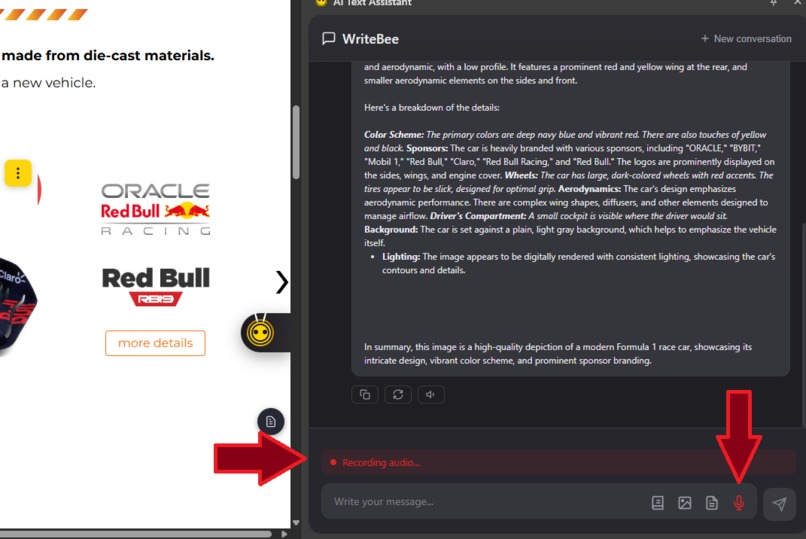
audio recording
-
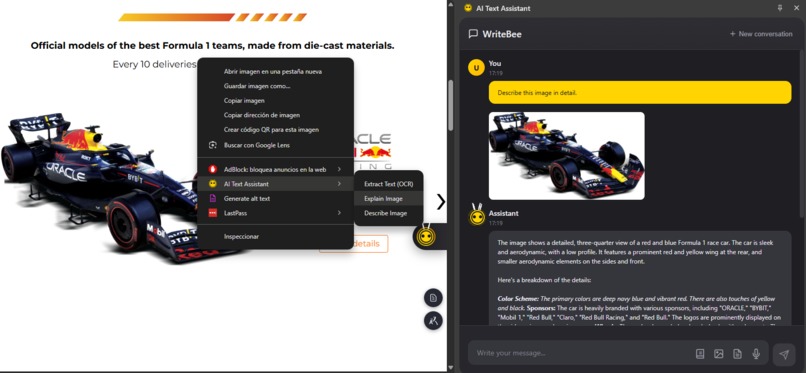
Image description
-
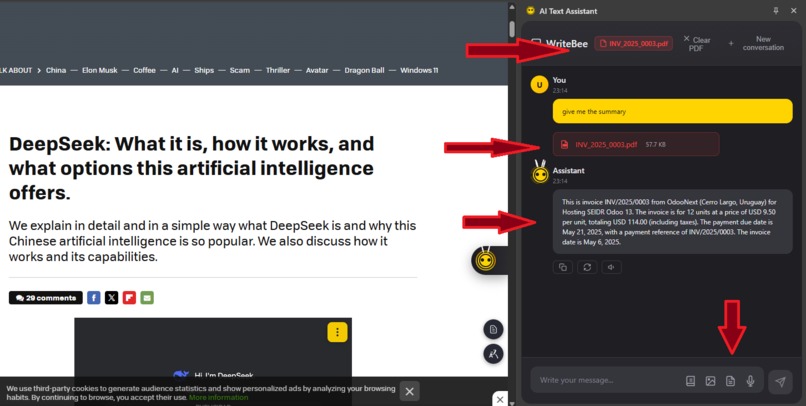
PDF Chat
-
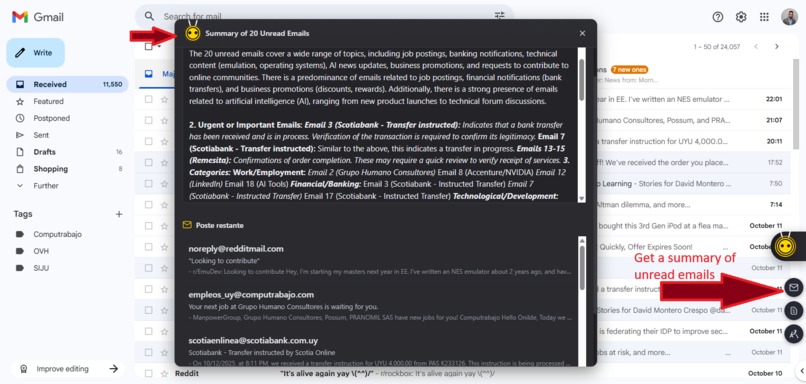
Summary of unread emails in Gmail
-
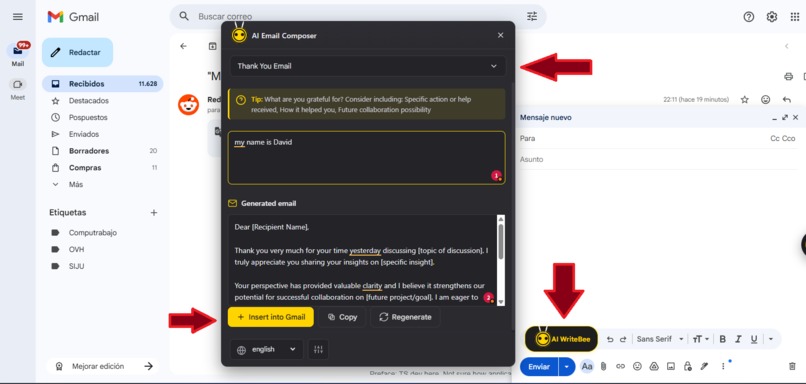
create mail in gmail
-
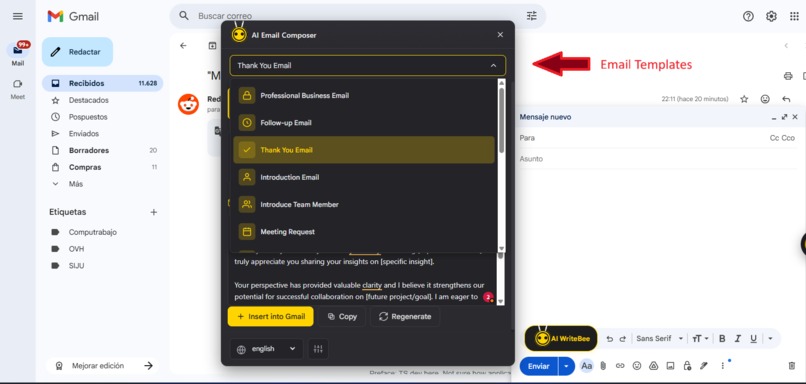
email templates in gmail
-
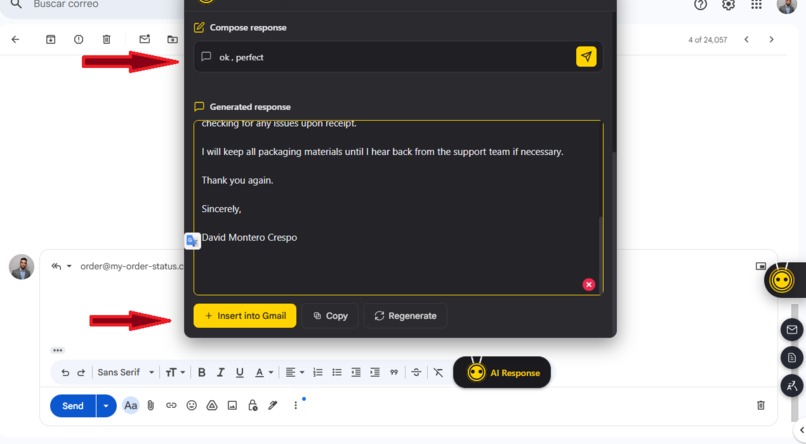
Response generated in Gmail
-
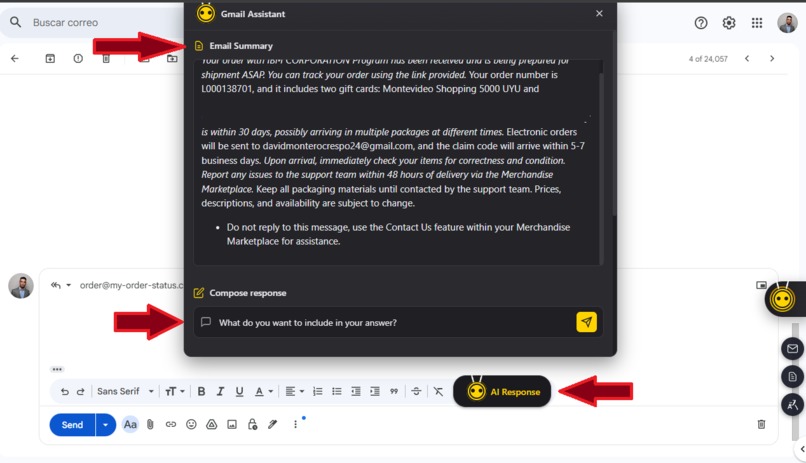
Reply to email in Gmail
-
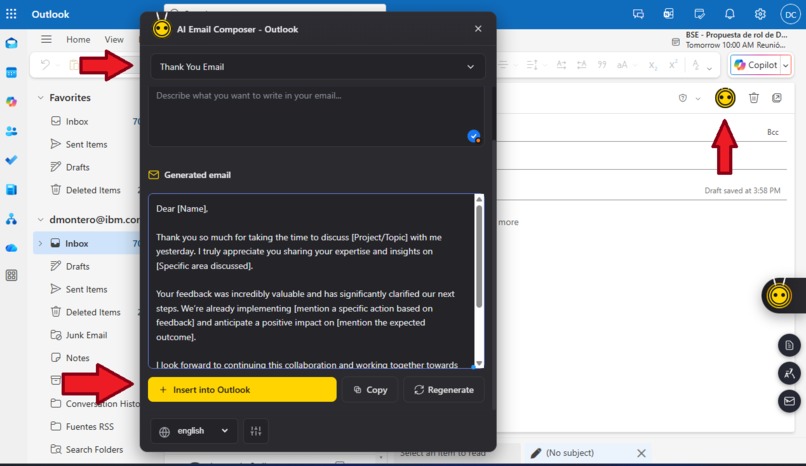
Outlook AI Composer


WriteBee: Your On-Device AI Assistant
✨ Inspiration
The idea behind WriteBee was born from a simple need: to harness the power of artificial intelligence directly within the browser, without relying on external platforms or sending sensitive data to the cloud. I wanted to create a Chrome extension that acts as an intelligent, privacy-first text assistant. We were inspired by how people consume and create information — across YouTube, Gmail, LinkedIn, X (Twitter), Outlook, and GitHub — and wanted to bring AI assistance right where productivity happens.
🚀 What it does
WriteBee is a comprehensive AI toolkit integrated directly into your browser. All processing is done 100% on your local device, ensuring your data remains private.
- Core AI Actions: Instantly summarize, translate, rewrite, explain, or expand any selected text on any webpage.
- Contextual Page Chat (RAG): Have an intelligent conversation with the current web page or a PDF document. Ask questions, get summaries, and find information using a built-in Retrieval-Augmented Generation (RAG) engine.
- Multimodal Capabilities:
- Image Understanding: Right-click an image to describe it, extract its text (OCR), or summarize its visual content.
- Voice-to-Text: Use your microphone to dictate prompts directly into the chat instead of typing.
- Platform Integrations: Access AI tools seamlessly within the websites you use most, including Gmail, Outlook, LinkedIn, X (Twitter), and GitHub.
- Creative Assistant: Use the side panel chat for general-purpose conversation, brainstorming, and content creation.
- Prompt Library: Save and organize your favorite prompts for quick and easy reuse.
🔧 How we built it
WriteBee is a Chrome Extension (Manifest V3) built with modern web technologies, centered around the new Chrome AI API.
- On-Device AI Core: The extension's brain is the
chrome.aiAPI, leveraging the built-in language model for all text generation tasks (summarize,translate,chat, etc.). This allows all AI processing to happen locally, ensuring user privacy. - Client-Side RAG Engine: We built a lightweight Retrieval-Augmented Generation (RAG) engine from scratch in JavaScript. This engine:
- Chunks web page or PDF content into manageable pieces.
- Vectorizes these chunks using a custom TF-IDF (Term Frequency-Inverse Document Frequency) implementation.
- Retrieves the most relevant chunks based on your query using cosine similarity and injects them as context for the AI model.
- Multimodal Pipeline: We integrated image and audio processing using the multimodal capabilities of the
LanguageModelAPI.- For images, we process blobs to perform OCR and image description.
- For audio, we capture microphone input using the
MediaRecorderAPI, and send the resulting audio blob for transcription.
- Modular Architecture: The codebase is organized into modules for each major feature (e.g.,
ai.js,ragEngine.js,multimodal.js,gmail.js,youtube.js). A centralcontent.jsscript injects these features, whileside_panel.jsmanages the main chat interface. - PDF Processing: We integrated PDF.js to extract text content from local PDF files, allowing the RAG engine to index and chat with them.
- UI & State Management: The UI is built with plain HTML, CSS, and JavaScript, featuring a floating toolbar for in-page actions and a responsive side panel for chat.
chrome.storage.localis used to persist the chat history and user settings.
🚧 Challenges we ran into
- Handling Large Contexts: Summarizing lengthy articles or video transcripts required implementing a hierarchical chunking strategy, where text is broken down, summarized in parts, and then the summaries are combined for a final result.
- Ensuring User Privacy: This was our biggest motivation. The solution was to commit fully to on-device processing by using the
chrome.aiAPI and building our own client-side RAG engine, ensuring no user data ever leaves the machine. - Manifest V3 Restrictions: Service workers have limited lifespans and no DOM access. We used the
chrome.offscreenAPI to create a temporary, hidden document to perform complex background tasks. - Microphone Permissions: Getting microphone access within a side panel is complex. We engineered a solution where the recording is initiated from the active page's content script, which then passes the audio data to the side panel for transcription.
🏆 Accomplishments that we're proud of
- A Truly On-Device AI Assistant: We successfully built a feature-rich AI tool that runs entirely locally, a significant step forward for user privacy in the age of AI.
- A Custom JavaScript RAG Engine: Building a functional, client-side RAG system from scratch using TF-IDF vectorization was a major achievement that enables powerful contextual conversations.
- Seamless Multimodal Integration: We are proud of creating a smooth user experience for interacting with images (OCR, description) and voice (transcription) as fluidly as text.
- Broad Platform Integration: The extension feels like a native feature on multiple major websites, which required careful engineering of the content scripts.
🎓 What we learned
- The power and potential of the Chrome AI API for building privacy-centric applications.
- How to implement core information retrieval concepts like TF-IDF and cosine similarity to build an effective, lightweight RAG system in JavaScript.
- Strategies for managing permissions, service workers, and cross-context communication within the constraints of Manifest V3.
- The importance of a modular design to manage the complexity of integrating dozens of features into a single, coherent product.
🔮 What's next for WriteBee
- Enhanced RAG Engine: We plan to explore using the Chrome AI API to generate embeddings for our RAG engine, potentially moving from TF-IDF to a more powerful semantic search.
- Expanded Integrations: We aim to support more platforms, such as Slack, Discord, and popular developer forums.
- Deeper Workflow Integration: Instead of just providing text, we want to enable actions, like auto-composing and sending email replies in Gmail.
- Community Prompt Library: Allow users to share and discover useful prompts within the extension.


Log in or sign up for Devpost to join the conversation.