-
-
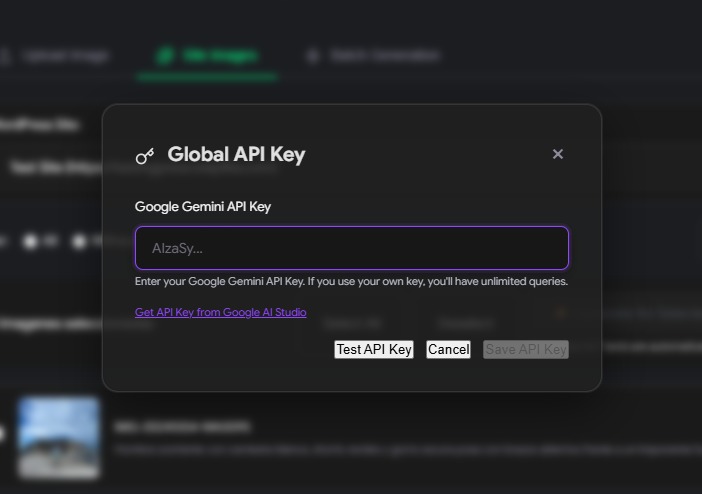
Global Gemini API
-
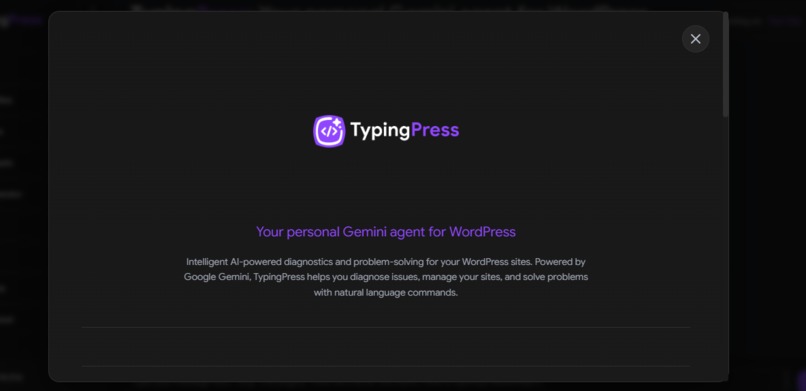
Landing Page
-
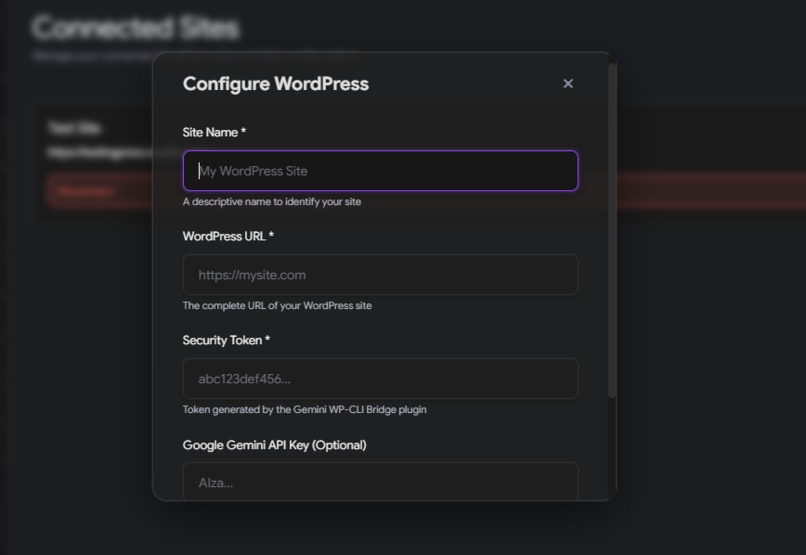
Connect Site
-
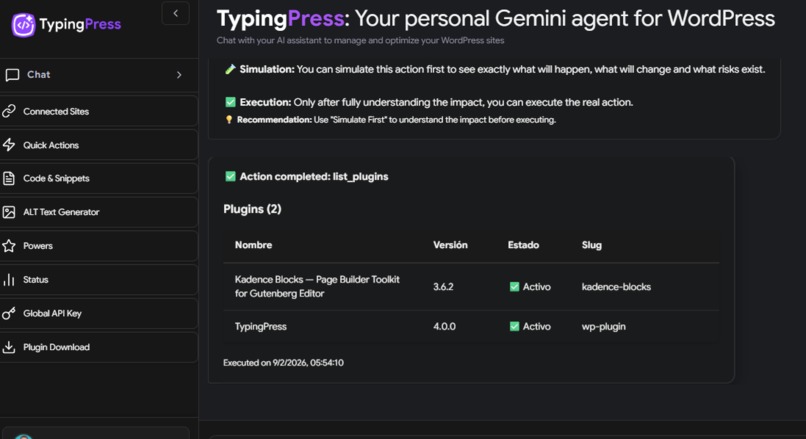
"List plugin" action
-
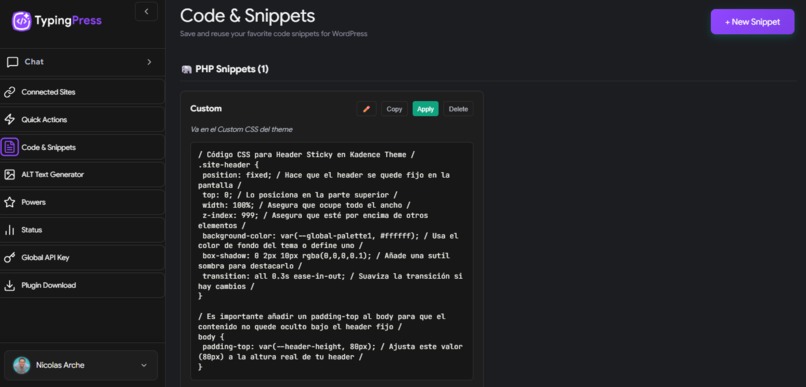
"Code & Snippets" library option
-
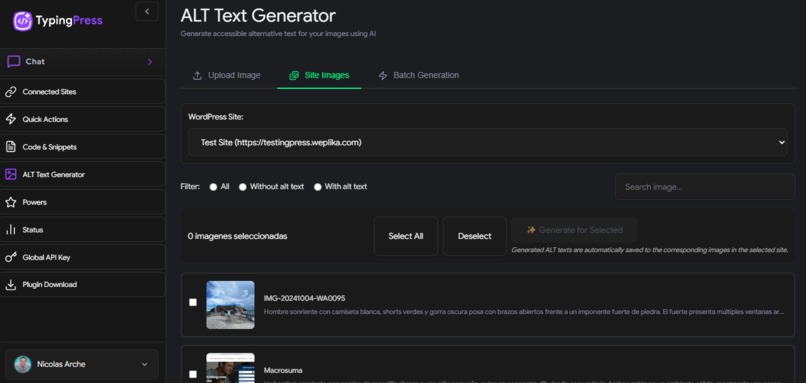
ALT Text Generator feature


About the project
Inspiration
We wanted to manage WordPress through conversation instead of clicking through the admin or memorizing WP-CLI. Many site owners and developers know what they want—“list my plugins”, “activate X”, “how is my site?”—but not how to do it quickly. We saw Google’s Gemini and the WordPress Abilities API as a way to turn natural language into safe, auditable actions on real WordPress sites: no terminal, no fragile CLI emulation.
The idea was: one chat interface, multiple sites, real WordPress actions with permissions and simulation. That led to TypingPress: a Gemini-powered agent that speaks WordPress.
What it does
TypingPress is a conversational assistant that connects Google Gemini 2.5 Flash to your WordPress sites. You chat in plain language; Gemini decides when to run real WordPress actions (via the Abilities API) and when to just answer. The plugin exposes 50+ abilities (site info, plugins, themes, content, media, WooCommerce, and more). Key capabilities:
- Natural-language control: Ask “list my plugins”, “activate Hello Dolly”, or “how is my site?” and get real results. Gemini uses function calling to pick the right ability and parameters.
- Simulate before execute: For write actions (e.g. activate/deactivate plugin), you can run a simulation first. You see an impact report of what would change, then choose to execute or cancel.
- Multi-site: Add several WordPress sites (each with its own token). Switch context in the sidebar and run actions on the selected site(s).
- Safety and audit: All actions go through the WordPress Abilities API with proper capability checks. No stored WordPress passwords; tokens are per-site and validated on every request. Actions can be logged for audit.
- Extras: Code snippets (CSS, JS, PHP), ALT text generation for images, connected-sites management, and a responsive UI that works on desktop and mobile.
So in practice: you talk, TypingPress and Gemini translate that into the right API calls, with optional simulation and clear feedback.
How we use Gemini
We use Google Gemini 2.5 Flash via the Generative AI SDK in three main ways:
Intent and function calling: For every user message, we send the conversation context plus the full list of WordPress ability schemas (name, description, parameters) to Gemini. The model interprets the user’s intent and, when appropriate, returns a function call with the chosen ability and parameters (e.g.
list_plugins,activate_pluginwithplugin_slug). This drives all “talk to your WordPress” actions without hard‑coded commands.Conversational responses: When the user is asking a general question, asking for help, or the request doesn’t map to an ability, Gemini returns a normal text reply. We use the same model for this so the experience stays consistent and we avoid accidentally triggering actions from casual chat.
ALT text generation: For the image accessibility feature, we call Gemini with vision (image input) to generate descriptive alt text for media. Users can upload or select site images and get suggested alt text to apply in WordPress.
All Gemini calls go through our Node backend, which keeps conversation history, applies rate limits, and forwards ability execution to the WordPress REST API after optional simulation.
How we built it
WordPress plugin (
wp-plugin/): Uses the WordPress Abilities API to register abilities (e.g.get_site_info,list_plugins,activate_plugin,list_themes). Exposes REST routes under/wp-json/typingpress/v1/(discovery, test, execute). Validates a security token and WordPress capabilities before executing. Modular abilities (e.g. WooCommerce) live inabilities/and register only when the corresponding plugin is active.Backend (
web-app/): Express server that talks to the Google Generative AI (Gemini) SDK using Gemini 2.5 Flash. It keeps conversation context and (optionally) session storage, proxies requests to the WordPress REST API for ability discovery and execution, and handles auth (e.g. Google OAuth), rate limiting (e.g. (n = 50) requests/hour on the free tier), and optional personal API keys.Front end (
public/): Single-page app (vanilla JS) with a sidebar (sites, Quick Actions, Powers, Status, config) and a main chat view. It sends user messages to the backend, receives Gemini’s replies and function-call payloads, and renders simulate/execute confirmations and results. Also includes code snippets UI, ALT text flow, and multi-site selector.End-to-end flow: User message → backend calls Gemini with context + ability schemas → Gemini returns either a function call (ability + params) or a plain reply → backend optionally runs simulation, then calls WordPress REST for that ability → response is formatted and sent back to the UI.
Challenges we ran into
- Safety vs simplicity: Letting the AI run real WordPress actions (e.g. activate/deactivate plugins) required a clear simulation mode and impact reports. Balancing “one click” with “show me exactly what will change” took several iterations in prompts and UI.
- Intent detection: Telling apart casual chat (“what’s WordPress?”) from actionable requests (“list my plugins”) so we don’t trigger abilities by mistake. We tuned system prompts and ability descriptions so Gemini stays accurate and predictable.
- Multi-site and state: Supporting multiple WordPress sites in one session meant consistent handling of site selection, token storage, and errors when a site is down or misconfigured. We had to make the “active site” obvious in both the UI and the API.
- Rate limiting and quotas: Implementing a fair free tier (e.g. (n = 50) requests per hour) and optional personal API keys without breaking the chat experience or exposing too much quota logic in the front end.
- Extensibility: Making the plugin modular (e.g. WooCommerce abilities in a separate file) so new abilities can be added without touching core code, while keeping discovery, permissions, and execution consistent.
Accomplishments that we're proud of
- Real actions, not emulation: We moved from “fake” WP-CLI to the real WordPress Abilities API, so every action is a native WordPress operation with proper capability checks and no terminal dependency.
- Simulate-then-execute: Users can see an impact report before confirming write actions, which builds trust and reduces mistakes.
- Single conversational surface: One chat interface for multiple sites, with Gemini choosing when to call abilities and when to just respond—so the product feels like “WordPress in your words.”
- Modular plugin design: Core abilities plus pluggable modules (e.g. WooCommerce) that register only when the right plugin is active, making it easier to extend TypingPress to more WordPress ecosystems.
- Full-stack alignment: WordPress (PHP/REST), Node (Express/Gemini), and front end (vanilla JS) all share clear schemas and error handling so the flow stays predictable from chat to execution.
What we learned
- Gemini function calling: How to design ability names and parameter schemas so the model reliably picks the right action (e.g.
list_pluginsvsactivate_plugin) while we keep control over what actually runs. - WordPress Abilities API: How to register abilities, enforce
required_capability, and return structured results so both the front end and the AI can interpret them. - Security and trust: How to implement simulate-before-execute and impact reports, and how to handle tokens, CORS, and rate limiting without blocking legitimate use.
- Full-stack flow: How to coordinate a WordPress plugin, a Node backend, and a vanilla JS front end so that schemas and error formats stay consistent across the whole pipeline.
What's next for TypingPress
- More abilities: Extend beyond the current 50+ (e.g. comments, taxonomies, more themes/plugins) so users can manage more of their site from the chat.
- Richer UI: Improve the interface (e.g. Status, Quick Actions, Powers views) and add a dashboard for analytics and usage.
- Deeper WordPress integration: Support more native WordPress features and optional integrations with block editor, themes, and other tools.
- Public API: Expose a REST API so other apps or automations can trigger TypingPress abilities programmatically.
- Stability and scale: Harden multi-site handling, error recovery, and performance so TypingPress is reliable for daily use on many sites.

Log in or sign up for Devpost to join the conversation.