-
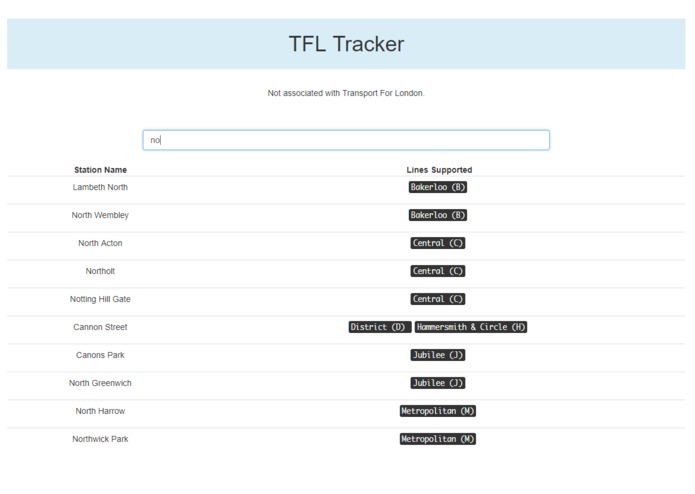
typeahead station
-
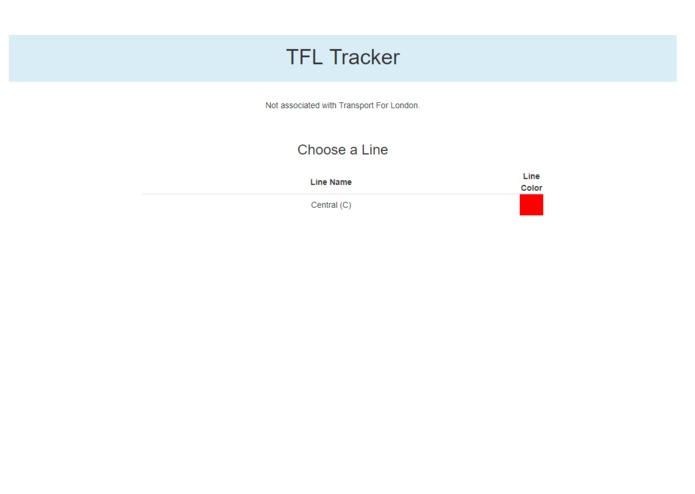
minimal quick line choice
-
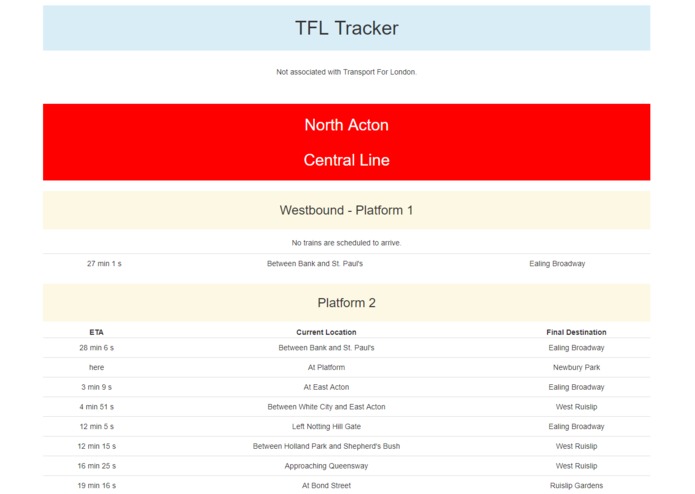
provide scheduling info instantly


TFL Tracker App
Goals
- quick interface with typeahead for users to find information with ease on low quality networks
- show incoming trains and information on scheduling
- bootstrapped and easy to develop/extend
Challenges
TFL's API is ancient and uses a variation of XML. Also, it doesn't send any X-headers for authorization and content access control, so a proxy server is necessary (supplied in both python and Node.js) to get this information, process and provide headers, and serve up to the Vue.js web app.
Prerequisites
- NodeJS (prefer latest)
- Express router (
npm install express) - Node XMLHTTPRequest (
npm install xmlhttprequest)
Usage
Start proxy server:
node proxy/server.js
(listens on 8080, forward server HTTP traffic here)
Direct visitors to src/index.html (or if using Github Pages then docs/index.html).
Github Pages: Put the precommit hook into git hooks folder (cat pre-commit.hook > .git/hooks/pre-commit). Then on commit it'll create a brand new docs/ folder for you with all the client files from src/ (index.html/.js, style.css).
Draft Spec
- Vue frontend
- typeahead for station
- color coded selection for line
- display result by platform
- Express backend
- query TFL xml api, parse train info
Draft Flow:
App Loads

  | User chooses station

  -> | User chooses line

    -> | Vue client contacts Express proxy with station+line

      -> | proxy forwards XML from TFL API to Vue client

        -> | Vue client displays result
Known Issues
- TFL doesn't send COORS, as a result a proxy server is put in place. (I have contacted TFL about their API)
- Using a synchronous XMLHTTPRequest can have a negative impact on user experience; this is a known issue, but when in underground the poor signal and wireless can cause unexpected drops, and an asynchronous request here could break and cause a race condition due to poor wireless connection. Willfix in later release.
- Using an
XMLHTTPRequestpolyfill as opposed tofetch, will fix at a later point and used only to provide the same syntax used on client. Hopefully at a later point TFL will send COORS headers and the proxy snippet can be placed back into the client.
Credits
- Using Bootstrap 3 for quick UI
- TFL API provides data
- Using Express for proxy server
- Using Vue script-based approach
- Favicon from Flaticon, designed by Freepik (source image)
Quick Spec
- needs to allow picking of station and line
- show incoming trains to station
- show eta, final destination, current location of train
- quick to load
- updated in realtime, using TFL api

Log in or sign up for Devpost to join the conversation.