-
-
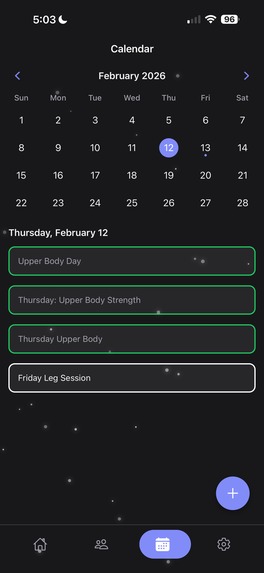
Calendar feature
-
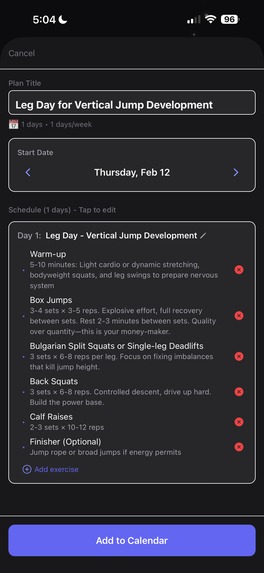
Add suggested exercise by your coach into your calendar with one click, fully editable
-
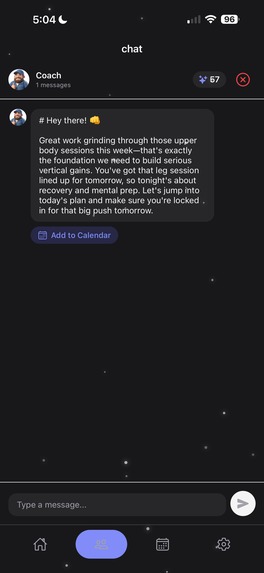
Coach can see your calendar
-
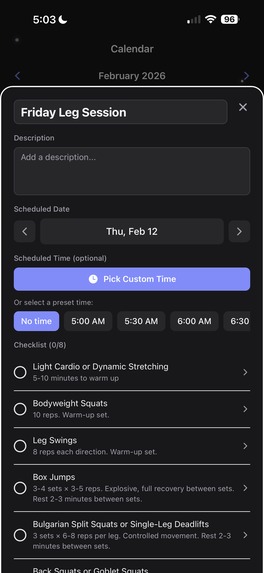
Fully editable tasks with timed notification reminder
-
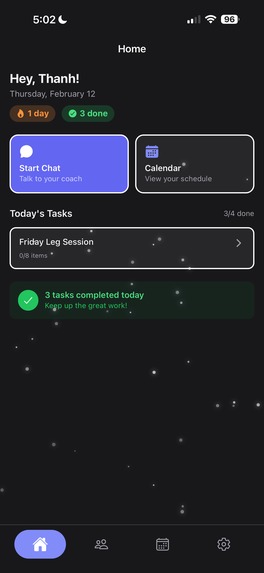
Daily streak and completed task trackers
-
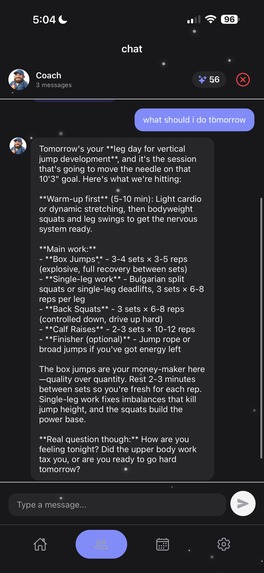
Get suggestion for exercise based on past conversation with the coach
-
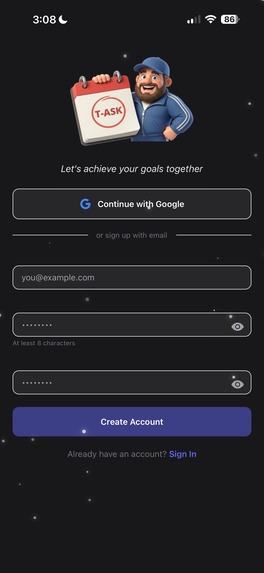
Sign up page
-
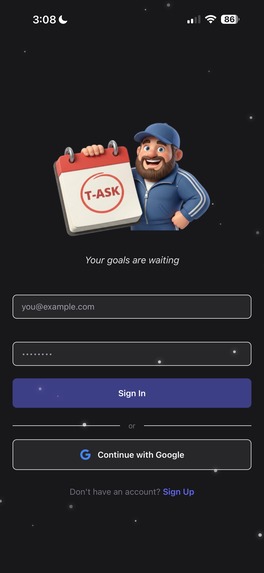
Sign in page


Inspiration
I've always struggled with staying organized, so I built an app that combines AI coaching with a task calendar. The mobile format means I can quickly check in with my coach and see what's on my schedule without opening a laptop.
What I Learned
Building the mobile app taught me a lot about cross-platform development with React Native and Expo. I learned how to set up Expo Router for file-based navigation, which made structuring screens intuitive. I integrated Clerk authentication for Google OAuth on mobile using expo-auth-session and expo-web-browser. I styled components with NativeWind (Tailwind CSS for React Native) for a clean and consistent UI. I used TanStack Query for efficient API state management and caching. I also worked with native features like expo-notifications, expo-haptics, and react-native-calendars.
How I Built It
I started by initializing an Expo project with TypeScript and configured EAS Build for iOS and Android deployment. I built a TypeScript API client to communicate with the Express.js backend. I implemented Clerk's mobile SDK with secure token storage using expo-secure-store for authentication. I built the core screens including the chat interface, coach selection, and calendar views using React Native components. I then implemented task management features like completing tasks, checklists, rescheduling, and recurring tasks.
Challenges Faced
The main challenges I encountered involved authentication token handling, I had to use Expo's secure storage and properly pass JWT tokens to the backend. Getting react-native-calendars to work smoothly with the task data structure required custom date formatting. I was able to work fast on my own but it also come with many disadvantages but I was able to managed.
Accomplishments that I am proud of
I successfully implemented a smooth real-time chat experience with AI coaches that feels native on both iOS and Android. The calendar integration turned out really well, users can view their tasks in a monthly calendar, complete them with haptic feedback, and even reschedule by tapping on different dates. I also managed to set up EAS Build pipelines that automate the entire deployment process to the app stores.
What's next for T-ASK
I plan to add voice chat so users can talk to their AI coach. I want to implement push notifications with snooze functionality so users can delay reminders when they're busy and get prompted again later. I'm also looking to add widgets for iOS and Android home screens that show today's tasks at a glance. Finally, I want to introduce offline support so users can view their calendar and queue messages even without internet connectivity.
Built With
- anthropic
- api
- claude
- clerk
- cloudinary
- css
- drizzle
- eas
- expo.io
- express.js
- native
- nativewind
- node.js
- orm
- postgresql
- query
- react
- router
- tailwind
- tanstack
- typescript
- zustand
Log in or sign up for Devpost to join the conversation.