-
-
-
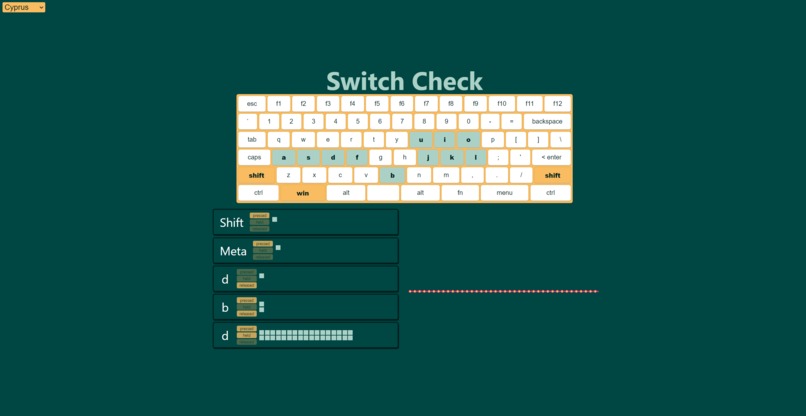
Dynamic themes!


Inspiration
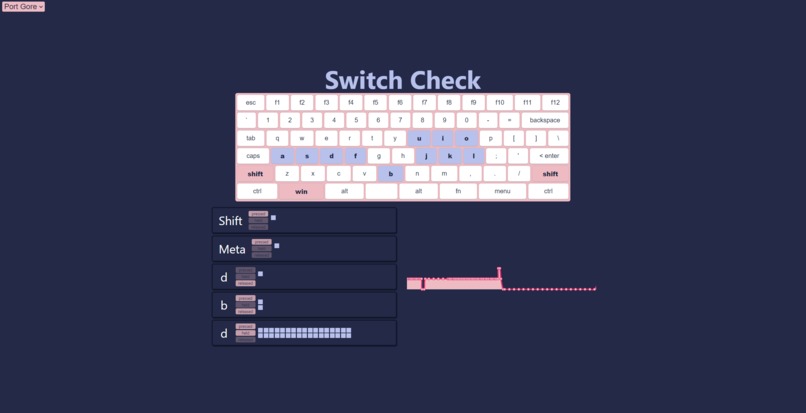
When building a custom keyboard, it's important to test your board before you put everything together (or else have to take it all apart when something's wrong). This site makes it easy to test each key on your keyboard, marking pressed keys so you can continue until everything is green.
What it does
It tracks your keypresses on the site and renders them onto three components. An on-screen keyboard tracking all the keys that have been pressed, a log describing each individual event, and a graph showing the current number of keys being held.
We also offer dynamic themes (both light and dark variations), allowing you to switch the look of the site at any time.
How we built it
Incrementally, with good git practices, and using react and Vercel/Next.js :)
Challenges we ran into
Getting the dynamic themes into components we didn't have control over, like the on-screen keyboard, was difficult, but we found workarounds using css-in-js and style-jsx.
Optimizing the graph to receive many real-time keypresses was also tricky, and is an area of active work moving forward.
Accomplishments that we're proud of
The dynamic themes using react contexts and the useContext hook makes it easy to build components using the theme, and to dynamically update it from the top-level.
A react hook for receiving and managing the keyboard events made it easy for our three visual components to all tie into the same functionality.
What we learned
React Hooks! Next.js! Chart.js! CSS-IN-JS!
What's next for SwitchCheck
Optimization, further styling, and ironing out plenty of rough edges. Entering capital letters or other special keys right now doesn't work too well, as an example. Updating styles on the on-screen keyboard, as well as rendering the plot could be sped up too.
Built With
- chartjs
- nextjs
- react
- typescript
Log in or sign up for Devpost to join the conversation.