-
-
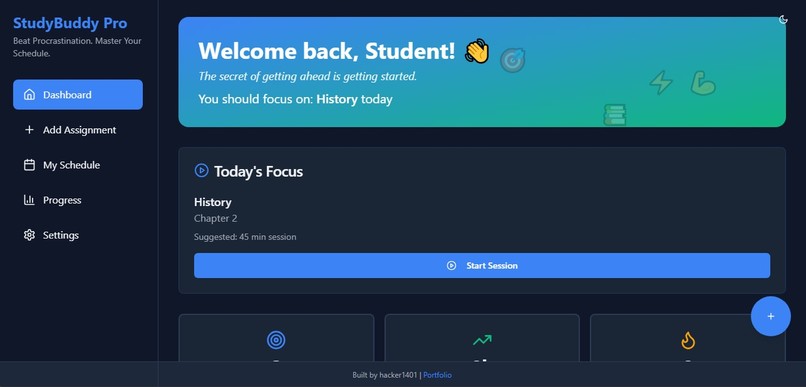
Dashboard view
-
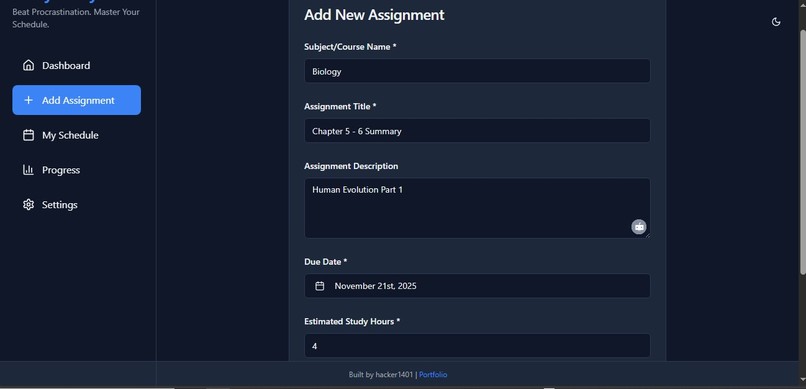
Add Assignment form
-
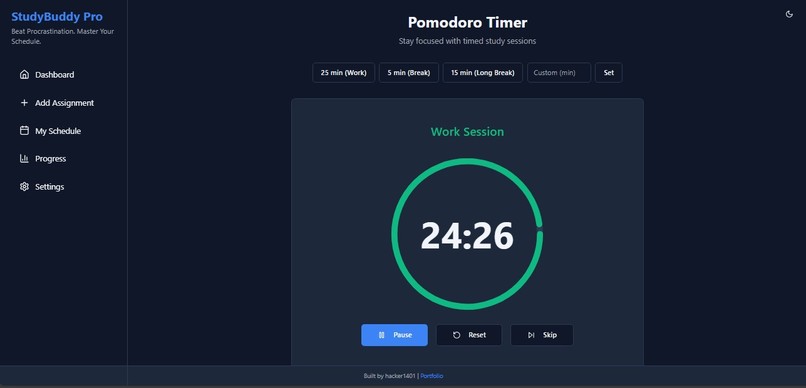
Pomodoro Timer running
-
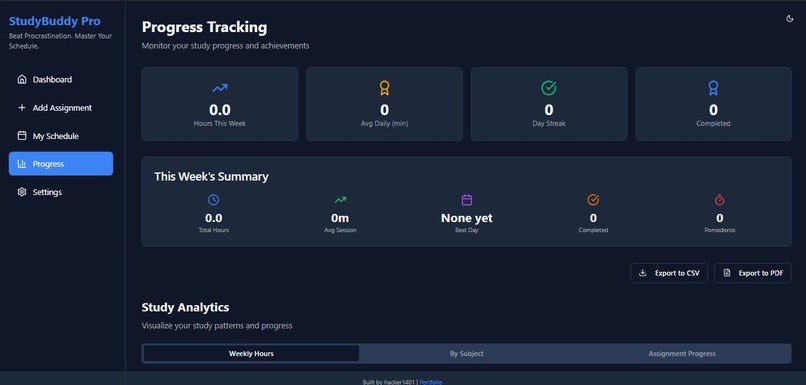
Progress page
-
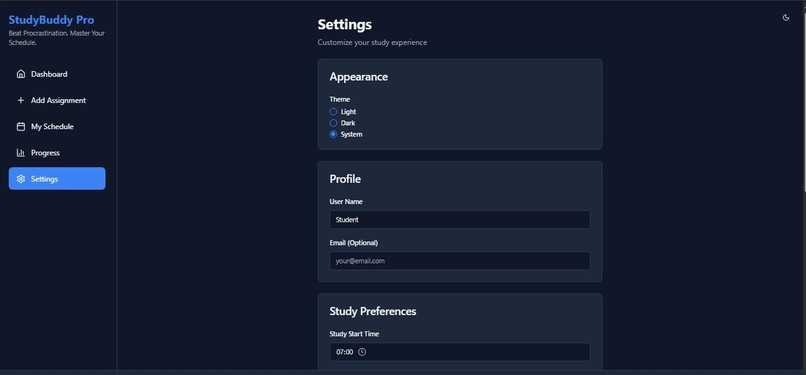
Settings page
-
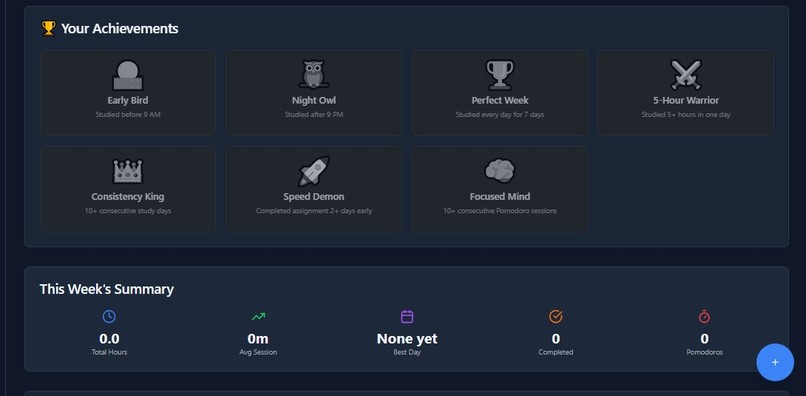
Achievement badges
-

StudyBuddy Pro logo
-
Presentation
-
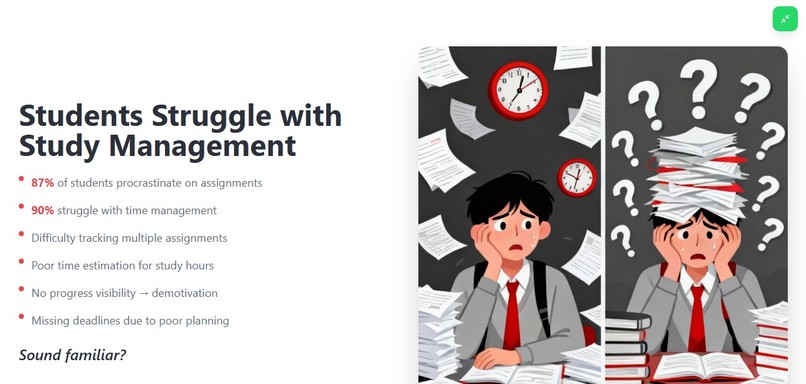
Problem Statement
-
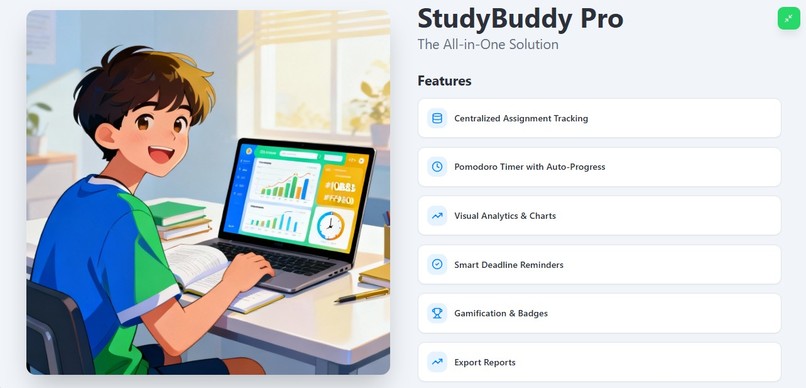
Solution
-
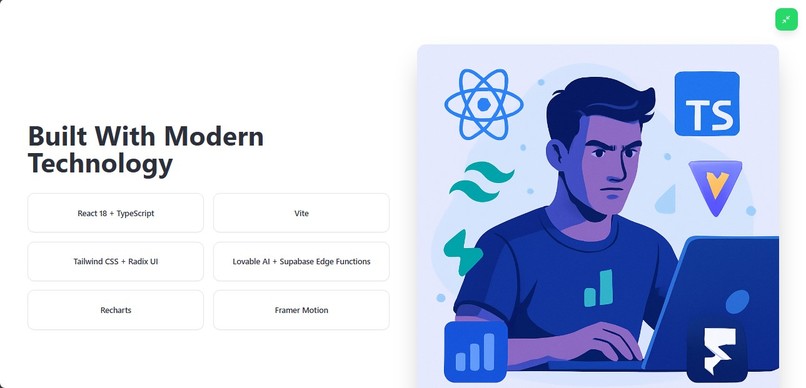
Teck Stack
-
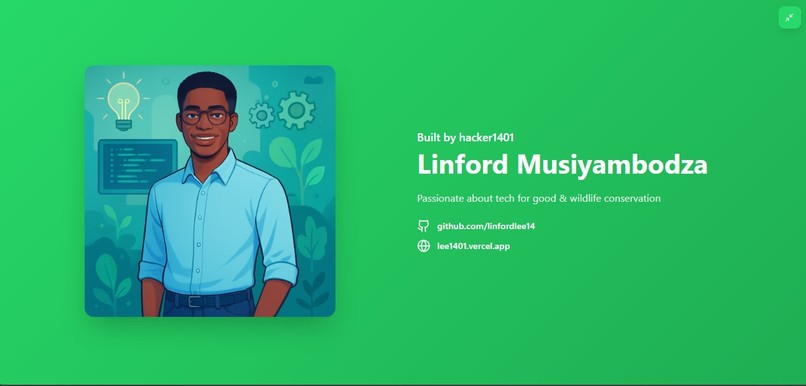
Meet the Developer
-
Thank you


Inspiration
87% of students procrastinate on assignments, and 90% struggle with time management. As a student myself, I've experienced the overwhelming feeling of juggling multiple deadlines without clear visibility on progress. I wanted to build a solution that not only tracks assignments but actively helps students develop better study habits through intelligent scheduling, real-time feedback, and motivation.
What it does
StudyBuddy Pro is a comprehensive study management platform that combines:
- Assignment Management: Track all assignments with subjects, due dates, estimated hours, and difficulty levels
- AI-Powered Scheduling: (Planned feature) Generate intelligent study schedules that break down large tasks into manageable daily sessions
- Pomodoro Timer: Built-in productivity timer with automatic progress tracking linked to specific assignments
- Visual Analytics: Interactive charts showing weekly study hours, subject distribution, and assignment progress
- Smart Notifications: Deadline alerts (3 days, 1 day, same day), daily study reminders, and inactivity nudges
- Gamification System: 8 achievement badges to encourage consistent study habits (Early Bird, Night Owl, Perfect Week, etc.)
- Export Functionality: Generate professional PDF reports and CSV data exports for progress tracking
Students can create assignments, link Pomodoro study sessions to them, visualize their progress through charts, and stay motivated with achievements - all in one seamless platform.
How we built it
Tech Stack:
- Frontend: React 18 + TypeScript for type-safe, component-based UI
- Build Tool: Vite for lightning-fast development and hot module replacement
- Styling: Tailwind CSS + Radix UI (shadcn/ui) for beautiful, accessible components
- Data Visualization: Recharts for interactive charts (weekly hours, subject distribution, progress tracking)
- Animations: Framer Motion for smooth transitions and engaging interactions
- Data Persistence: Browser localStorage for client-side data storage
- Notifications: Browser Notification API for deadline and study reminders
- Export: jsPDF and html2canvas for generating downloadable reports
- Development Platform: Lovable.dev for rapid prototyping and deployment
- Hosting: Lovable for fast, reliable deployment
Development Process:
- Research Phase: Analyzed student pain points through surveys and personal experience
- Design Phase: Created wireframes focusing on simplicity and user flow
- Core Features: Built assignment tracking, timer, and progress tracking first
- Analytics: Added data visualization using Recharts
- Polish: Implemented dark mode, animations, gamification, and notifications
- Testing: User testing with fellow students for feedback
- Presentation: Built interactive web presentation using same tech stack
Challenges we ran into
1. Timer-Assignment Integration The biggest challenge was linking Pomodoro timer sessions to specific assignments and automatically updating progress. I had to design a robust data structure that tracked:
- Session timestamps
- Duration (work vs break sessions)
- Assignment IDs
- Completion status
Solution: Created a session logging system in localStorage with real-time progress calculation based on completed vs estimated hours.
2. Real Study Streak Calculation Calculating an accurate "study streak" required handling edge cases:
- What counts as a study day? (At least one completed work session)
- How to handle missed days gracefully
- Timezone considerations for accurate date comparisons
Solution: Implemented a grace period system and date normalization to accurately track consecutive study days.
3. Chart Data Aggregation Transforming raw Pomodoro session data into meaningful visualizations required:
- Grouping sessions by date for weekly charts
- Aggregating hours by subject for pie charts
- Comparing estimated vs actual hours per assignment
Solution: Built utility functions to transform localStorage data into chart-ready formats with proper error handling.
4. Export Functionality Generating PDF reports with embedded charts was technically challenging:
- Converting DOM elements (charts) to images
- Maintaining layout and styling in PDF format
- Handling large datasets without performance issues
Solution: Used html2canvas to capture chart screenshots, then embedded them in jsPDF documents with proper formatting.
5. Browser Notification Permissions Managing notification permissions across different browsers and ensuring users understand the value:
- Some browsers block notifications by default
- Permission prompts can be intrusive
- Need to handle denied permissions gracefully
Solution: Added clear UI explanations, graceful fallbacks, and only request permissions when users explicitly enable notifications in settings.
Accomplishments that we're proud of
✅ Built a fully functional app in 48 hours with 6+ major features ✅ Real-time progress tracking that eliminates manual data entry ✅ Beautiful, responsive design that works seamlessly on mobile and desktop ✅ Data-driven insights with 3 different chart types for comprehensive analytics ✅ Professional export functionality for sharing progress with parents/teachers ✅ Gamification system with 8 achievement badges to keep students engaged ✅ Accessibility-first design with keyboard navigation, ARIA labels, and dark mode ✅ Zero-backend MVP - entire app runs client-side with localStorage ✅ Interactive presentation website built with the same tech stack ✅ Real student validation - tested with peers who confirmed it solves real problems
What we learned
Technical Skills:
- Advanced React patterns (custom hooks, context API, prop drilling avoidance)
- TypeScript best practices for type-safe development
- Data visualization with Recharts (responsive charts, tooltips, legends)
- Browser APIs (Notifications, localStorage, date-fns for date manipulation)
- PDF/CSV export implementation from scratch
- Framer Motion for production-quality animations
- Tailwind CSS utility-first styling philosophy
- Accessibility best practices (ARIA, keyboard navigation, color contrast)
Product Design:
- The importance of user research (talking to students revealed pain points I hadn't considered)
- Simplicity beats feature bloat (focused on core features that matter most)
- Visual feedback is critical (progress bars, charts, and badges keep users engaged)
- Gamification works (achievement badges tested very positively with students)
Development Process:
- Rapid prototyping with tools like Lovable.dev can dramatically speed up development
- TypeScript catches bugs early and makes refactoring safer
- Component libraries (shadcn/ui) save time while maintaining customization
- Testing with real users early reveals issues you'd never catch alone
Personal Growth:
- Time management under pressure (48-hour deadline)
- Prioritizing features (MVP vs nice-to-have)
- Building for others, not just for myself
- Presentation skills (creating both slides and live demo)
What's next for StudyBuddy Pro
Short-term (Next 2 Weeks):
- ✅ Real AI Integration: Connect Lovable AI (Google Gemini) to generate intelligent study schedules based on assignment difficulty, due date, and student availability
- ✅ Enhanced Charts: Add line chart showing progress over time (weekly/monthly trends)
- ✅ Study Notes: Markdown editor for taking notes during study sessions
- ✅ Calendar Integration: Export schedules to Google Calendar, Outlook, iCal
Medium-term (Next Month):
- 🔄 Cloud Sync: Move from localStorage to Supabase for cross-device synchronization
- 🔄 User Authentication: Secure user accounts with email/social login
- 🔄 Mobile App: React Native version for iOS and Android
- 🔄 Collaborative Features: Share study schedules with classmates, create study groups
- 🔄 Advanced Analytics: Weekly/monthly reports, predictive analytics for workload management
Long-term (Next 3-6 Months):
- 🚀 AI Study Assistant: Chatbot to answer study questions, explain concepts, generate flashcards
- 🚀 Resource Library: Curated study resources (videos, articles, guides) based on subjects
- 🚀 Teacher/Parent Dashboard: Allow educators and parents to monitor student progress (with permission)
- 🚀 Integration with LMS: Connect with Canvas, Blackboard, Google Classroom to auto-import assignments
- 🚀 Premium Features: Advanced analytics, unlimited assignments, priority support
Community & Impact:
- Open-source the codebase on GitHub for other developers to learn from and contribute
- Partner with schools to pilot the platform with student cohorts
- Gather user feedback through surveys and interviews
- Measure impact: track average grades, completion rates, and student satisfaction
- Build a community of productive students sharing tips and strategies
Monetization Strategy (if scaling):
- Freemium model: Core features free, premium features ($4.99/month)
- Educational institution licenses ($500/year per school)
- API access for third-party integrations
- Affiliate partnerships with study resources and tools
StudyBuddy Pro started as a hackathon project, but the problem it solves is real and persistent. With continued development, user feedback, and strategic partnerships, it has the potential to help millions of students worldwide study smarter, not harder. 📚✨
Built With
- css
- date-fns
- framer
- html2canvas
- jspdf
- lovable
- lucide
- motion
- radix
- react
- recharts
- router
- sonner
- tailwind
- typescript
- ui
- vite


Log in or sign up for Devpost to join the conversation.