-
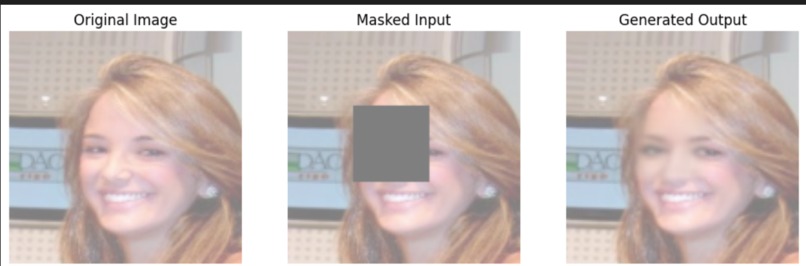
This is an example of the face reconstruction model
-
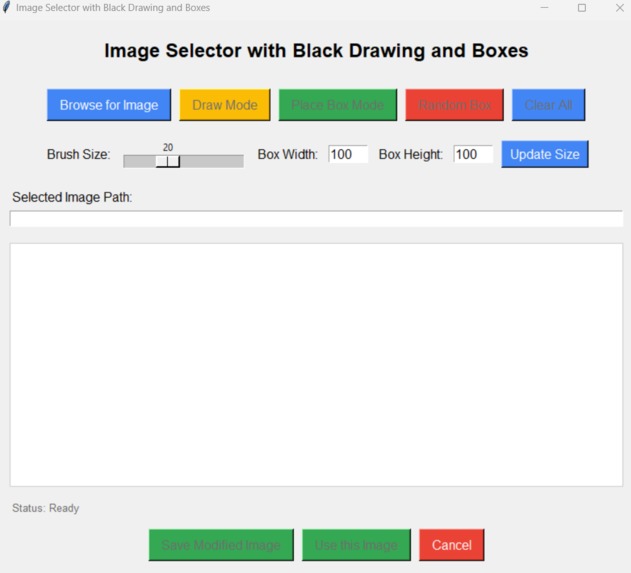
GUI used to draw out part of image


Inspiration
Small businesses often get the small end of the stick when it comes to security. We wanted to create something that a small business could leverage to catch thieves even if their face isn't fully seen. This brings security to a larger mass of people, offering them more security, and freedom from thinking that they won't catch the perpetrator.
What it does
Our project uses a webcam to detect full or partial faces. Once a face is detected, a picture is taken. Users can select this picture from the GUI and place a black box around part of the face that is blocked. This image is fed to our GenAI model and where it recreates the face from the facial parts left on the image.
How we built it
Used pytorch to make a UNET model to generate a complete face given a partial face image. The camera used deepface to detect partial/full faces. Took a picture from the camera and zoomed in on the face. We used tkinter to make a GUI to select an image with a partially blocked face. The GUI also allows the user to make a black box around the face. This image is fed to the GenAI where it recreates the face with what is left from the image.
Challenges we ran into
Initially, we wanted to use a Raspberry pi and a usb camera to collect our video feed and take picture of faces. We ran into a problem with uploading our images to MongoDB and opted to use our laptops instead.
Accomplishments that we're proud of
The GenAI model is very accurate in recreating faces with parts left in the image. The model also took 7 hours to train, so we were very pleased with how it turned out.
What we learned
We learned how to create a UNET model using pytorch, how to create a GUI using tkinter, and how to detect faces with deepface.
What's next for Smart_Camera
Improve the GenAI model capability in up-scaling and improve the GUI useability.

Log in or sign up for Devpost to join the conversation.