-
-
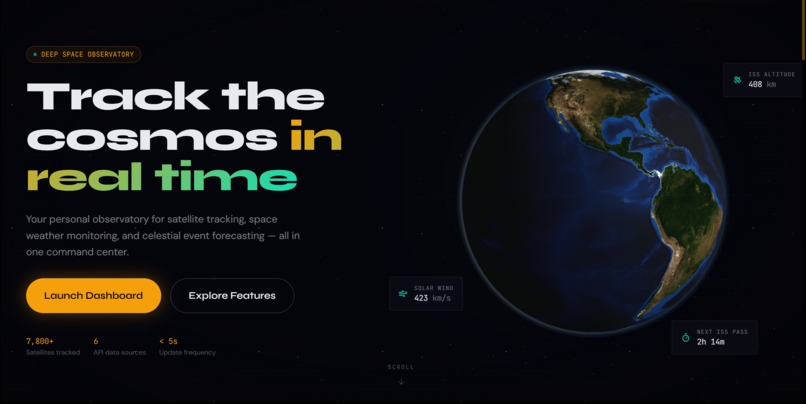
Landing Page
-
-
-
-


Project Story — spaceinit
About the project
spaceinit (also presented in the README as SpaceScope) is a personal “window to the cosmos” that brings multiple live space data sources into one place—so you can track satellites like the ISS, keep up with space weather, browse NASA’s Astronomy Picture of the Day, and read current space news, all with interactive 3D/AR-style visuals.
Inspiration
Space data is everywhere—but it’s scattered across different sites, formats, and dashboards. The inspiration for spaceinit was to make space exploration feel immediate and visual: one app that turns raw feeds (positions, solar activity, images, headlines) into something you can explore like a mission-control console. The “cosmic theme” design direction (glows, glassmorphism, starfields) was chosen to make the experience feel like a modern space instrument panel rather than a plain data table.
What it does
spaceinit provides a set of space-focused features, including:
- ISS Tracker: Real-time tracking of the International Space Station’s position
- Space Weather: Solar activity and geomagnetic conditions (e.g., storms / flux indicators)
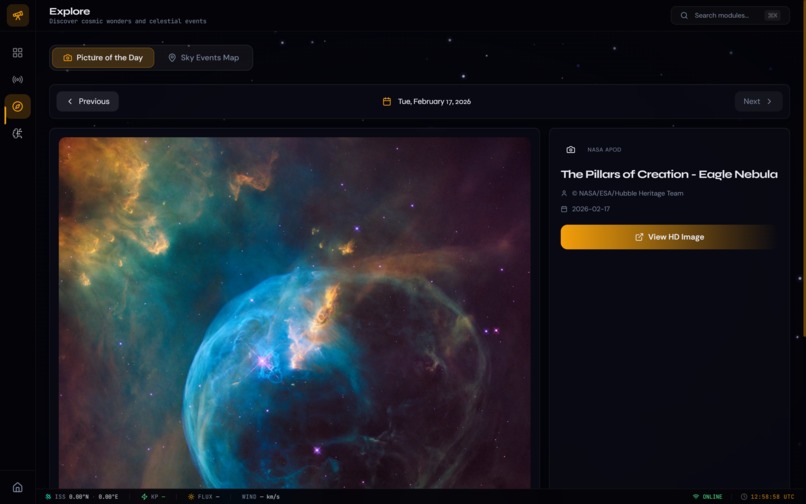
- NASA APOD: Daily astronomy image with immersive viewing
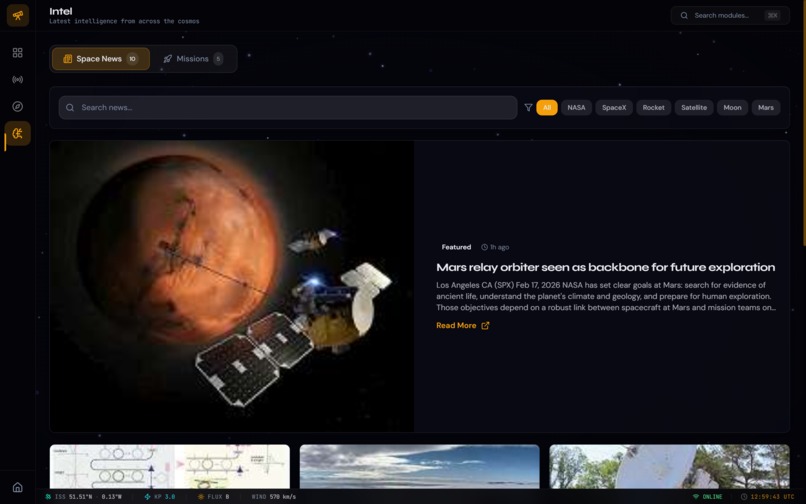
- Space News: Aggregated headlines from the space industry
- Interactive visualizations:
- 3D Earth globe with live satellite tracking
- AR Sky View (augmented “sky” visualization)
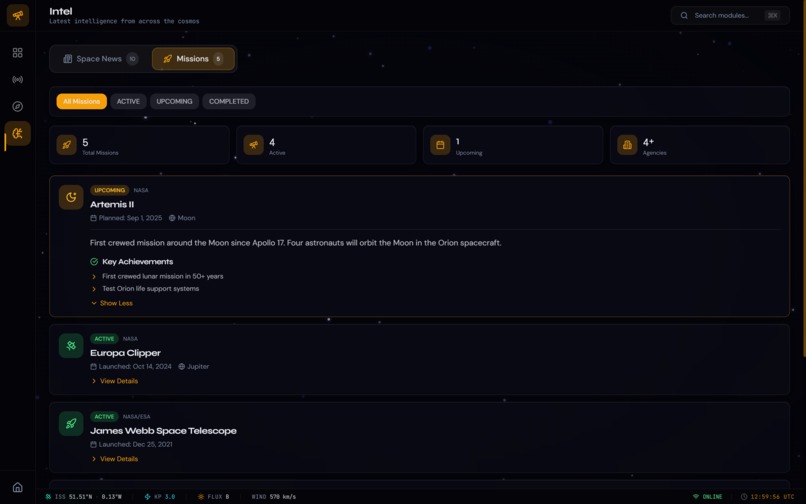
- Mission timeline for exploration history
- Time rewind to explore different cosmic time periods
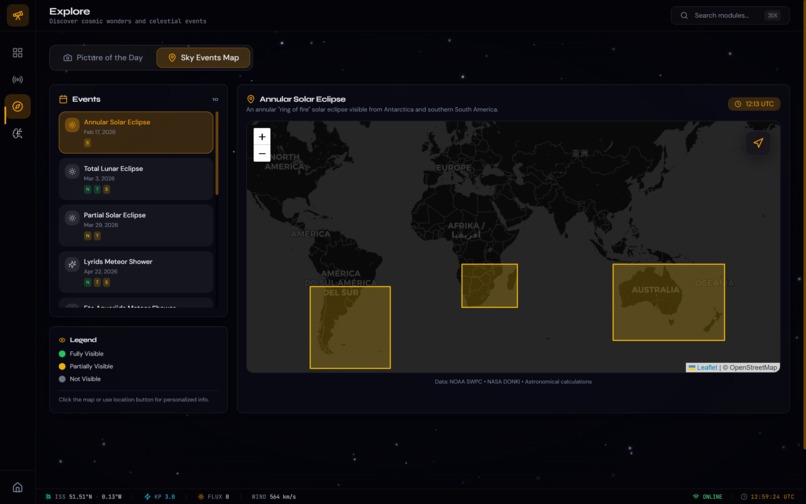
You can think of it as a “mission control dashboard” where multiple pages/tools are accessible from a unified UI.
How we built it
- Built as a modern React + TypeScript single-page app using Vite for fast dev/build.
- Implemented interactive visuals using Three.js via React Three Fiber (e.g., a 3D Earth model).
- Used a component-driven UI approach with Radix UI (and README also notes shadcn-ui) plus Tailwind CSS for styling.
- Pulled real-time/near-real-time data from public space APIs (NASA, NOAA, ISS tracking, and space news).
- Organized the app into feature pages with shared layout components and reusable UI building blocks.
- Managed server-state and API fetching with TanStack React Query, enabling caching and smoother real-time updates.
- Added polish with Framer Motion for animations and transitions.
If you want a tiny bit of math/logic framing (LaTeX-supported): the ISS tracker experience is essentially updating a position over time, [ \text{position}(t) = (\text{lat}(t), \text{lon}(t), \text{alt}(t)) ] and visualizing it on a globe while keeping UI updates responsive.
Challenges we ran into
- Normalizing multiple APIs: different schemas, update intervals, and failure modes required careful handling (loading/error states, retries, and consistent data models).
- Performance + visuals: combining a React UI with 3D rendering can get heavy; keeping interactions smooth while rendering a globe/scene required attention to component structure and render frequency.
- Real-time feel: “live tracking” features need refresh strategies that are accurate but not wasteful (balancing polling intervals, caching, and UI responsiveness).
- Design consistency: keeping a cosmic theme consistent across very different feature pages (news vs. 3D vs. image viewer) while still feeling like one product.
Accomplishments that we’re proud of
- A cohesive mission-control dashboard experience that unifies multiple space data categories.
- Interactive 3D Earth + real-time satellite context (a more engaging experience than a simple map).
- A polished UI aesthetic (glassmorphism, starfields, cosmic color palette) that matches the theme.
- A clear, modern tech stack that’s easy to iterate on (Vite + React + TypeScript + Tailwind).
What we learned
- How to integrate and orchestrate multiple external APIs reliably in a single front-end application.
- Practical patterns for server-state management in React using React Query (caching, refetching, and resilience).
- The tradeoffs involved in mixing 3D rendering with a UI framework: performance, scene management, and user experience considerations.
- The value of designing a design system early (colors, typography, reusable components) to keep a growing project consistent.
What’s next for spaceinit
- Improve the “real-time” layer (smarter refresh logic, better offline/empty states, and clearer data provenance).
- Expand visualization fidelity (more satellites, richer sky overlays, additional Earth layers).
- Add personalization (saved views, favorite satellites/events, notification-style alerts for notable space weather or ISS passes).
- Deployment polish (production config, environment variables for API keys if needed, and a more finalized publish flow / custom domain setup).
Built With — spaceinit
Languages (from GitHub language stats)
- TypeScript
- JavaScript
- CSS
- HTML
Frameworks / libraries / tooling (from the README)
- React 18
- Vite
- Tailwind CSS
- Radix UI
- shadcn-ui (noted in README)
- TanStack React Query
- React Router DOM
- Framer Motion
- Three.js
- React Three Fiber
APIs used (from the README)
- NASA APOD (Astronomy Picture of the Day)
- Open Notify ISS (ISS position tracking)
- NOAA Space Weather
- Spaceflight News API
Built With
- css
- framer
- html
- javascript
- nasa
- noaa
- radix
- react
- shancn-ui
- spaceflight
- tailwind
- tanstack
- three.js
- typescript
- vite
Log in or sign up for Devpost to join the conversation.