-
-
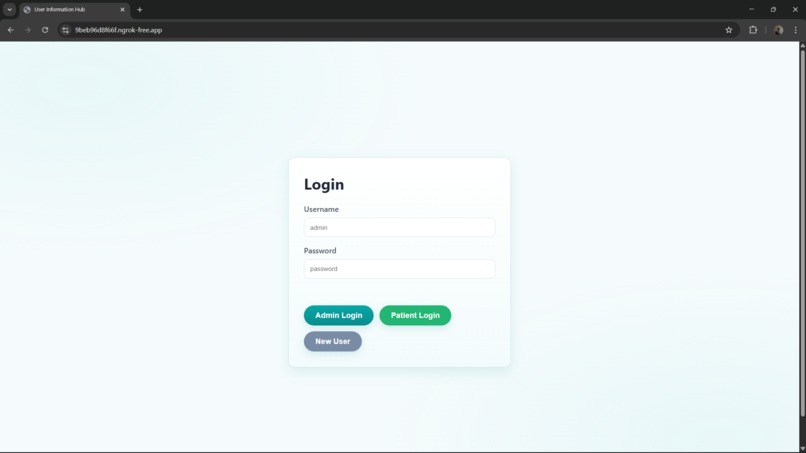
Login Portal
-
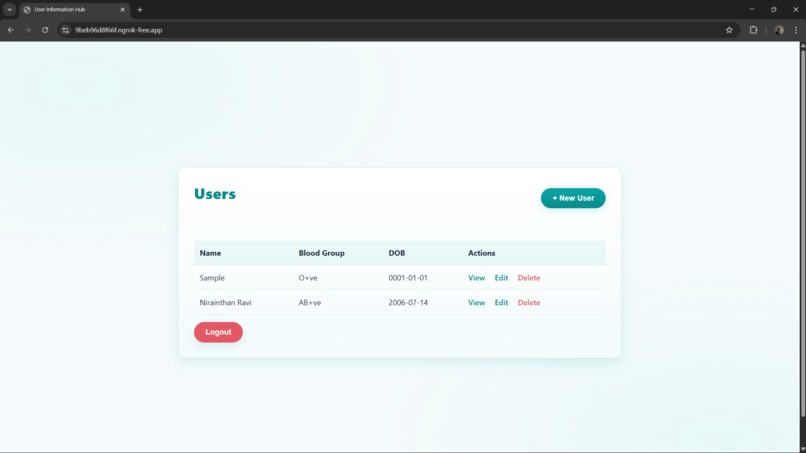
Admin Portal
-
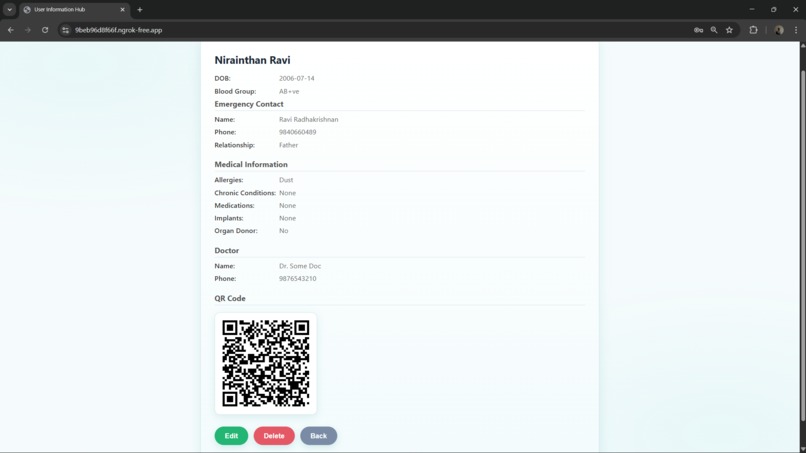
User Portal
-
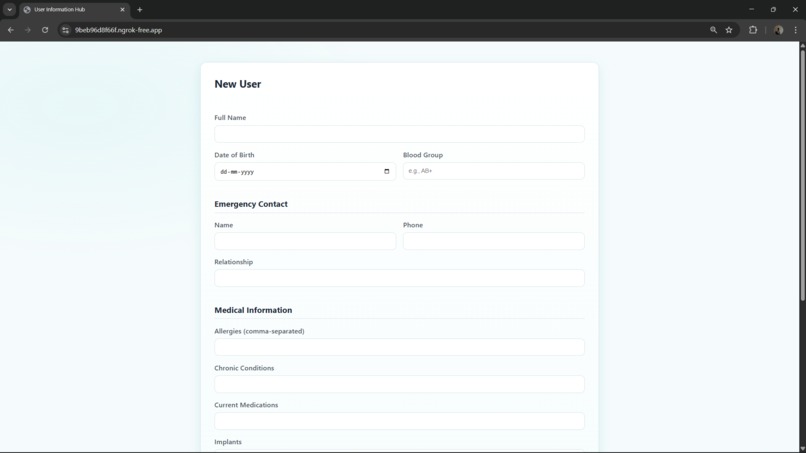
User Creation Portal


Inspiration
In an emergency, every second counts. First responders need immediate access to critical medical information, such as blood type, allergies, and emergency contacts, especially if a person is unable to communicate. Our inspiration came from the need to modernize the traditional medical alert bracelet. We asked ourselves: "How can we use the smartphone in everyone's pocket to create a dynamic, comprehensive, and instantly accessible medical ID?" SafePock was born from this question, designed to be a secure digital pocket for your most vital information, accessible via a simple QR code.
What it does
SafePock is a web application that allows users to securely store their essential medical and personal information and generate a unique QR code. This code can be placed on a phone's lock screen, a wallet card, or a keychain.
When a first responder or good samaritan scans the QR code, it instantly directs them to a clean, mobile-friendly, read-only web page displaying the user's profile, which includes:
**Personal Details**: Full Name, Date of Birth, and Blood Group.
**Emergency Contact**: Name, phone number, and relationship.
**Critical Medical Info**: Allergies, chronic conditions, current medications, and surgical implants.
**Organ Donor Status**
**Primary Doctor's Contact Information**
The platform also includes a secure login system for patients to manage their own information and an admin interface to oversee user accounts.
How we built it
SafePock is a full-stack web application built with a focus on simplicity and reliability.
**Backend**: The core of the application is built with **Python** using the **Flask** web framework. It serves a RESTful API for all data management (creating, reading, updating, and deleting user profiles).

**Database**: We implemented a flexible dual-database system. The application primarily uses **MongoDB** for data persistence. However, if a MongoDB server connection fails, it gracefully falls back to using a local **JSON file**, ensuring the app remains functional for development and small-scale deployments.

**QR Code Generation**: We used the popular **qrcode** library in Python to dynamically generate a unique QR code for each user's profile link.

**Frontend**: The public profile page is a dependency-free, server-rendered HTML page generated directly by **Flask**. This ensures it loads instantly on any device without requiring JavaScript. The main application dashboard is a separate frontend that communicates with the **Flask API**.

**Deployment & Tunneling**: During development, we used **ngrok**  to create a secure public URL for our local server, which was essential for testing the QR code functionality from external devices like a smartphone.
Challenges we ran into
Our biggest challenge was ensuring the QR code worked universally, outside of our local development network. We systematically tackled several layers of this problem:
**Local Network Limitation**: Initially, the QR codes only contained a local IP address (like 192.168.1.5), making them useless for anyone not on the same Wi-Fi.

**Incorrect URL Generation**: After using **ngrok** to get a public URL, we faced issues where the QR code would either point to the main login page or contain an incomplete link. This was a subtle configuration issue that required careful debugging.

**Proxy Awareness**: The final and most critical challenge was making our Flask application correctly identify its public URL when running behind the **ngrok** proxy. The application was generating a relative path (_/p/..._) instead of a full URL. We solved this by implementing the **ProxyFix** middleware, which allowed our app to correctly read the proxy headers from ngrok and generate the complete, correct public URL.
Accomplishments that we're proud of
We are proud of building a fully functional, end-to-end application that solves a real-world problem. Our biggest accomplishment was methodically debugging the public accessibility issues, which taught us invaluable lessons about how web applications function in a real deployment environment. We are also proud of the resilient dual-database design and the clean, efficient, and fast-loading public profile page that we created.
What we learned
This project was a significant learning experience, especially in understanding the nuances of web application deployment.
We learned the critical difference between local and public network addresses and why proper URL generation is essential.

We gained a deep appreciation for running applications behind a reverse proxy (like ngrok) and the importance of proxy-forwarded headers.

Most importantly, we learned how to implement a standard solution for this problem using Werkzeug's ProxyFix middleware, a fundamental concept for deploying production-ready web applications.
What's next for SafePock
Our vision for SafePock is to make accessing life-saving information as seamless and instantaneous as possible. While QR codes are universally accessible, the next evolution of our project is to integrate Near Field Communication (NFC) technology to eliminate even the small friction of scanning a code.


Log in or sign up for Devpost to join the conversation.