-
-
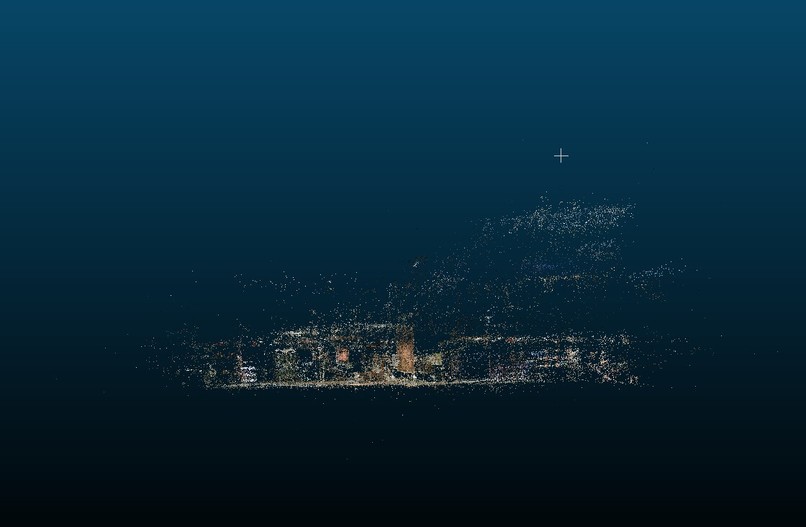
Gaussian Splatting of ESC
-
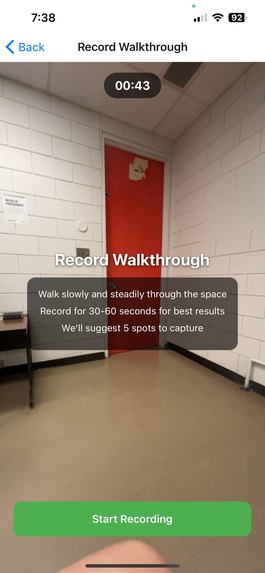
Walkthrough Screen
-
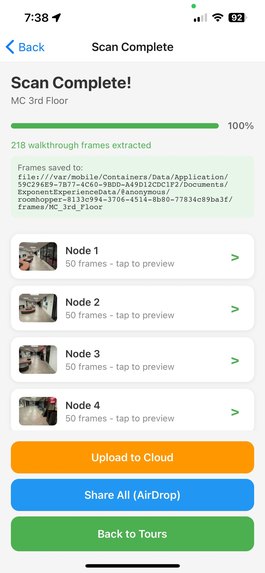
Upload Screen
-
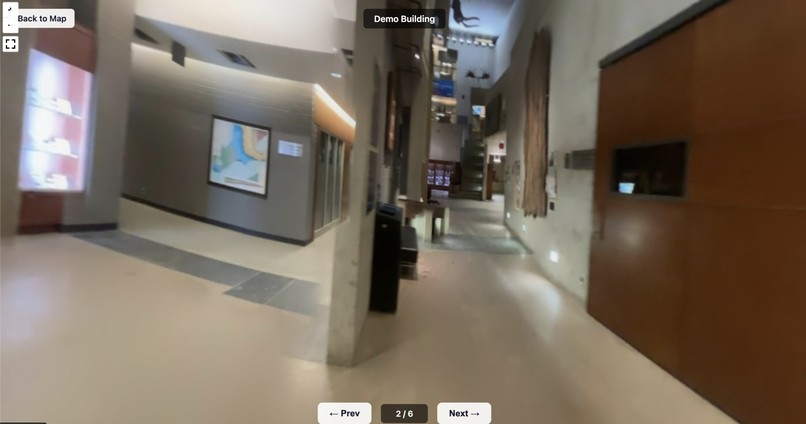
Panoramic View


Inspiration
Google Maps street view was for many the first time people were exposed to the idea of "being somewhere without being there physically". Since then, we've gotten VR, 360° cameras, and even video games where you can freely look around and explore a space. Why is it then, that the spaces we spend 90% of our time is just invisible to us remotely? We've personally ran into the dilemma of "I wish I could go inside this building on street view". I've also been lied to by an AI answer telling me my local library had a microwave. What if you could map out any building, walk around inside of it remotely, and search over that entire dataset?
This was built as a solo project.
What it does
RoomHopper lets anyone create an interactive indoor walkthrough of a building using just their phone. You walk through a space, the app records video and suggests optimal capture points, then you spin around at each point to capture a full panorama. The frames get stitched into 360° panoramas and uploaded to the cloud. On the web, a map shows all scanned buildings — click one and you're dropped into a Google Street View-style experience where you can look around and navigate node to node. A multimodal AI analyzes every frame to auto-generate building descriptions, tags, and detect objects like fire extinguishers, vending machines, washrooms — making the entire indoor world searchable.
How I built it
Mobile app — React Native + Expo with TypeScript. Handles video recording, motion sensors (gyroscope + accelerometer at 50Hz), AI-powered capture point suggestion, panorama capture, frame extraction (50 frames per node via expo-video-thumbnails), and cloud upload to GCS. State management with Zustand, local persistence with SQLite.
Panorama stitching — OpenCV's Stitcher in panorama mode. Takes 50 frames from each node capture and produces an equirectangular 360° panorama. Initial viewing direction (yaw) computed via template matching of frame_000 against the stitched output.
Web viewer — Mapbox GL JS for the campus map with building markers. Pannellum for the 360° panorama tour viewer with Google Street View-style navigation hotspots between nodes. Hosted on GCS with CORS configured for browser access.
CV/AI layer — Gemini's multimodal vision analyzes raw captured frames to:
- Auto-generate building descriptions and searchable tags
- Detect and locate objects (fire extinguishers, exit signs, recycling stations, vending machines, etc.) with per-node positions
- Results are displayed in the map popup and indexed for search
Infrastructure — Google Cloud Storage (gs://cxc26-simon) for all assets. No backend server — everything is either processed locally or pre-computed and served as static files.
Challenges we ran into
This might have been the most technically challenging project I've ever worked on!
I originally planned to use Gaussian Splatting to create full 3D reconstructions — running COLMAP for structure-from-motion and then training splat models on remote GPUs. Getting GPU access was a nightmare, the processing pipeline was fragile, and the visual quality from phone-captured video was disappointing. I made the hard call to pivot to equirectangular panoramas stitched with OpenCV, which ended up looking significantly better and being way more reliable.
Other challenges:
- Getting OpenCV's stitcher to reliably handle 50 frames per node without homography estimation failures
- Configuring GCS CORS headers for cross-origin browser access to panorama images
- Computing initial viewing direction (yaw) for each panorama using template matching — needed so that navigation hotspots point the right way
- Synchronizing motion sensor data at 50Hz with video timestamps for accurate node position suggestion
Accomplishments that I'm proud of
As a solo project, I'm proud that this works end-to-end.
- Two fully walkable indoor tours (Earth Sciences Museum + MC 3rd Floor) that genuinely feel like indoor Google Street View
- End-to-end pipeline works: record on phone → extract frames → stitch panoramas → upload to cloud → view on web with node-to-node navigation
- AI-powered object detection that makes indoor spaces searchable — search "fire extinguisher" and find which buildings have them and at which nodes
- The pivot: switching from Gaussian Splatting to panoramas mid-hackathon and having it turn out way better
- Auto-generated metadata: building descriptions, tags, and object inventories created from just looking at captured frames
- Built the whole thing as a solo project
What I learned
Do the most technical part first! I spent too long on the mobile app infrastructure before validating that Gaussian Splatting would actually work with phone-captured footage. If I'd tested the splat pipeline on hour one, I would have pivoted to panoramas earlier and had more time to polish.
Also learned that sometimes the simpler approach produces better results than the cutting-edge one: stitched panoramas from phone video look way better than Gaussian Splats trained on the same data. Picking the right tool for your input data matters more than picking the most impressive-sounding technology.
What's next for RoomHopper
Smoothing out the pipelines and adding better CV could make this genuinely super useful in people's daily lives — and I'd continue building it as a solo project.
- Automatic processing: trigger stitching + AI analysis when new data gets uploaded, instead of running scripts manually
- More object categories: AEDs, water fountains, power outlets, elevators, accessible entrances — more things people actually search for
- Spatial queries: "which study spots on campus have power outlets and natural light?" by combining object detection with scene understanding
- Access controls: building owners manage who can see what, necessary for any public deployment
- Better capture UX: make it dead simple for non-technical people to contribute scans
- Crowdsourced indoor map: the long-term dream — an open, searchable indoor map of every public building. The Indoor Street View that Google never built.

Log in or sign up for Devpost to join the conversation.