-
-
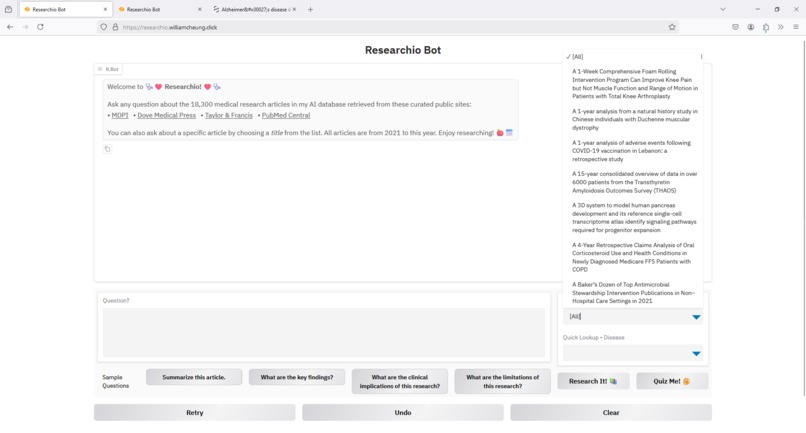
Over 18,000 Medical Research Articles from 2021 to 2024
-
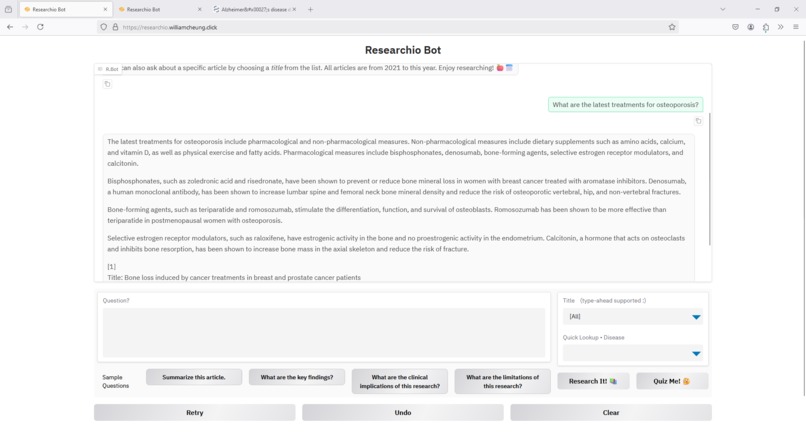
Ask Question Against Entire Dataset
-
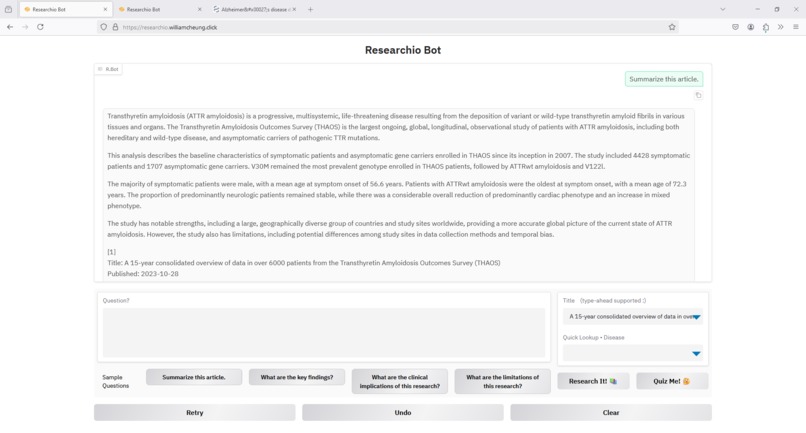
Ask Question About Specific Article
-
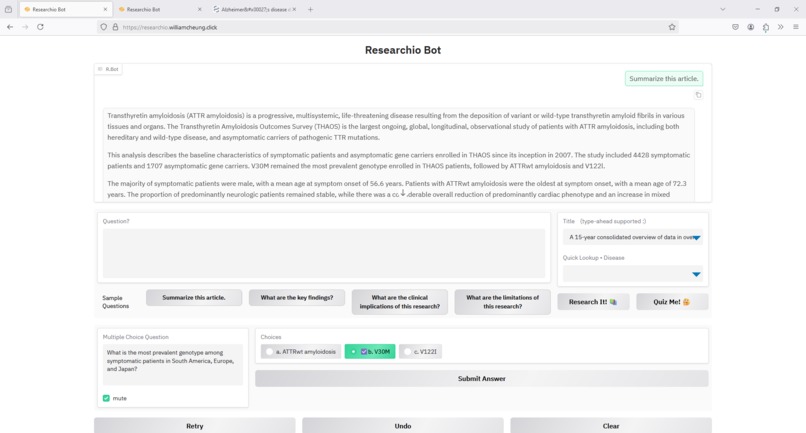
Quiz Yourself About a Specific Article
-
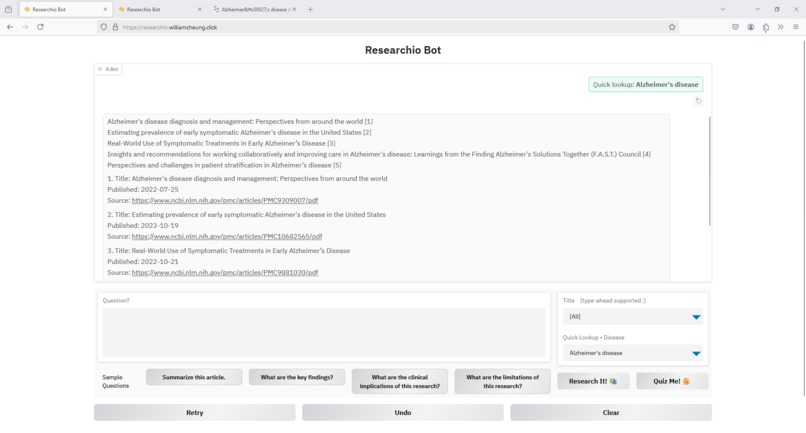
Quick Lookup to Get All Articles About a Disease
-
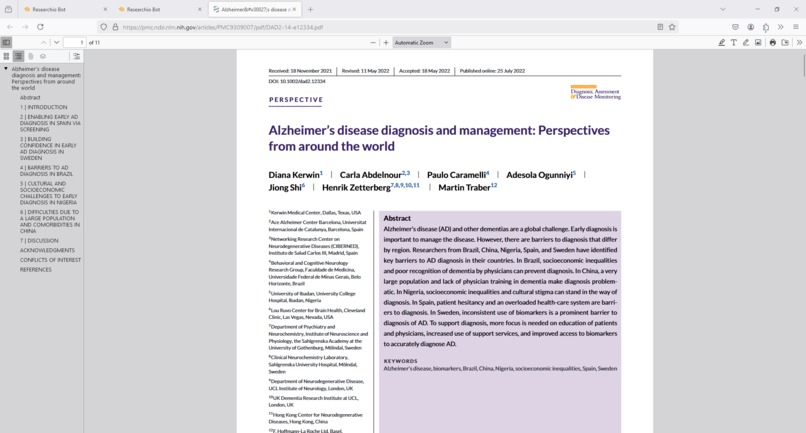
Always Have Access to the Original PUBLIC Article
-
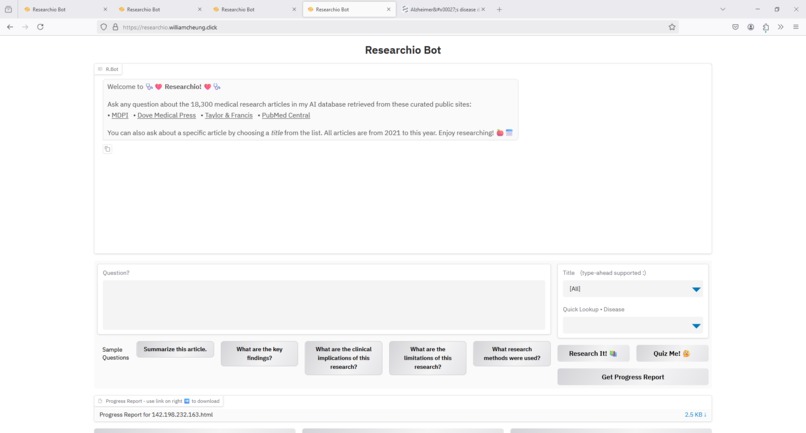
Get Progress Report
-
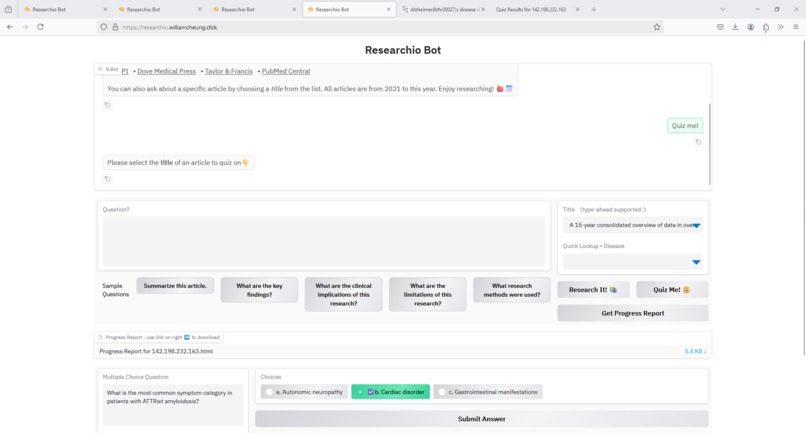
Get Progress Report 2 - with quiz section expanded
-
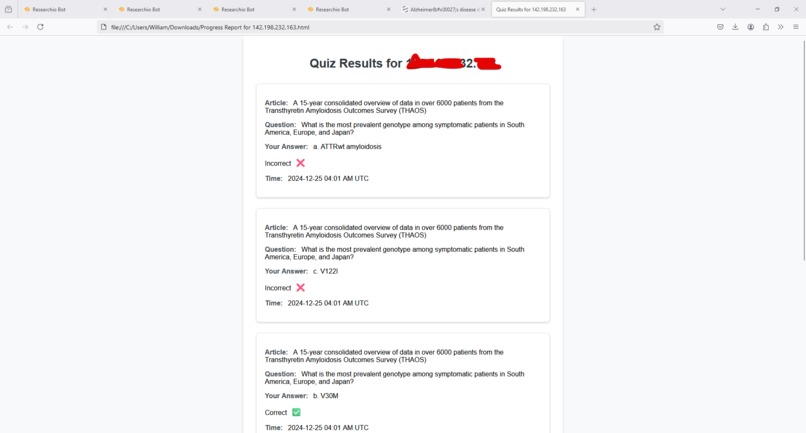
HTML Progress Report for a User


Inspiration
I chose to build an AI app for the Digital Healthcare/Healthcare Education track in 20241221_Hack-A-Thon-Ideas.pdf.
What it does
- (1.) Lets you (a healthcare professional) ask questions about over 18,000 medical research articles from the following curated public sites:
- MDPI
- Dove Medical Press
- Taylor & Francis
- PubMed Central
Your questions are answered by a LLM (Llama) so you can use natural language. You can ask questions against the entire 18K dataset, or about a single article you select. You can ask multiple questions at the same time. Every answer will have references to the article(s) used by the LLM, and you can click the links provided to view and download the original research article(s) as PDFs.
The articles are sourced from the last 3 years (from 2021 to 2024) to reflect recent research for keeping healthcare professionals up-to-date.
(2.) You can quiz yourself on any article. The LLM will generate multiple choice questions about your selected article for you to answer. The app displays and reads out the question to you using text-to-speech and when you get an answer correct, it plays a reward sound as well as shows a checkmark icon. Note if you get stuck, you can use the ask question feature above to get the answer but since there are only 3 choices to choose from, you shouldn't need to use that.
(3.) You can get a progress report at any time. The report shows all your quiz results based on your IP address and can be downloaded as a HTML file. Your results are updated in MongoDB so they will always be available and current.
(4.) You can do a quick lookup from a list of over 360 diseases. The LLM will search the 18K dataset to find all articles related to the disease you selected. You can then access the articles one by one by clicking their links, or you can copy and paste the article title and ask questions or quiz yourself about the article. There is also a set of "canned" or sample questions you can ask about any selected article:
- Summarize this article.
- What are the key findings?
- What are the clinical implications of this research?
- What are the limitations of this research?
- What research methods were used?
Like the quick lookup, these are shortcuts to make using the app easier.
NOTE: I recorded the video on Dec 24th and added the Get Progress Report feature and use of MongoDB after the video. So to see how the UI looks with the new report feature and the report itself, check the image gallery.
How I built it
The 18,000 plus articles were web-scraped from the public research sites using a script and chunked and embedded to be stored as vectors in a Pinecone vector index. Llama is used as the LLM which queries the vector index using RAG to answer user questions, generate multiple choice quiz questions, and do quick lookups of articles about diseases. The quiz results of all users are stored in MongoDB which allows a progress report to be generated anytime for a given user who is currently identified by IP address.
What's next for Researchio in V2
- Add more research articles given more time for scraping and loading to Pinecone.
- Add user management system to support login and report emailing.
- Improve the UI for usability and user experience.
- More useful progress report, not just raw individual quiz results.
- Add more types of tests, not just multiple choice questions.
- Add gamification (badges/certificates for learning).
- Improve LLM performance. Llama was chosen as the primary LLM due to its low cost on Lambda, with OpenAI as the fallback LLM in case of Lambda rate limit errors, etc. However, in V2 consider using OpenAI as the sole LLM for better performance if costs can be managed.


Log in or sign up for Devpost to join the conversation.