-
-
Bootup screen
-
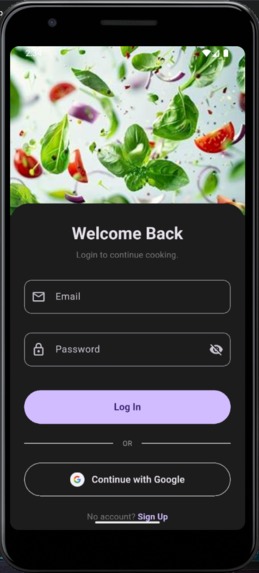
Login screen
-
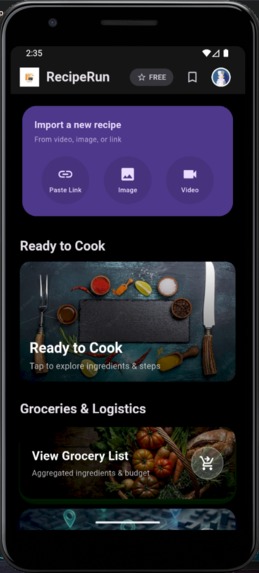
Home screen (free user)
-
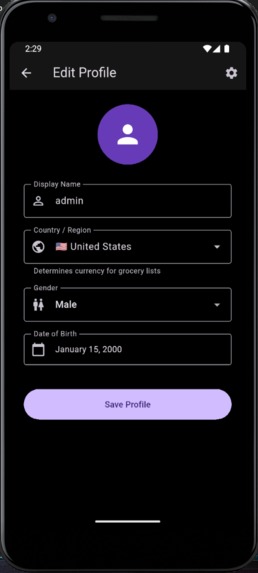
User profile screen
-
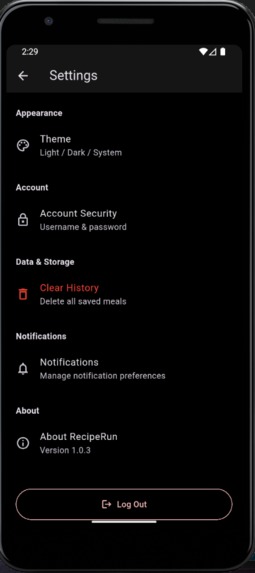
Settings screen
-
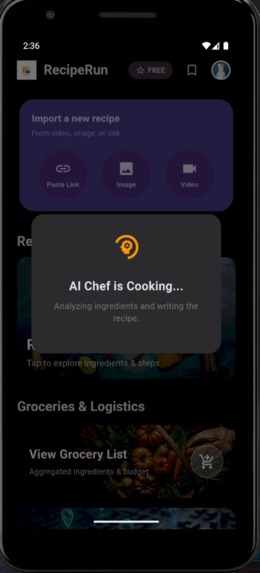
Input processing state
-
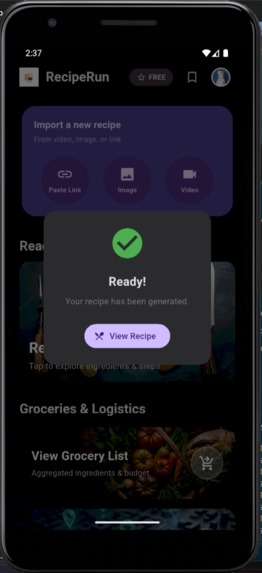
Processing complete state
-
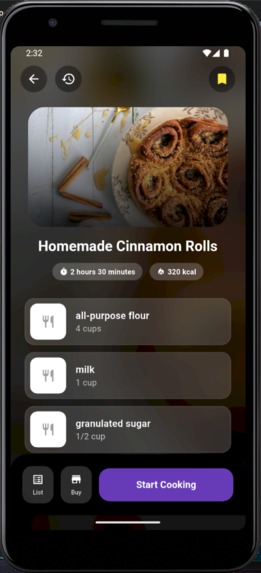
Meal breakdown section
-
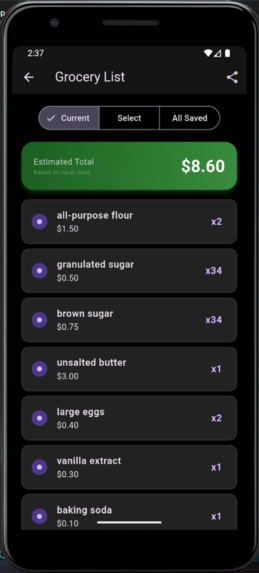
Grocery List
-
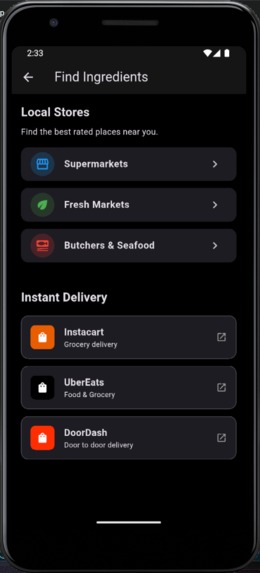
Maps and delivery
-
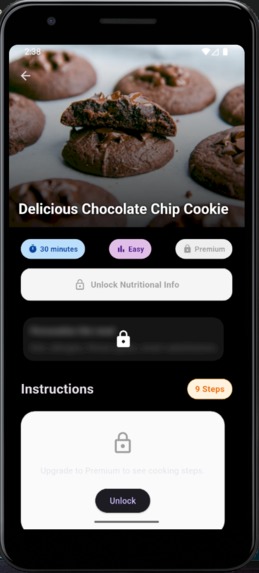
Cooking steps screen (locked)
-
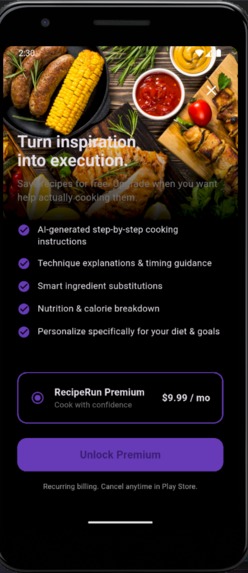
Subscription page
-
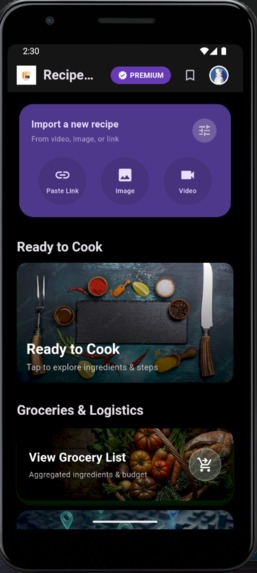
Home screen (premium user)
-
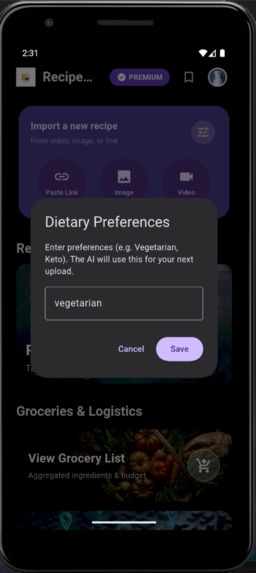
User Personalization
-
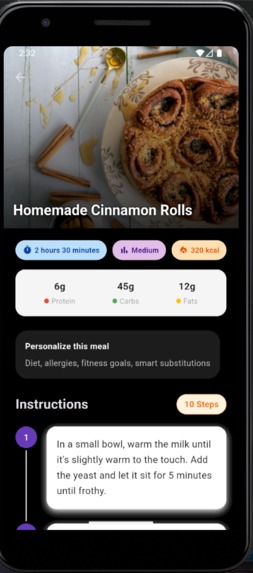
Cooking steps screen (unlocked)
-
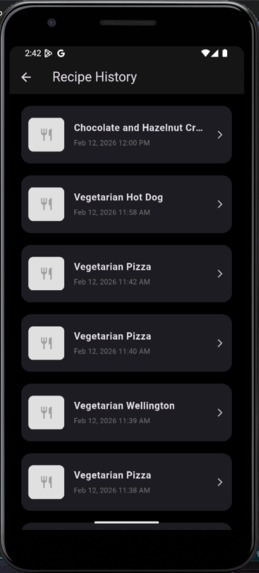
Upload history


Inspiration
I am an Electrical and Electronic Engineering student obsessed with bridging the gap between theoretical systems and tangible real-world utility. As someone who scrolls through endless cooking videos on TikTok and Instagram, I noticed a recurring "Save-to-Never-Cook" problem. We save hundreds of viral recipes, but they disappear into cluttered folders because the logistics—extracting ingredients, calculating costs, and converting a 15-second hyper-lapse video into a cooking guide—are too high a barrier.
I built RecipeRun to solve this execution gap. It isn't just a recipe app; it is an infrastructure layer that transforms passive content consumption into active, real-world cooking.
What it does
RecipeRun is an end-to-end cooking assistant that handles the logistics of home cooking:
Universal Import: Users can paste a TikTok/Instagram link, upload a screenshot, or even upload a raw video file.
AI Extraction: The app analyzes the content to extract a structured recipe, including ingredients, steps, nutrition, and difficulty.
Smart Logistics: It automatically aggregates ingredients into a grocery list and calculates the estimated cost based on the user's real-time location and local currency.
Localized Execution: Users can find nearby ingredients using integrated map queries (e.g., "Butcher near me") tailored to their specific country (supporting localized services like GrabMart in Malaysia or Instacart in the US).
Premium Intelligence: Utilizing RevenueCat, premium users unlock AI-powered macro tracking, smart dietary substitutions (e.g., swapping pasta for zucchini noodles for Keto users), and step-by-step guided cooking modes.
How I built it
The app follows a scalable, cloud-native architecture.
Frontend: Built with Flutter for a cross-platform, reactive UI using Provider for state management.
Backend & Cloud Functions: I utilized Firebase Cloud Functions (TypeScript) as the central nervous system. This allows the app to stay lightweight while the heavy lifting happens in the cloud.
The "Smart Routing" AI Pipeline:
I implemented a logic gate in the backend that intelligently routes tasks.
Videos are routed strictly to Gemini 2.0 Flash (Experimental) because of its superior multimodal capabilities and native video understanding.
Images and Text are primarily processed by OpenAI (GPT-4o-mini) for its strict JSON adherence, with Gemini acting as a failover system.
Visual Intelligence: To ensure every recipe looks great, I built a "Waterfall Strategy" for image fetching. The app first queries Pexels; if that fails, it tries Spoonacular, and finally falls back to Unsplash, ensuring zero broken UIs.
Monetization: I integrated RevenueCat to orchestrate subscriptions. It acts as the "source of truth" for entitlements, abstracting the complexity of Google Play Billing and syncing premium status directly to Firestore.
Challenges I ran into
Video Processing Limits: Initially, I tried sending video data to OpenAI, but it struggled with raw file uploads. I had to pivot and implement a mimetype-based router in
index.tsthat detects video files (mimeType.startsWith("video/")) and redirects them to Gemini 2.0, which handles them natively.Strict MIME Types: The AI models were extremely sensitive to file formats. Sending
image/jpginstead ofimage/jpegwould cause silent failures. I had to implement a normalization layer in the cloud function to sanitize all incoming media buffers before they hit the AI models.Global Currency Handling: Hardcoding currencies was not scalable. I implemented a dynamic
LocationProviderthat uses the user's GPS coordinates to determine their country code (ISO 3166) and fetches live exchange rates via the Open Exchange Rates API to convert ingredient prices on the fly.
Accomplishments that I'm proud of
True Multimodal Input: Successfully allowing users to upload any source—text, link, image, or video—and getting a standardized, structured recipe back every time.
Resilient Error Handling: Building a "not food" detection system. If a user uploads a photo of a shoe, the AI classifies it as non-food, and the UI gracefully informs the user with a specific "Analysis Failed" dialog rather than crashing.
Seamless Monetization: Integrating RevenueCat to the point where premium features like "Smart Substitutions" are instantly unlocked across the UI without requiring an app restart.
What I learned
This project was my transition from engineering simulations (MATLAB/Simulink) to consumer software. I learned that building a "cool AI feature" is only 10% of the work; the other 90% is robust error handling, state management, and ensuring the infrastructure can handle edge cases like bad network connections or weird file formats. I also gained a deep appreciation for subscription orchestration—RevenueCat saved me weeks of boilerplate code.
What's next for RecipeRun
Pantry Reverse Search: Allowing users to scan their fridge ingredients to get recipe suggestions.
Smart Expiry Alerts: Using local notifications to nudge users to cook meals before their ingredients spoil.
Social Cook-Offs: A gamified layer where users can challenge friends to cook the same viral recipe.
Built With
- android
- dart
- firebase
- flutter
- gemini
- google-cloud
- google-maps
- json
- openai
- revenuecat
- typescript


Log in or sign up for Devpost to join the conversation.