-
-
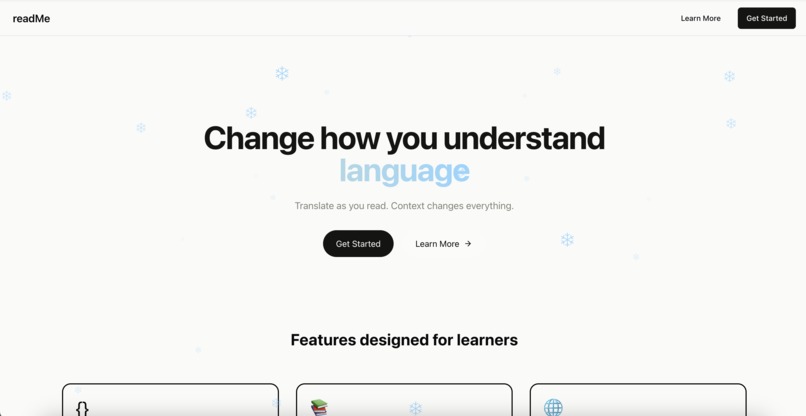
Landing Page
-
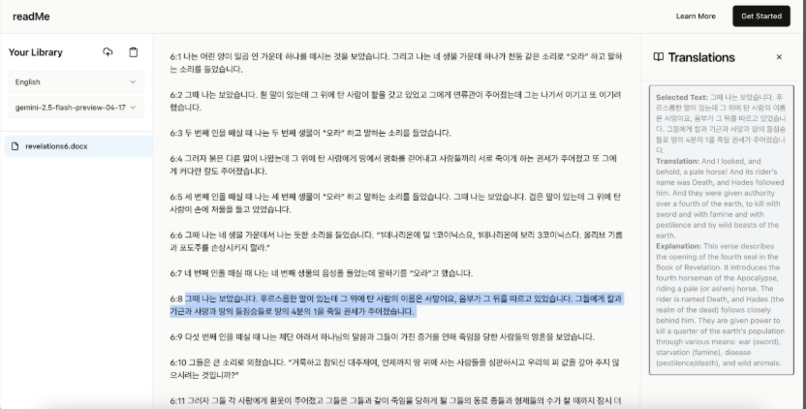
Translation example


Inspiration
As bilingual students ourselves, we often face challenges when reading text in different languages. Many times, we encounter words that we are unfamiliar with, and when we translate them, we find their translations to be out of context. Creating this project hopefully brings us one step closer to solving this problem.
What it does
readMe is a web-based document reader that supports EPUB, DOCX, and text files. Users can upload a document, highlight any text, and instantly get AI-powered translations, definitions, explanations, and synonym suggestions — all within the reader.
How we built it
We built the frontend using React and TypeScript, integrating libraries like epub.js for EPUB rendering and mammoth for DOCX conversion. The backend is powered by Flask (Python), which handles requests to AI language models (like Gemini 2.5 and LLaMA 4) for generating contextual translations and explanations. We also managed real-time highlighting and selection event handling across different document formats to make the user experience seamless.
Challenges we ran into
- Managing the different file formats has been challenging for us because extracting text requires a different set of instructions for each file type.
- Displaying our translations on the frontend after grabbing the output from Gemini or LLaMA has also been challenging for us.
Accomplishments that we're proud of
- Integrating AI translation features without disrupting the user's reading experience.
- Having a clean, distraction-free user interface that handles multiple translations at a time.
What we learned
Through this experience, we learned how to integrate AI models into a frontend workflow, including handling context windows for better responses. We also learned how to manage state carefully in React apps to avoid unnecessary rerenders that disrupt UX. Finally, we learned how to connect the frontend and backend to create a fully functional application.
What's next for readMe
- Managing more document types
- Adding login pages so each user has access to their documents
- Exploring other functionalities like summarizing and text highlighting

Log in or sign up for Devpost to join the conversation.