-
-
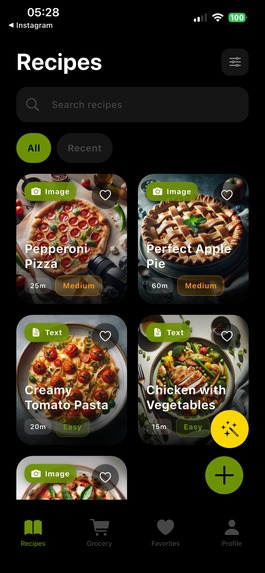
Recipe Page
-
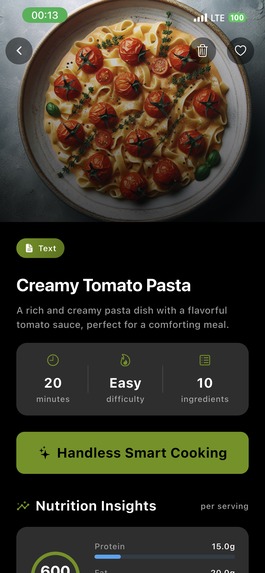
Recipe Detail Page
-
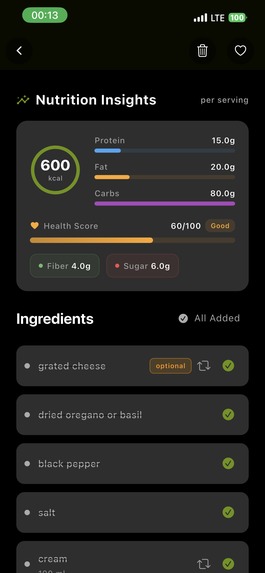
Recipe Detail Page
-
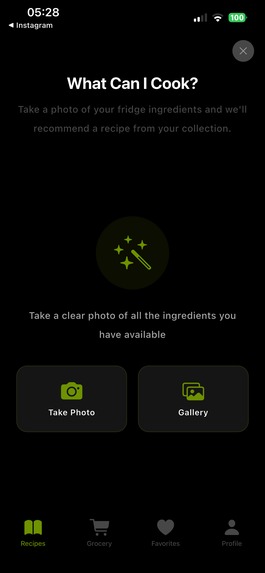
What Can I Cook
-
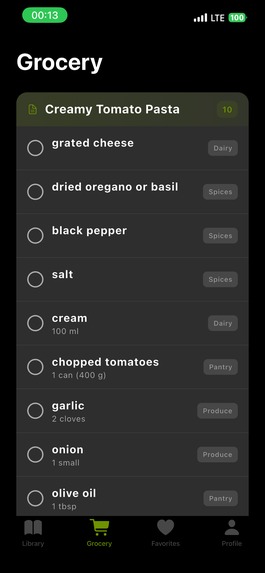
Grocery List Page
-
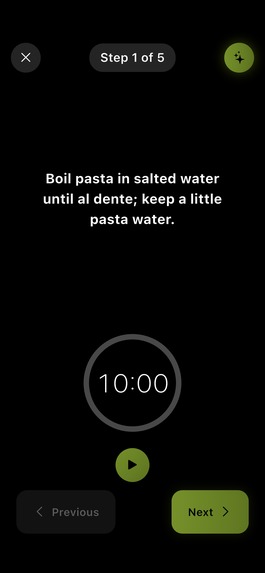
Smart Cooking Page
-
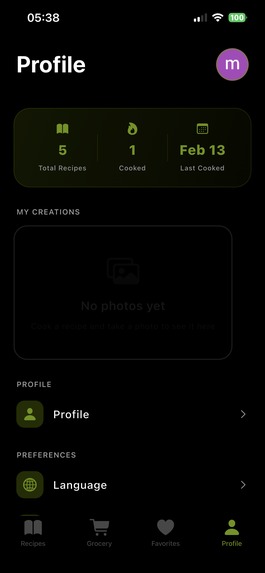
Profile Page
-
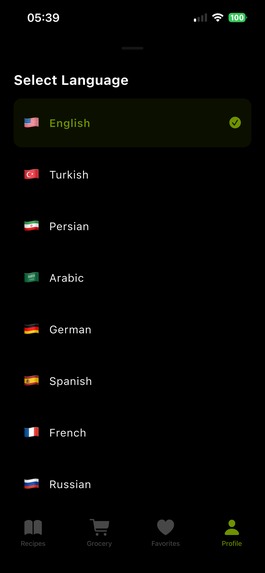
Supported Languages
-
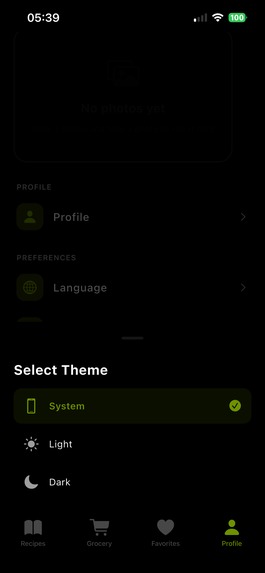
Themes
-
Man Avatars
-
Women Avatars


Inspiration
Turn everything you have from ingredients, text recipes, food photos, or cookbook pages into step‑by‑step cooking flows you can actually follow. From ingredients to finished plate. PlateMode started from a very personal pain point. My phone and bookmarks were full of saved social media recipes, photos of cookbook pages, and pictures of the food my mother cooked, but I still struggled to turn any of that into an actual meal. I’d scrub through reels, zoom into screenshots, and flip between notes, and somehow end up overwhelmed or ordering takeout instead of cooking. At some point I realized the problem wasn’t a lack of recipes; it was that every recipe lived in a different, chaotic format while real cooking needs to feel calm and linear. That’s when I decided to use my skills and the help of modern AI to bridge that gap and turn all this messy inspiration into something I could actually cook from.
What it does
PlateMode turns scattered cooking content into a single, focused cooking mode you can trust. You can:
- Upload a social cooking video, paste a text recipe, take a photo of a cookbook page, or snap a food photo.
- Get a unified recipe with a structured ingredients list, clear instructions, and a smart step‑by‑step mode with built‑in timers.
- See nutrition insights for every recipe, including protein, fat, carbs, calories, and helpful scores like fiber and sugar.
- Use optional and alternative ingredients inside each recipe so you can adapt to what you actually have.
- Generate a shopping list of ingredients you’re missing.
- Take a photo of your current ingredients or select one from your gallery so AI can tell you which recipes in the app you can cook right now.
- Capture a photo of your finished dish and share the recipe with friends so they can cook it in the same guided flow.
No matter how you start, PlateMode’s goal is always the same: carry you from what you have to a finished plate through step‑by‑step cooking flows you can actually follow.
How we built it
I designed PlateMode as a pipeline that converts messy inputs into clean, cookable experiences.
- Ingestion
PlateMode accepts:
- Typed or pasted text recipes.
- Food photos of finished dishes.
- Cookbook pages captured with the camera.
- Uploaded social videos that show how to cook something.
Each of these sources is normalized into a shared internal structure containing ingredients, steps, and metadata like time, servings, tools, and tags.
- Understanding recipes
Using multimodal AI, PlateMode:
- Extracts a detailed ingredients list with quantities, units, and notes.
- Breaks the method into ordered, small steps that are easy to follow.
- Identifies optional and alternative ingredients to support flexibility.
- Estimates nutrition: macros, calories, and simple scores such as fiber and sugar.
Conceptually, each recipe becomes: [ R = (I, S, N, M) ] where (I) is ingredients, (S) is steps, (N) is nutrition, and (M) is additional metadata.
- Smart step‑by‑step cooking mode
The heart of PlateMode is its calm “smart cooking” view:
- Steps appear one at a time in a clean layout.
- Timers are attached directly to steps that require them, so you can start them with a tap.
- Ingredients are grouped by step, so you’re never scrolling back to remember measurements.
- Optional and alternative ingredients sit right where they’re needed, not buried elsewhere.
In practice, PlateMode turns any given recipe into a linear flow: [ S' = (s_1, s_2, \dots, s_n) ] tuned for how you actually cook: one focused action at a time.
- Ingredient‑based matching and shopping
PlateMode also looks at what you already have:
- You can type your ingredients.
- Or you can take a photo of your fridge or pantry and let AI recognize items.
This becomes a set of available ingredients (A). For each recipe with ingredients (I), PlateMode estimates how well they match, and from that it:
- Highlights which recipes you can cook right now.
- Generates a shopping list of missing ingredients to bridge the gap.
- Social sharing
After you cook, PlateMode lets you:
- Take a photo of your finished dish.
- Share the recipe so friends can cook it in the same guided mode, instead of just seeing a static picture.
Challenges we ran into
Messy, inconsistent source recipes
Real recipes often have vague instructions, missing steps, or assumed knowledge. Turning those into reliable step‑by‑step flows meant designing fallbacks, clarifications, and gentle restructuring so the result felt trustworthy and practical.Ingredient normalization and alternatives
Different names for the same ingredient and regional variations made it hard to keep a consistent internal representation. Building a system that can understand these differences and offer realistic alternatives without confusing users was a significant challenge.Balancing power with calmness
With timers, nutrition, ingredient options, sharing, and shopping, the risk was ending up with a cluttered interface. The hardest part was constantly simplifying, hiding complexity behind small interactions, and keeping the main experience quiet and focused.Supporting many input types gracefully
Text, photos, cookbook pages, and videos each break in their own ways (low‑quality images, incomplete text, fast editing, etc.). Handling imperfect inputs while still producing something cookable required careful design and lots of iteration.
Accomplishments that we're proud of
- Converting very different inputs—social videos, cookbook photos, food photos, and raw text into a single, coherent cooking experience.
- Building a smart step‑by‑step mode that feels calm and supportive, not overwhelming.
- Integrating nutrition insights directly into each recipe so users understand not just how to cook, but also what they’re eating.
- Letting people simply photograph what they have and turning that into real recipes they can cook from their existing library.
- Creating a lightweight social loop where shared recipes aren’t just images but fully guided flows others can follow.
What we learned
- People rarely lack recipes; they lack clarity in the moment of cooking.
- Allowing flexible, messy inputs only works if the output is strict, structured, and predictable.
- Great cooking UX is about reducing cognitive load: fewer decisions, less scrolling, and less mental bookkeeping.
- Clear, accessible nutrition information increases trust and helps users feel more intentional about their food choices.
- Social features work best when they are extensions of the main flow—finishing a dish and sharing a cookable experience, not just a pretty picture.
What's next for PlateMode
Pan & Tool Reminders
Before each step, PlateMode will show which pan, pot, or tool you’ll need so you can prepare everything in advance and cook more smoothly.Voice Controls
You’ll be able to use simple voice commands to go to the next step, repeat an instruction, or start a timerperfect when your hands are busy or messy.Smart Leftover Finder
You’ll select a few ingredients you want to use up and instantly see matching recipes from your library, turning leftovers into meals instead of waste.Cook by Time & Mood
You’ll tell the app how much time you have and how you feel, and PlateMode will recommend recipes you already saved that match both your schedule and your mood.Community
A space to share recipes, cooking flows, and finished plates with friends and family, so inspiration and guidance travel together.
I believe people will love PlateMode the idea behind it, the problems it solves, and the calm user experience it brings to everyday cooking.
Built With
- dart
- flutter
- open-ai
- revenuecat

Log in or sign up for Devpost to join the conversation.