-
-
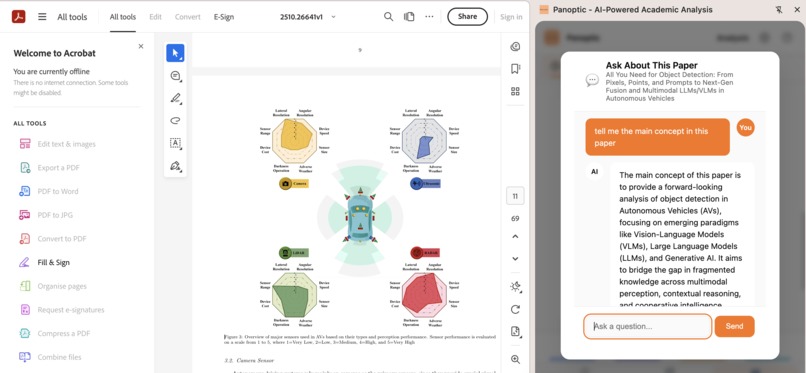
Chat with papers
-
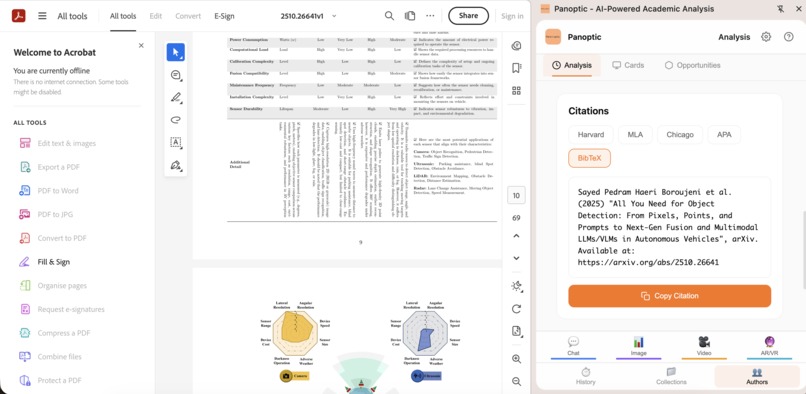
Most famous citations ready to be copied
-
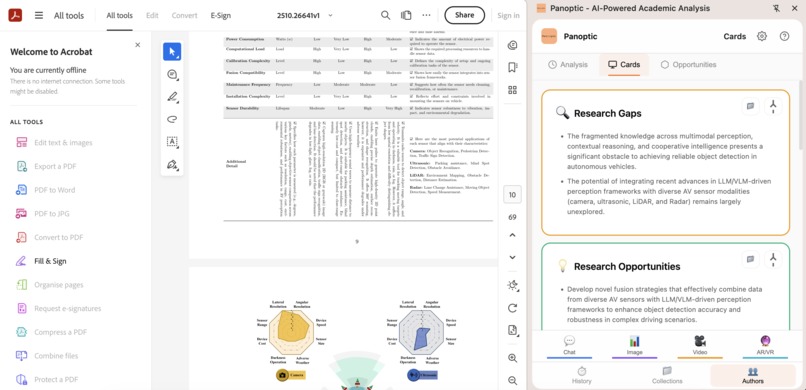
Cards with insights and research gaps generated automatically once the user open a paper.
-
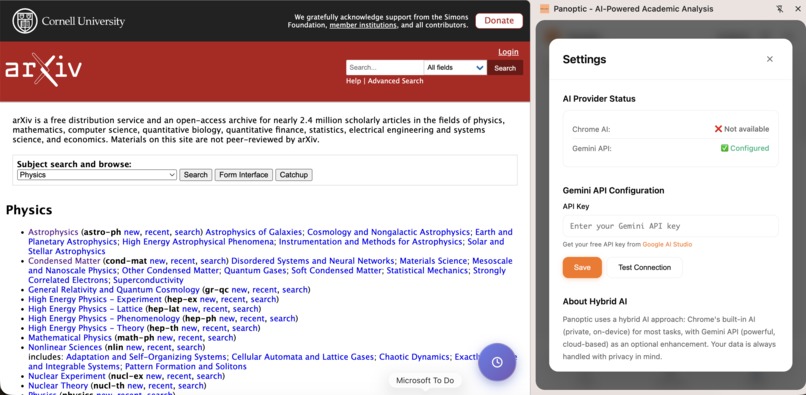
Hybrid architecture. The goal is to make this completely free extension based on Gemini Nano or Gemini API
-
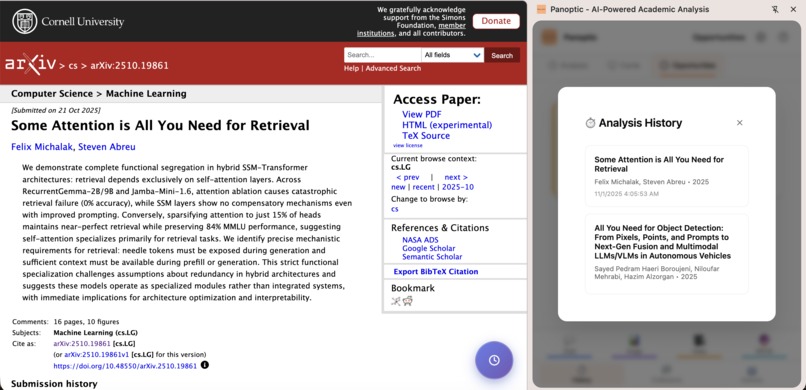
Analysis based on viewed papers, a feature that is based on browser memory.


My inspiration came during my Master's thesis. I saw colleagues drowning in a sea of browser tabs, trying to connect ideas from Arxiv, Google Scholar, and other websites. I built a gradio app to help them finding a thesis topic that is not covered yet, and the reaction was overwhelming. Mainly the app used ai to cover the literature review and discovery and it did that very well. It confirmed a need: scholars aren't just looking for papers; they're looking for gaps. They're looking for the next big question.
What it does:
Panoptic is a Chrome extension designed to empower researchers by integrating
AI directly into their browsing workflow. It helps users:
- Find research gaps: Identify unexplored areas within scientific literature.
- Understand scientific papers: Facilitate comprehension of complex documents.
- Chat with papers: Interact directly with research papers to ask questions and get answers.
- Generate perfect citations: Create citations in various formats instantly.
- Organize research: Transform papers into "living cards" with AI summaries and connections.
- Analyze historical trends: Visualize the evolution of research over time.
- Utilize privacy-first AI: Leverage a hybrid AI model that prioritizes data privacy with on-device processing where possible.
Essentially, Panoptic tries to streamline the research discovery and analysis process without requiring users to leave their browser.
How we built it: I built the frontend using React, and Python as the main programming language. Gemini CLI helped me in accelerating the production phase and learning about Google API.
Challenges we ran into: my first idea was to build this extension as an overlay (using iframes) but then I ran into many challenges and could get most features to work properly. Also, I wanted this extension to search in all website and scrape ideas but that needs a backend and not suitable for extensions.
Accomplishments that we're proud of: Panoptic is probably the first comprehensive research discovery extension in that way. It has more than 12 features including AR/VR, thanks to Chrome AI capabilities.
What we learned: many lessons I got during the build mainly how to use chrome ai functionalities.
What's next for Panoptic: I want this to be privacy first using Gemini Nano, but it seems this is not available in Europe at the moment. Perhaps something to do in the near future and the extension has a hybrid architecture.
Built With
- chrome
- fastapi
- javascript
- python
- react
- typescrip

Log in or sign up for Devpost to join the conversation.