-
-
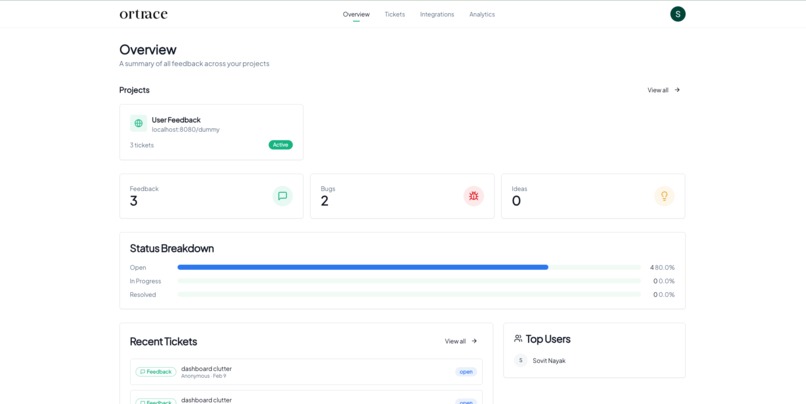
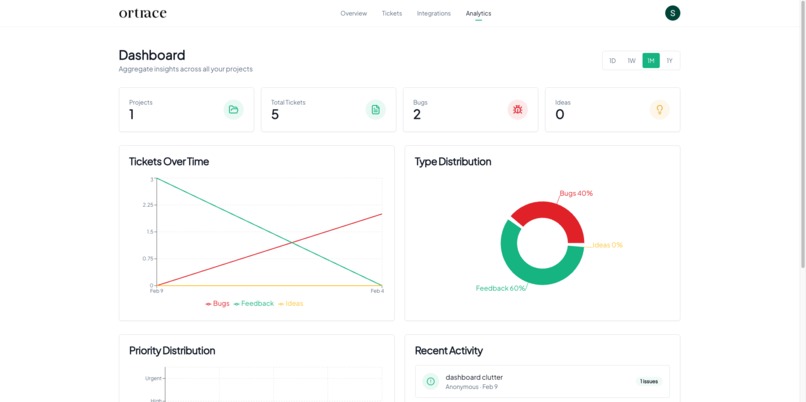
dashboard
-
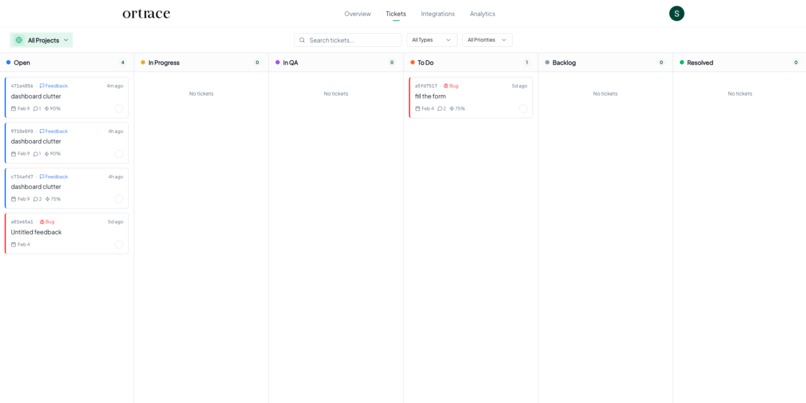
Feedback submitted. Teams get structured tickets with context—no back-and-forth needed.
-
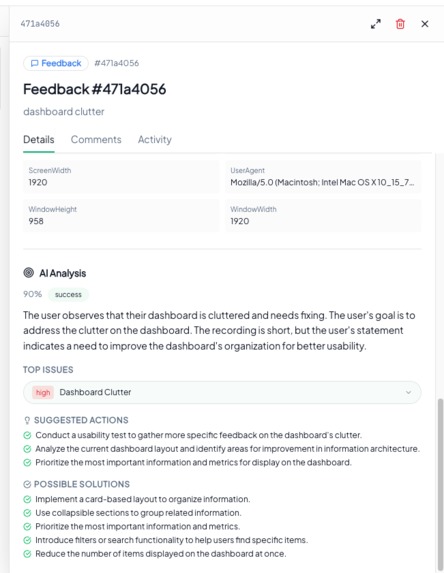
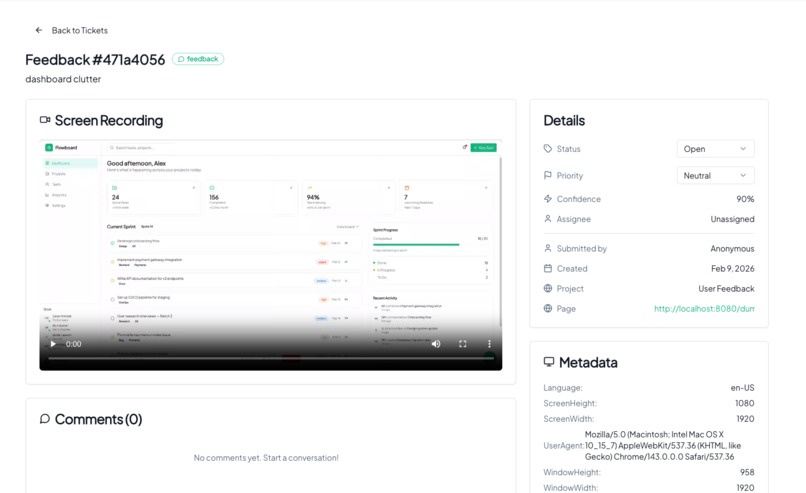
detail
-
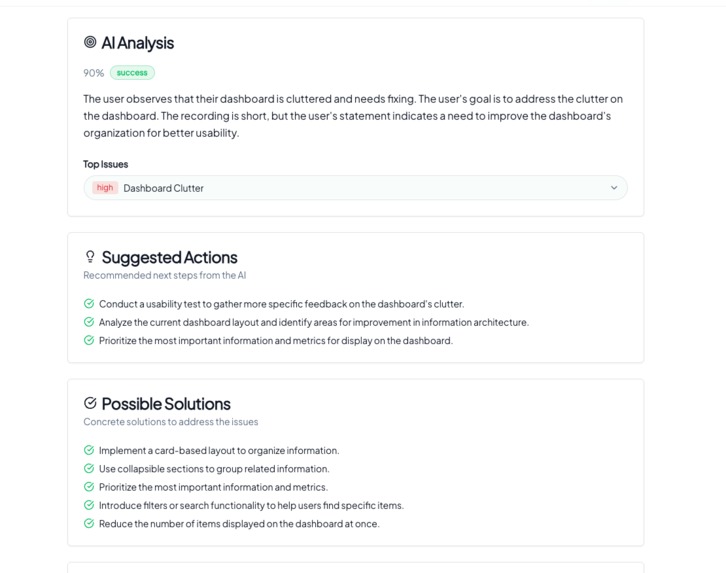
Ticket detail: full context, metadata, and screen recording. Fix without chasing users.
-
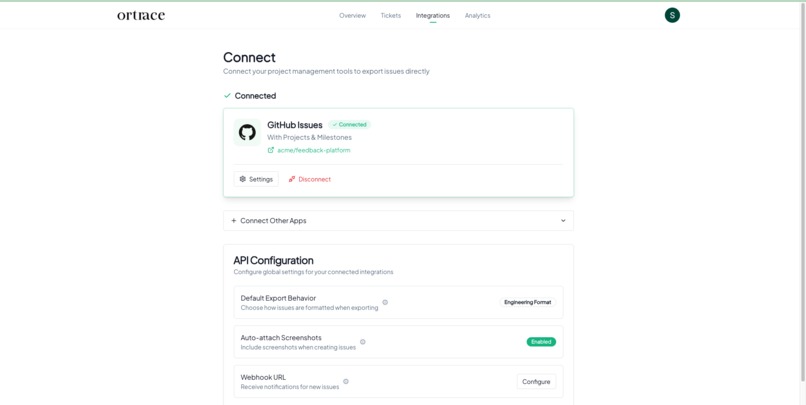
-
-
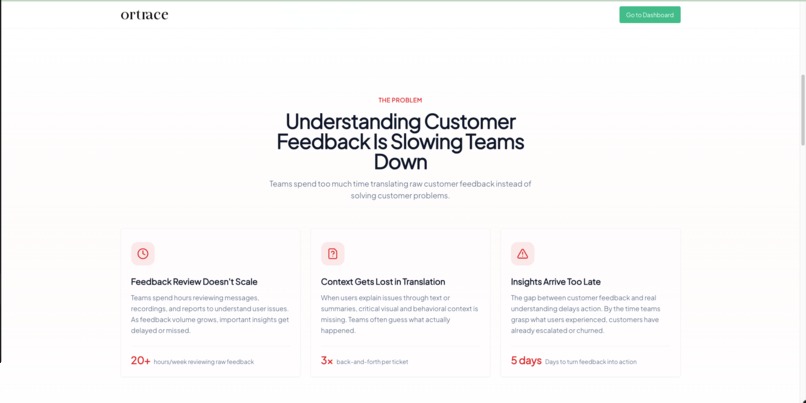
The problem: Understanding customer feedback is slowing teams down. Review doesn't scale.
-
All feedback as tickets: filter by type, see description and submitter. Triage in one place.
-
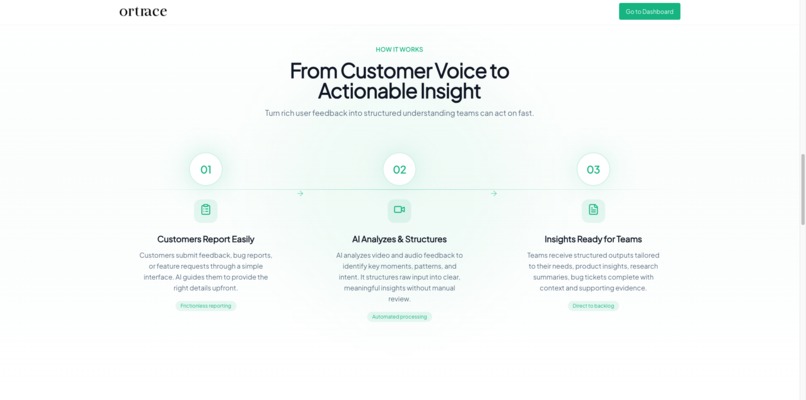
How it works: From customer voice to actionable insight. Capture, analyze, structure.
-
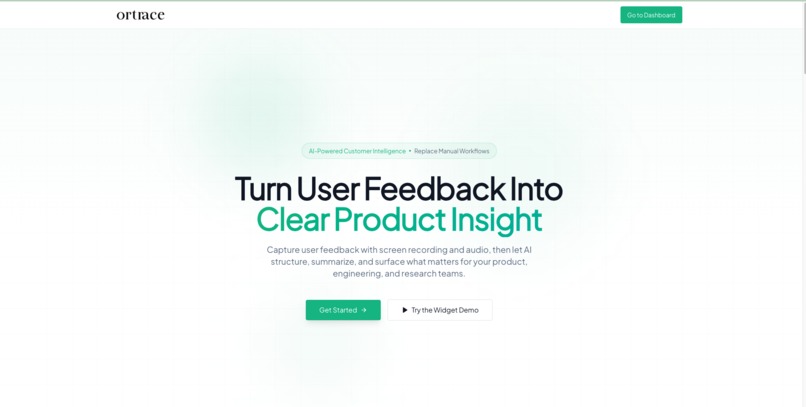
Ortace landing hero: Turn user feedback into clear product insight. Get started or try the widget demo.


Ortrace – Hackathon submission (full text)
Inspiration
The idea for Ortrace came from repeatedly watching how user feedback actually flows inside modern software teams. Users share valuable context through screen recordings, walkthroughs, and interviews, but most of that richness gets lost. Teams either manually watch videos, reduce everything to short notes, or rely on text-only tools that strip away critical visual and behavioral signals.
We saw this problem firsthand while working with SaaS startups, product teams, and AI builders. Audio-only feedback tools help, but they miss what users do on screen — hesitation, confusion, misclicks, and UI friction often explain more than words alone. We believed that video + audio, treated as first-class data and analyzed properly, could unlock much deeper insight.
That belief became Ortrace.
What it does
Ortrace is an AI system that captures user feedback, bugs, and interviews through screen recording and audio, then turns that raw input into structured, actionable insight.
Instead of dumping long recordings into a model, Ortrace breaks each session into meaningful interaction moments, preserves the user's journey over time, and uses AI to synthesize what truly matters. The output is not just a summary, but clear explanations of user behavior, recurring patterns, and friction points that product, engineering, and research teams can act on immediately.
The system is intentionally flexible. Teams can use it for usability research, onboarding feedback, product iteration, or technical issue discovery — without locking themselves into a single workflow.
How we built it
We built Ortrace around Gemini's multimodal reasoning capabilities. The core pipeline captures video frames and timing metadata, then structures them into a form that Gemini can reason over effectively.
Gemini and Google Cloud (in depth): We use the Google Generative Language API (Gemini) with the gemini-3.0 model. Video is sent as multimodal input: base64-encoded inline data with correct MIME types (e.g. video/mp4, video/webm), alongside a text prompt in a single generateContent request, so the model reasons jointly over visual context and any spoken feedback in the recording. We tune generation config (temperature, top_p, top_k, max_output_tokens) for consistent, structured output and use prompt engineering to get a fixed JSON schema (outcome, issues, evidence, question_analysis, suggested_actions). On Google Cloud we use Cloud Run to host the API, Cloud Storage (GCS) for video uploads with lifecycle rules, Cloud SQL (PostgreSQL) for jobs and reports, Secret Manager for the Gemini API key and app secrets, Cloud Build and Artifact Registry for container builds and images, and IAM for least-privilege access. The same Gemini models are also available via Vertex AI for enterprises that prefer VPC and quota controls; our design can be adapted to Vertex with minimal change.
Gemini is used to jointly analyze visual context and spoken feedback, rather than treating them as separate inputs. We designed prompts and reasoning steps that guide the model to extract structure, cluster related feedback, and preserve temporal context across long sessions.
We also built a lightweight interface for uploading recordings and generating reports, making it easy to test different analysis questions and iterate quickly. The system is designed to work well with tools like Google AI Studio, where teams can prototype, evaluate, and refine AI-powered products using real user interaction data.
Challenges we ran into
The biggest challenge was managing scale and context. Raw video is large and noisy, and naïvely passing everything to an LLM leads to poor results. We had to carefully design segmentation and compression strategies so that important moments were preserved without overwhelming the model.
Another challenge was staying general. It was tempting to optimize purely for bug reports or engineering tickets, but real user feedback is broader than that. We intentionally kept Ortrace adaptable, so different teams can define what "insight" means for their use case.
Accomplishments that we're proud of
- Built a working end-to-end system that analyzes video + audio instead of relying on text alone
- Successfully used Gemini for long-context, multimodal reasoning over real user recordings
- Designed a flexible insight pipeline that supports product, engineering, and research workflows
- Created a clear demo experience that shows value without requiring heavy setup or onboarding
What we learned
We learned that multimodal AI works best when it's structured, not treated as a black box. Giving Gemini clear context, explicit reasoning goals, and well-defined inputs dramatically improves output quality.
We also learned that users don't want "more data" — they want clarity. The real value comes from synthesis, not transcription. This reinforced our focus on turning feedback into insight, not just summaries.
What's next for Ortrace
Next, we plan to expand Ortrace's analysis depth by adding richer clustering across sessions, stronger customization for different teams, and tighter integrations with product and research workflows.
We also want to explore deeper use cases with Google AI Studio, where Ortrace can help teams understand how users interact with AI-powered products themselves. Our long-term goal is to make multimodal user feedback as easy to understand and act on as reading a dashboard.
Built With
- cloud
- coogle
- gcp
- gemini
- javascript
- next
- postgresql
- rust


Log in or sign up for Devpost to join the conversation.