-
-
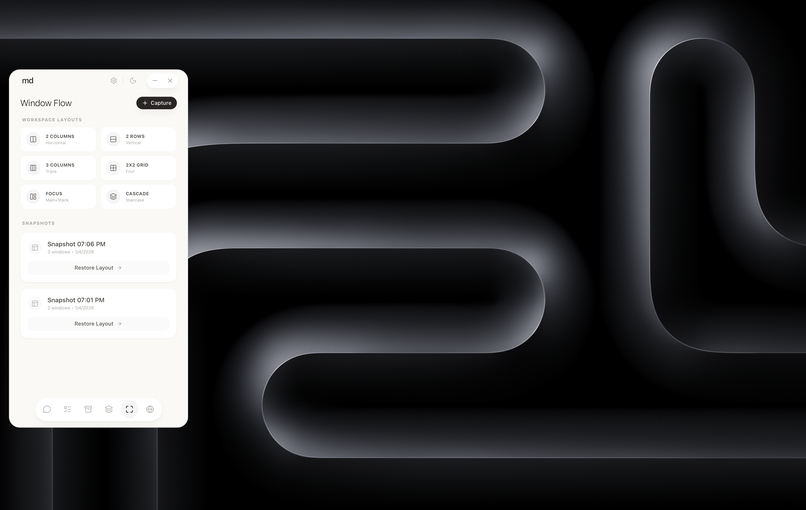
Layout ( Window Manager )
-
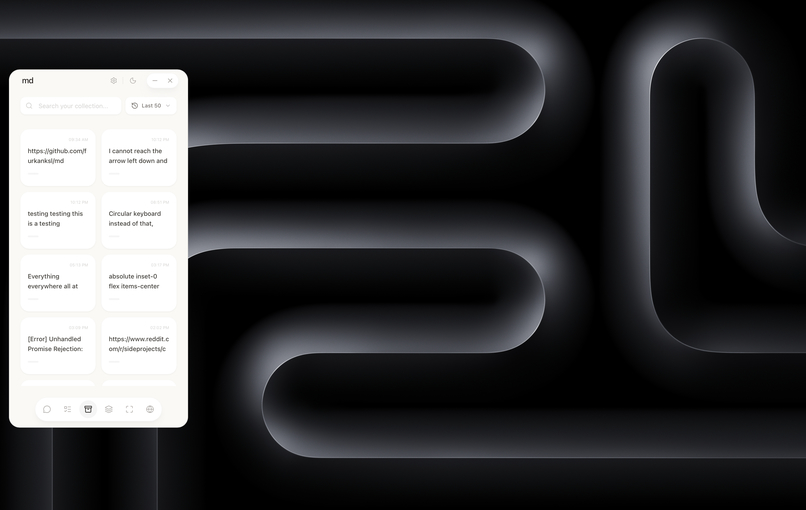
Clipboard
-
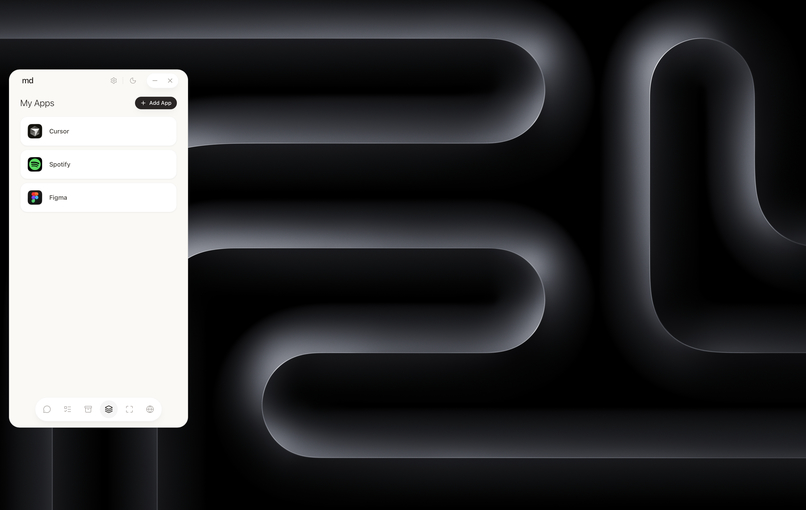
Shortcuts
-
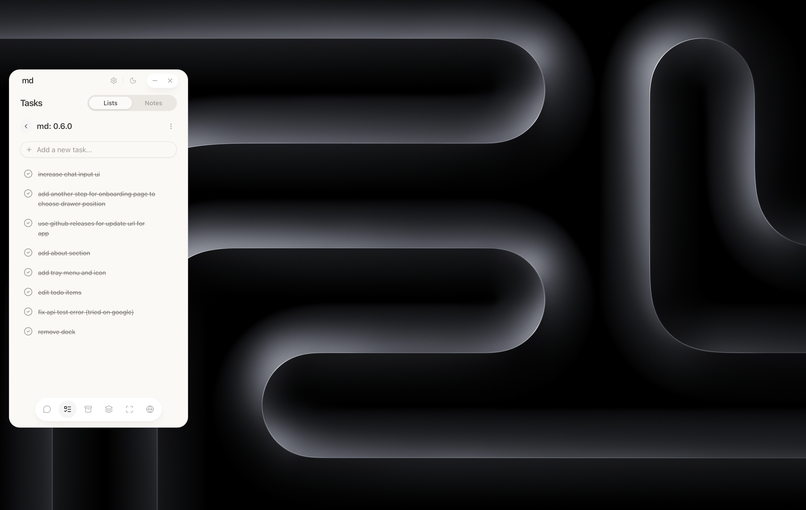
Todo
-
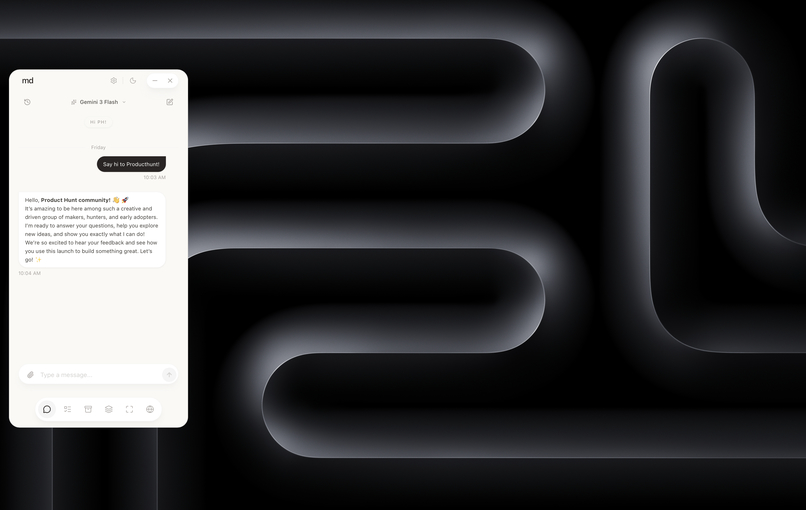
Chat (BYOK)
-
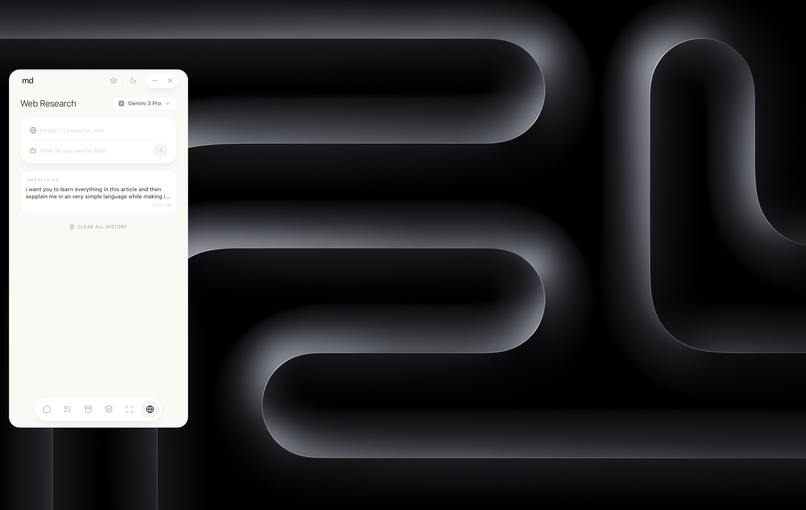
Scraper


Inspiration
I often find myself juggling a dozen different utility apps: a clipboard manager, a window tiling tool, a note-taking app, a launcher, and a browser window permanently open to ChatGPT. Context switching between these tools breaks flow and kills productivity.
I wanted to build a "Digital Sidekick" that lives quietly on the edge of your screen—a unified, private, and beautiful drawer that holds your digital memory and intelligence. My Drawer was born from the desire to bring the power of LLMs, the utility of OS-level tools, and a "Zen" aesthetic into a single, cohesive desktop experience that feels like a native extension of your mind.
What it does
My Drawer is a privacy-focused, local-first desktop sidebar built with Tauri that acts as your central hub for productivity:
- Universal AI Journal: Chat with any model (OpenAI, Anthropic, Google, Mistral, Groq) or connect to local LLMs (via custom endpoints like LM Studio/Ollama). It remembers your model preference per conversation.
- Window Flow: A unique window management feature that lets you "snapshot" your current workspace layout and restore those specific window positions instantly—perfect for switching between "Coding Mode" and "Research Mode."
- Infinite Clipboard: Automatically captures text and images. You can search, pin, and copy from your history without data ever leaving your device.
- Web Researcher: A dedicated scraping tool that extracts content from URLs and allows you to analyze it with AI immediately.
- Theming Engine: A robust personalization system featuring 9 distinct themes (from "Doom64" to "Quantum Rose") that adapts colors, shadows, border radiuses, and fonts to your mood.
- Smart Shortcuts: A quick launcher for your most-used applications.
- Tasks & Notes: A quick-access scratchpad and todo list that supports natural language and IME inputs.
How I built it
I built My Drawer using the Tauri v2 framework to ensure a small footprint, high security, and native performance.
- Frontend: Built with React and TypeScript for a reactive, type-safe UI, using Vite and Bun for a lightning-fast development cycle.
- State Management: I used Zustand coupled with a local SQLite database to ensure data persistence and instant load times.
- AI Integration: Leveraged the Vercel AI SDK to abstract provider differences, allowing users to swap between Cloud LLMs and Local LLMs seamlessly.
- Styling: I engineered a sophisticated semantic theming system using Tailwind CSS and CSS variables. This allows the app to dynamically switch not just colors, but font families (downloaded locally for privacy) and border radii at runtime.
- System Integration: Rust backend handles the heavy lifting—capturing window states, managing global shortcuts, and file system operations.
Challenges I ran into
- Cross-Provider AI Compatibility: Standardizing the chat interface to handle streaming responses, attachments, and history across disparate providers (like OpenAI vs. Local models) required a robust abstraction layer.
- Theming with Tailwind: creating a theme engine that supports dynamic opacity modifiers (e.g.,
bg-primary/20) was tricky. I had to refactor the entire CSS variable strategy to use raw HSL channels to ensure Tailwind's opacity utilities worked correctly with user-selected themes. - Input Handling (IME): I discovered a UX friction point for Japanese/Chinese users where confirming a character composition would accidentally send the message. I had to dive deep into browser
KeyboardEventsand theisComposingproperty to fix this and ensure a native-feeling typing experience. - Window Management: reliably capturing and restoring window positions across different operating systems required careful handling of the OS window manager APIs via Rust.
Accomplishments that I'm proud of
- The "Zen" Aesthetic: I didn't just build a tool; I built something that feels good to use. The UI uses glassmorphism, fluid animations (Framer Motion), and careful typography to reduce visual noise.
- Total Customization: From "Claymorphism" to "Doom64", the app can look exactly how the user wants. I even built a script to download Google Fonts locally so the app has zero runtime dependencies on external font CDNs.
- Privacy First: All clipboard data, notes, and window layouts are stored locally using SQLite. No user data is sent to external servers.
- Local AI Support: Enabling users to bring their own local models makes the app future-proof and free to use if they have the hardware.
What I learned
- Tauri v2 Power: I learned how to bridge the gap between web technologies and low-level OS features like window enumeration and global hotkeys.
- Semantic Design: I gained a deeper appreciation for semantic design tokens. Abstracting colors into
background,foreground,accent, etc., made the massive theming engine possible. - User-Centric Details: Fixing small details—like the IME input bug or per-chat model persistence—massively improves the perceived quality of the software.
What's next for My Drawer
- Plugin System: Allowing developers to write small JavaScript plugins to extend the sidebar's functionality.
- Voice Mode: Adding real-time voice interaction for hands-free AI assistance and dictation.
- Context Awareness: Allowing the AI to "see" the active window title to provide context-aware suggestions automatically.
- Cloud Sync: An optional, end-to-end encrypted sync to share your "Drawer" across multiple computers.
Built With
- ai
- ai-sdk
- react
- rust
- tailwind
- tauri
- typescript

Log in or sign up for Devpost to join the conversation.