-
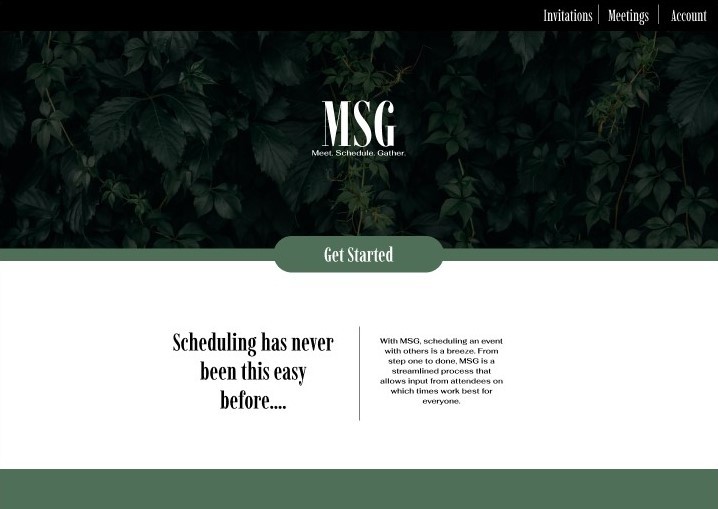
Landing Page
-
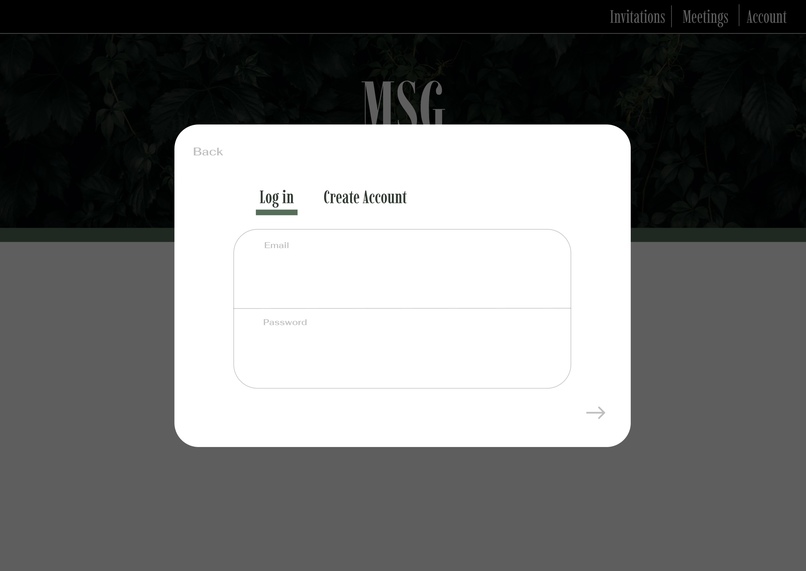
Login screen
-
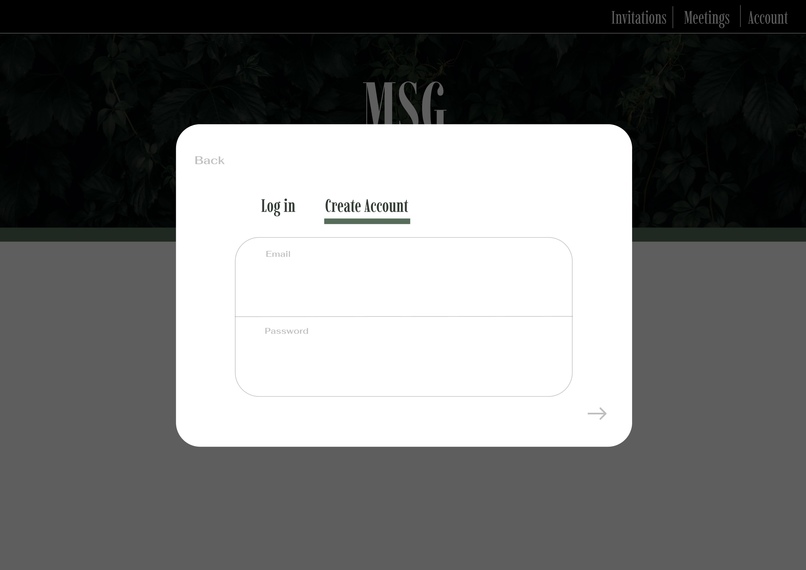
Create account page
-
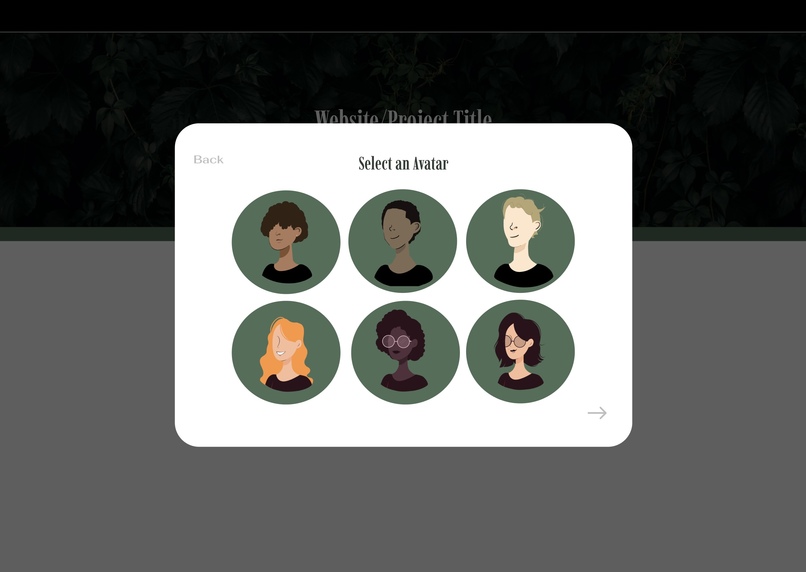
Once submitted, the create account page then prompts you to select an avatar
-
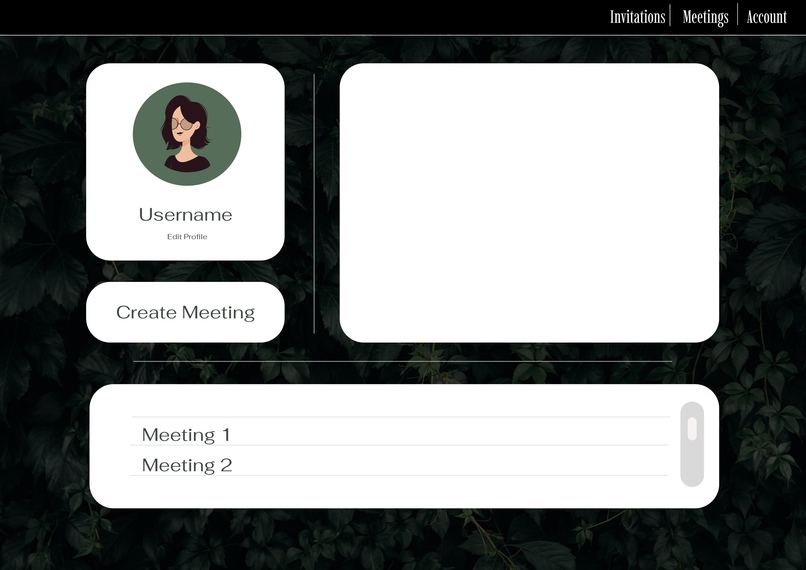
after creating an account or logging in successfully, you are brought to your home screen or dashboard
-
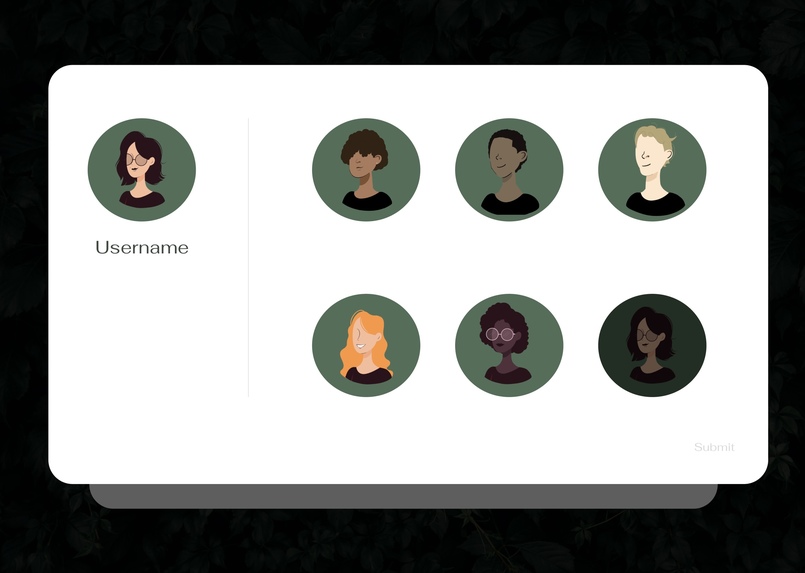
Here, you can select a new avatar or change your username
-
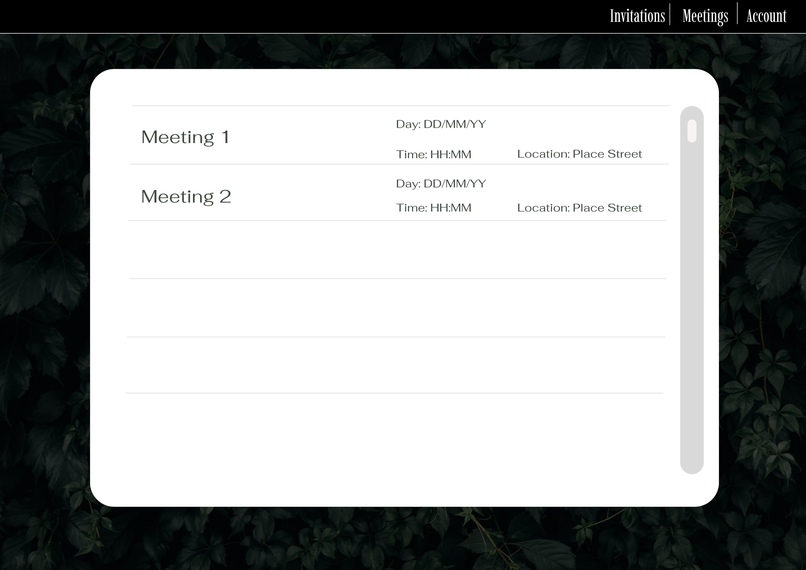
This is where you view your already accepted meetings
-
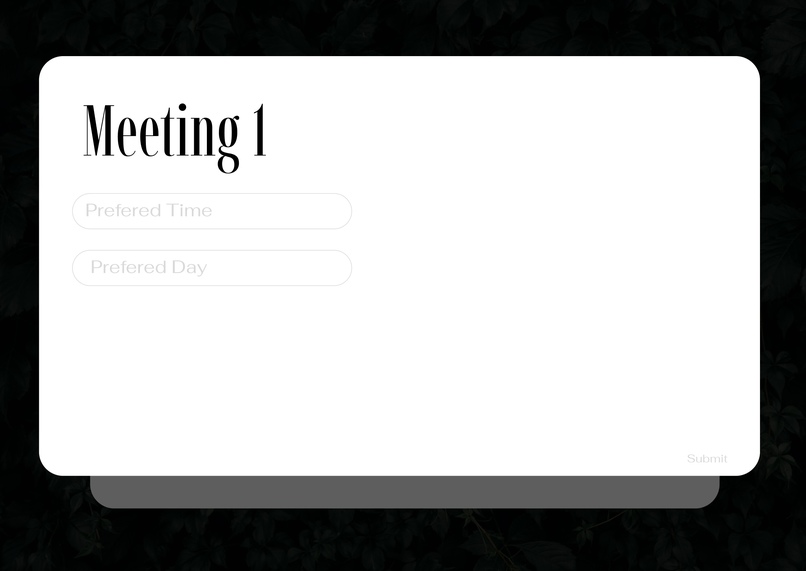
After receiving an invitation, this is where you will input the time and date that works for you
-
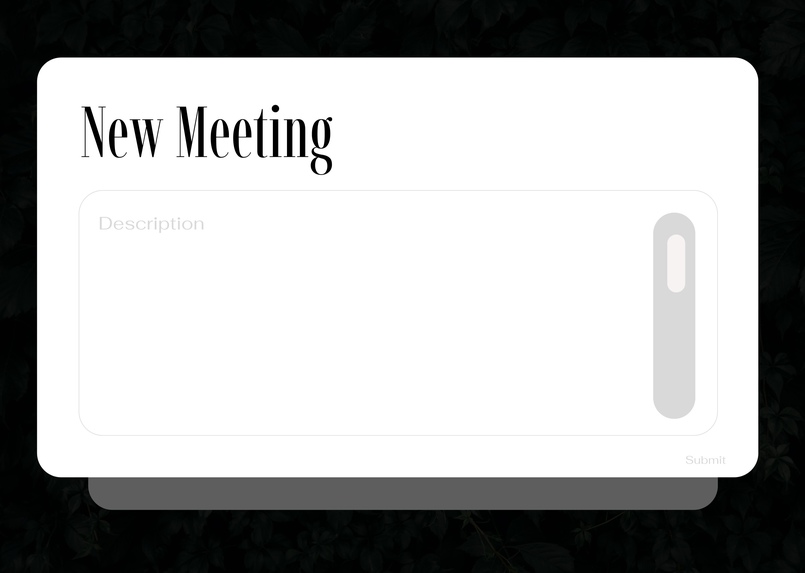
This is where new meetings are created, after a name and description has been added, you are able to invite people
-
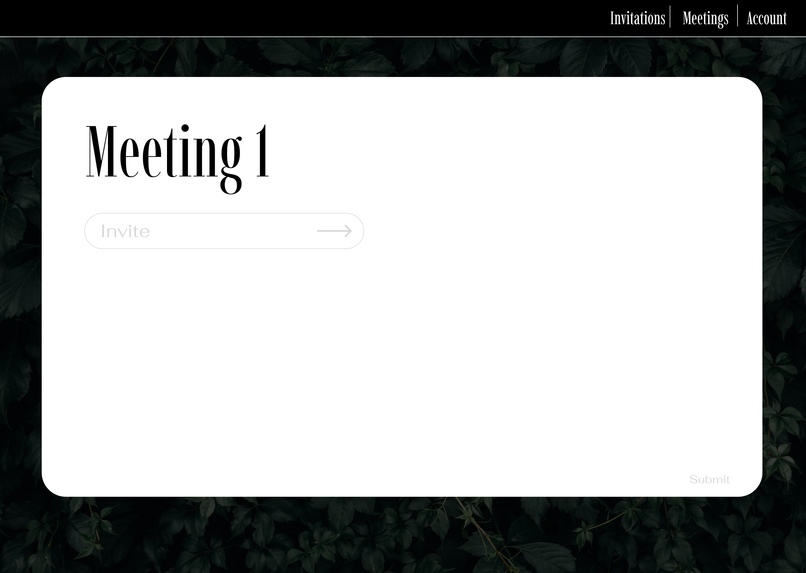
This is where you invite people to share their availability
-
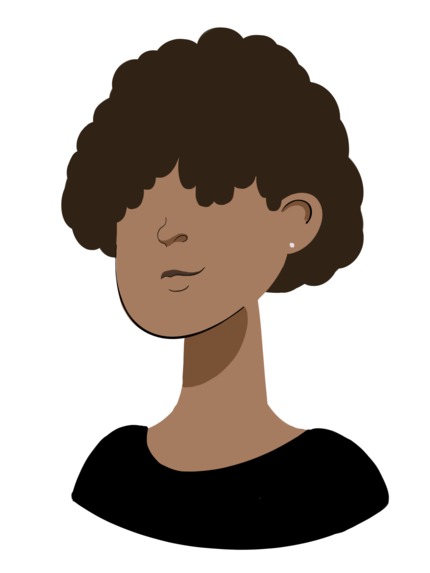
One of the avatars made for the project
-
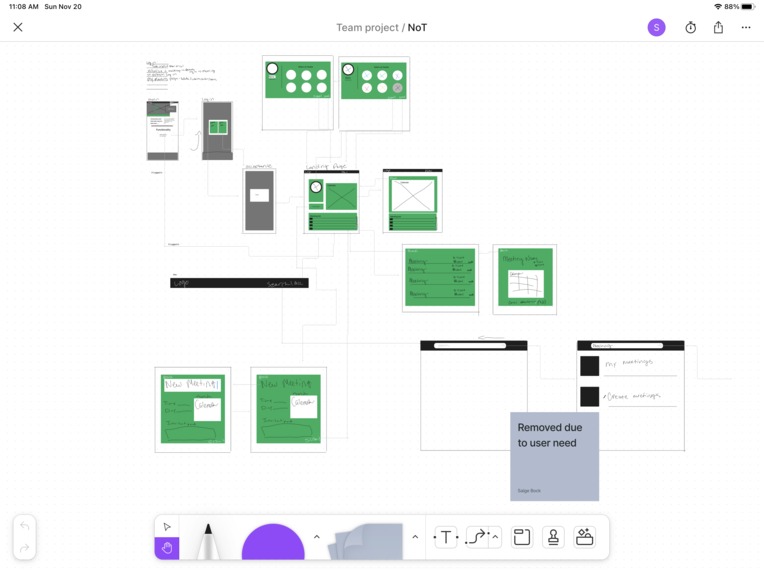
Original Wireframe/Figjam
-
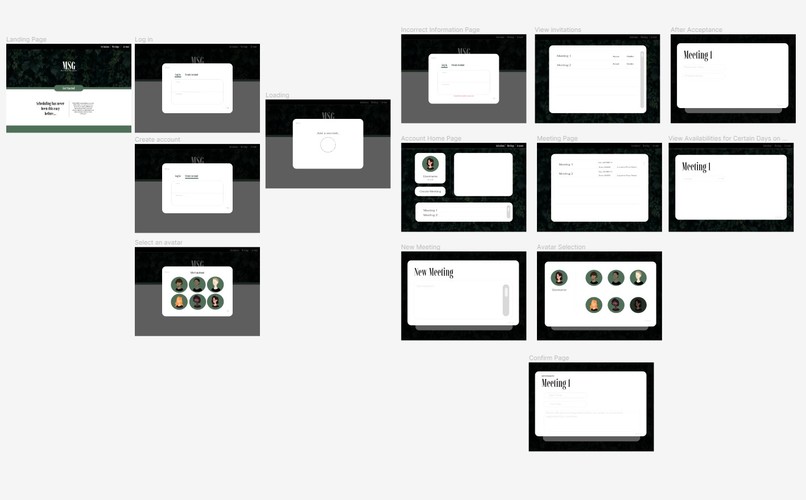
Full Figma Mockup


Inspiration
As college students, our lives are filled with appointments. Professors, clubs, and sports teams are always filling up our schedules. Currently, available software for meeting coordination tends to be clunky, hard to use, ineffective, and UGLY. So, we decided to make our own.
What it does
Promotes group collaboration and productivity while creating meetings based on group availability with ease with a refreshing user interface.
How we built it
First Off for the backend we started by using AWS to host a PostgreSQL database. Then after modeling with an EER Diagram, we created a REST API using Java, SpringBoot, and SQL to create a service that would handle CRUD requests to the database. For the front-end, we started by creating a wireframe, a user journey, and a Figma mock-up for the front-end components. Then, we brought these ideas to life using the Angular framework, Bootstrap, HTML, and CSS. Finally, throughout the entire process, we made extensive use of GitHub for version control utilizing feature branches and pull requests to minimize the change of different code pieces coming together in a chaotic manner.
Challenges we ran into
We struggled quite a bit getting a hang of bootstrap and ultimately decided to create the CSS and HTML from scratch for most components, which were still difficult to get the perfect result with. Creating front-end services to connect to our API was challenging due to the nature of some endpoints.
Accomplishments that we're proud of
Our UI design and back-end functionality are crisp! We really enjoyed setting up our API.
What we learned
~how to create and use modals, dropdowns that darken the screen behind them, with pure CSS and HTML ~building a database using AWS ~got more comfortable with Bootstrap and other imported angular components ~that Figma is a great tool for planning a UI, but building off of it takes quite a bit of extra work
What's next for MSG
We would love to improve and add upon avatar selection/creation functionality and well as fully flesh out the intended functionality our database was built for. We would also like to refine and improve upon the HTML and CSS and potentially pivot to a different front-end framework such as REACT.


Log in or sign up for Devpost to join the conversation.