-
-
Mandala Tangle
-
Create Tangle Patterns
-
Create Mandala Patterns


Inspiration
The inspiration for this project came from my own interest in making mandalas. Drawing mandalas by hand is my hobby. Learning more about Canva's SDK App made me realize that I can make this easier for those who are not artists by hand. Moreover, I am also a scribbler of patterns with a pen in my hand. Hence, I wanted others to be creative with patterns as well. The project is also motivated by the growing trend of combining creativity with technology, enabling users to design, manipulate, and visualize complex patterns effortlessly.
What it does?
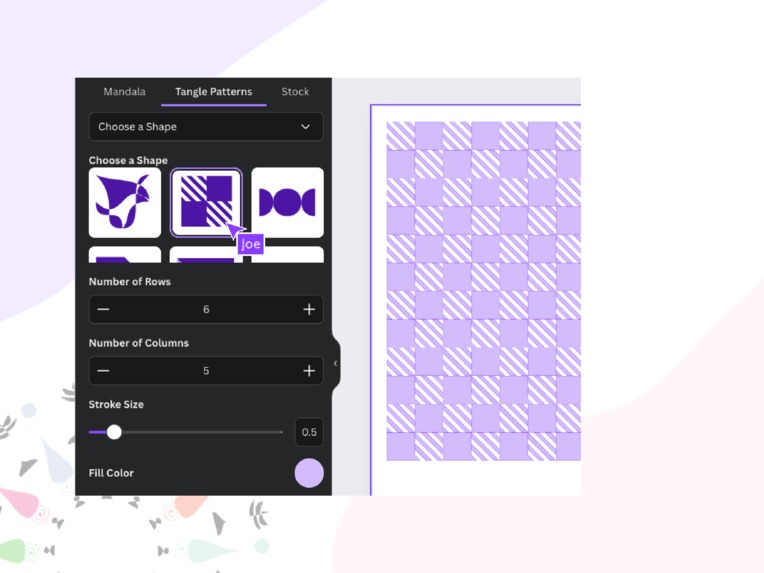
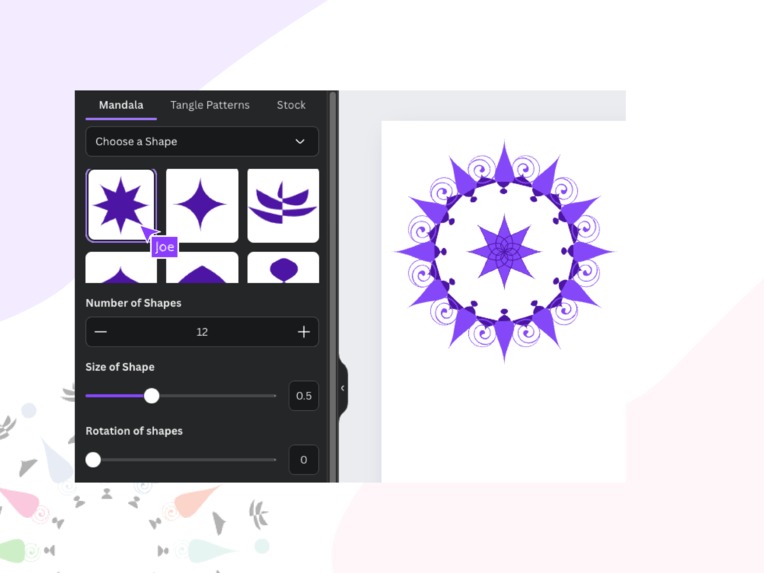
The project allows users to either select a pre-existing shape or create a custom shape using a friendly interface. The user can choose one from a list of shapes and then adjust various attributes like size, rotation, stroke, and fill colors. Alternatively, the user can opt to create a new shape by inputting an SVG path, specifying the height and width, and then applying similar adjustments. Once the user is satisfied with the configuration, the platform generates a mandala-like or linear pattern based on the selected or created shape.
How I built it?
The project is built using React for the front end, which handles the user interface and interactions. Canva's SDK is used to create shapes. Majorly addNativeElement is used to create shapes and group them. The dropdown menu allows users to switch between choosing a predefined shape and creating a custom one. Conditional rendering is employed to display the appropriate input fields based on the user's selection. The backend logic integrates this input with functions that generate the mandala patterns.
Challenges I ran into.
Some challenges encountered during development included managing the state effectively. Handling errors effectively, such as invalid SVG paths or incorrect input values. Additionally, the logic to ensure that the generated patterns were accurate and visually consistent.
Accomplishments that I am proud of.
One of the key accomplishments is the seamless integration of user input with real-time pattern generation. The platform successfully balances user control with ease of use, offering a smooth experience.
What I learned?
Using React is the first thing I learned. Moreover, I deepened my understanding of SVG manipulation and the intricacies of creating scalable vector graphics dynamically. Above all, I also had a great experience to learn how the Canva's SDK can be used for various things.
What's next for Mandala Tangle?
Looking ahead, the project could evolve by adding dynamic shape adjustments, allowing real-time rotation changes to be instantly reflected on the design canvas, making it easier for users to visualize their creations. Expanding customization options, such as advanced color gradients, additional shape presets, and user-defined gaps in patterns would further enhance the user experience. Additionally, integrating image embedding for entire mandalas or pattern shape groups and exploring 3D modeling capabilities would take the platform to the next level in design versatility.
Built With
- canva-sdk
- react


Log in or sign up for Devpost to join the conversation.