-
-
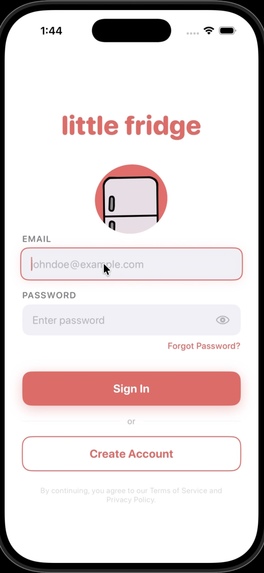
Login/Authentication Screen
-
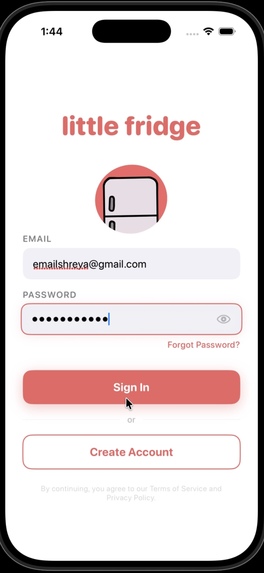
Active Authentication State
-
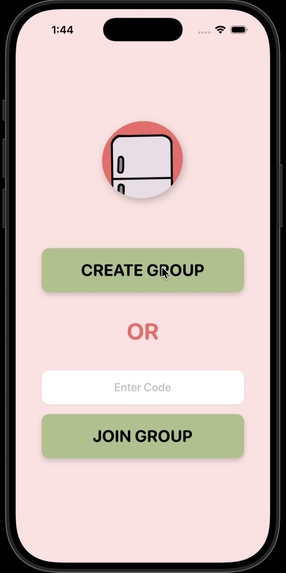
Household Onboarding
-
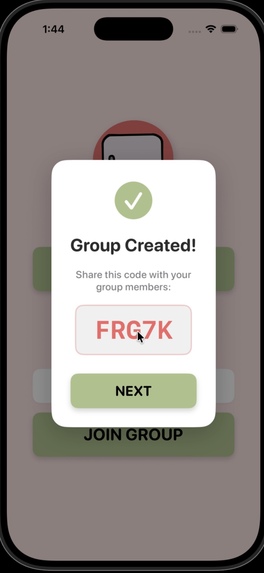
Invite Code Generation
-
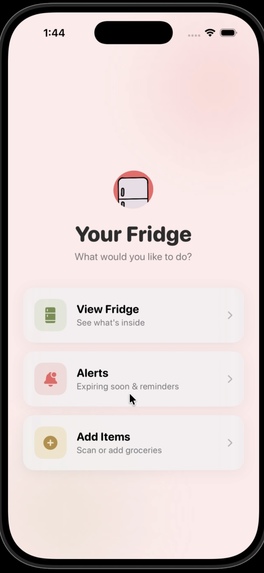
Main Dashboard
-
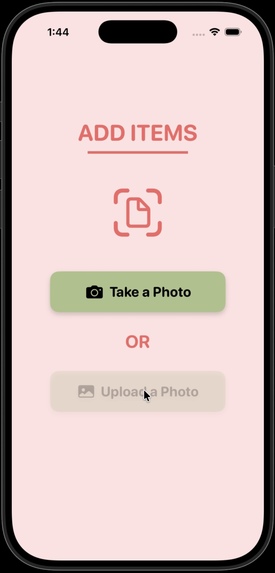
Receipt Upload Screen
-
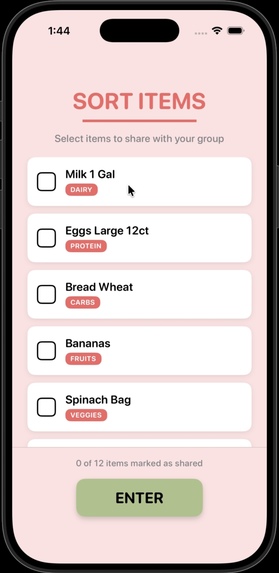
Item Sorting & Sharing Selection
-
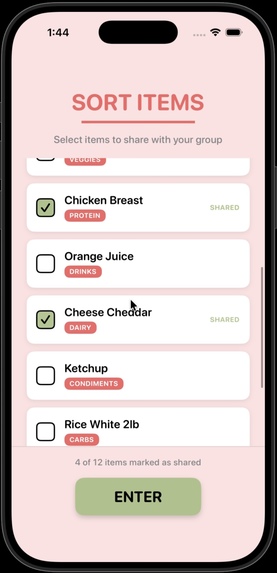
Shared Status Visualization
-
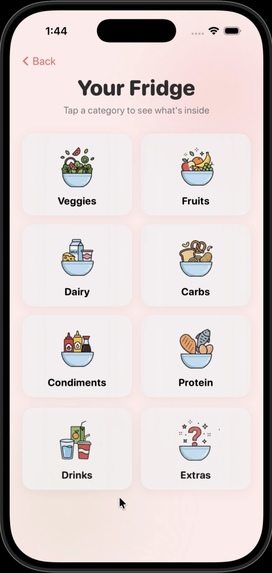
Categorized Fridge Overview
-
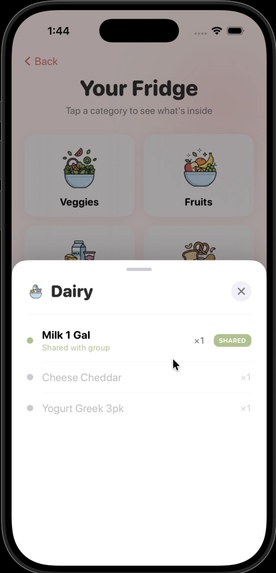
Shared Item Visibility Within Categories
-
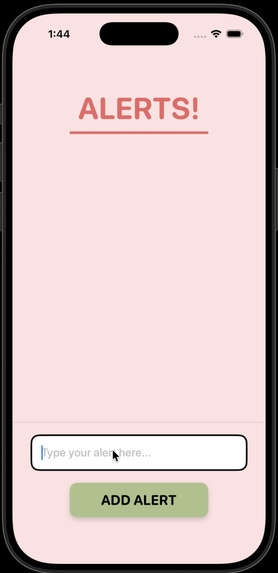
Custom Alerts & Reminders
-
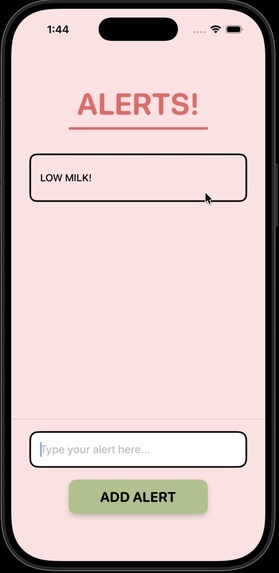
Shared Inventory Notifications
-
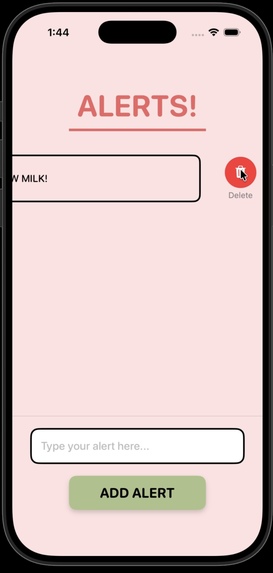
Interactive Alert System


Inspiration
“Over $1,500 is wasted annually per household due to forgotten food.”
As college students living with roommates, we noticed something small but constant: the shared fridge often becomes a source of stress. What should be simple turns complicated. Groceries get duplicated. Items get pushed to the back and forgotten. Someone accidentally uses something that wasn’t theirs. In communal living, especially on tight student budgets, wasted food doesn’t just mean waste. It means lost money and unnecessary tension.
That’s where “little fridge” began.
What started as a solution for roommates quickly revealed something bigger: this problem isn’t just a college problem. It exists in families, shared apartments, couples, and any household where food is shared. Whether it is parents trying to track groceries, siblings sharing space, or roommates splitting costs, the challenge is the same, lack of visibility and coordination.
We set out to build a system where accountability is automatic, sharing is transparent, and tracking requires no manual effort. Through receipt uploading and real-time syncing, little Fridge transforms confusion into clarity.
Our vision is simple: turn the chaos of shared living into a system of transparency, so anyone, student, family, or shared household, can open their fridge with confidence.
What It Does
little fridge is a smart, shared inventory app that transforms grocery receipts into a live digital map of your fridge. With a single upload, purchased items are automatically added, organized, and synced across everyone who shares the space.
Users can create or join a shared fridge group based on their living situation. After grocery shopping, they simply upload their receipt, and items are instantly uploaded to the shared inventory. The app notifies all group members in real time, ensuring everyone knows what has been added. Items are automatically categorized into food groups, quantities are tracked, and shared items are prioritized at the top of the list for visibility. Personal items remain clearly labeled below, eliminating confusion over ownership.
little fridge replaces manual tracking with automation, giving users clarity, reducing waste, and bringing transparency to shared living.
How we built it
Frontend: We built the user interface using SwiftUI. This allowed us to create a highly responsive, declarative UI with fluid animations that liven up the user experience. By utilizing Xcode as our primary development environment, we confirmed integration with iOS features like haptics and uploading controls.
Backend & Database: We implemented Supabase. This was critical for handling syncing across roommate groups. When one person uploads a receipt, the update is pushed instantly to all other devices using Supabase’s subscriptions.
Challenges we ran into
Biggest Challenge: Configuring environments and integrating backend with frontend. Managing Supabase, Railway deployment, and secure environment variables while supporting seamless connection to our SwiftUI app. Designing a flexible API structure to support varying grocery prices across different retailers. Distinguishing development vs. production environments during deployment. Structuring database storage for scalability and future feature expansion. Managing Git collaboration and resolving Xcode merge conflicts. Implementing smooth UI animations without sacrificing performance.
Accomplishments that we're proud of
Used survey insights to directly shape core features Fully deployed backend on Railway Supabase database integrated and connected Functional iOS frontend built with SwiftUI Receipt upload system implemented Shared inventory logic for roommates Ownership tagging system created Live health endpoint tested and working Validated problem with user survey data
What we learned
Teamwork: We learned how to compromise and combine different ideas into one cohesive product. Balancing design, backend logic, and product decisions required constant communication and trust across the team. Technical: We worked across multiple tech stacks like SwiftUI for iOS, JavaScript for backend services, and Supabase for database management. Connecting these systems taught us about API structure, real-time syncing, and cross-platform architecture challenges. Impact: We learned that building features is not enough to solve real human friction, which is what creates impact. little fridge is not just about tracking food; it reduces waste, prevents duplicate purchases, and improves shared living transparency.
What's next for little fridge
Smart Cost Splitting
little fridge will integrate with secure payment APIs to automatically split shared grocery costs after a receipt is scanned. The app will separate personal and shared items, calculate each roommate’s portion, and send instant payment requests for seamless reimbursement.
Predictive Auto-Shopping (AI Forecasting)
After several weeks of receipt scanning, the app will analyze household consumption patterns using AI. Based on past purchase behavior, little fridge will proactively recommend items users may be running low on before they need to restock.
Leftover Marketplace
Users can switch an item’s status from “Personal” to “Share” if they no longer want it or are leaving for vacation. The app instantly notifies roommates so food can be claimed and consumed instead of wasted.
Gamification
little fridge will introduce a “Waste Warrior” score to reward users who prevent items from expiring. A potential subscription feature and grocery sponsor partnerships (e.g., Star Market discounts) could provide incentives and exclusive rewards to encourage sustainable habits.
Smart Expiration Tracking
The app will monitor expiration dates and send timely alerts before items go bad. Users will be prompted to either consume the item or move it to the Marketplace to reduce waste and improve food management.
Built With
- apn
- git
- github
- javascript
- postgresql
- railway
- supabase
- swift
- swiftui
- xcode


Log in or sign up for Devpost to join the conversation.