-
-
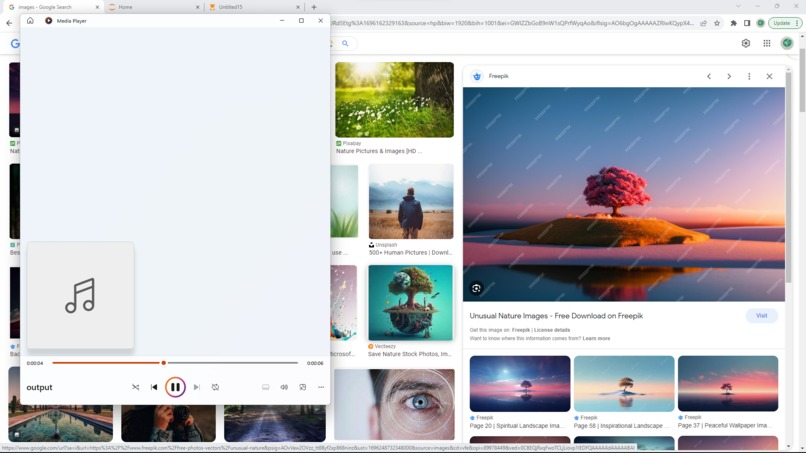
Application being used on google images.

PLEASE READ THE readme.md FILE ON THE GITHUB PAGE BEFORE ATTEMPTING TO TEST
Inspiration
While I am watching videos or a TV series, I often have to get up and look away, maybe to put my dinner plate away or to get some water. I don't pause it because I always think "if I can hear it I can figure out what's going on", but when I get back I almost always have to rewind it to see what I missed. When I first saw this hackathon on Devpost I was thinking about what I would build for my submission while watching YouTube, and that's when the idea hit me. Visually impaired people miss out on so much. While I can just rewind it and watch back what I missed, blind people have to work only based on their other senses. This is why I wanted to help them paint a clear picture in their minds of what other people are seeing.
What it does
It scans a chrome webpage for images. It then uses an API to generate a description for the image. After that, it saves the description as an audio file using text-to-speech software and plays it in real time. It then removes the audio file and moves on to the next image on the page.
How I built it
I used the Application class from the pywinauto module to get the currently open webpage. I then used the requests module to get the source code of the open webpage. After that, I used the BeautifulSoup4 module to scan the source code for images. Also using BeautifulSoup I got the image source URLs. I then passed these URLs to an API I found on Rapid API called "Image Caption Generator" by Fantascat LLC. The API returned descriptions for the images. Then, using the gtts module - a text-to-speech module, I converted the descriptions for the images to audio files. Then, using the os module, I started the audio file, and after the audio file ends I remove it using the os.remove() function. This is all in a loop, so it keeps executing this loop until the application is closed.
Challenges I ran into
Most of these modules were new to me and I didn't know how to use them. It was a learning experience and, while I struggled in the beginning, I eventually figured it out and finished it off.
What's next for Image Description Reader
I want to extend the functionality so that it can decipher which images are important/relevant and which are not on a webpage.
Built With
- beautiful-soup
- os
- python
- pywinauto
- rapidapi
- requests

Log in or sign up for Devpost to join the conversation.