-
-
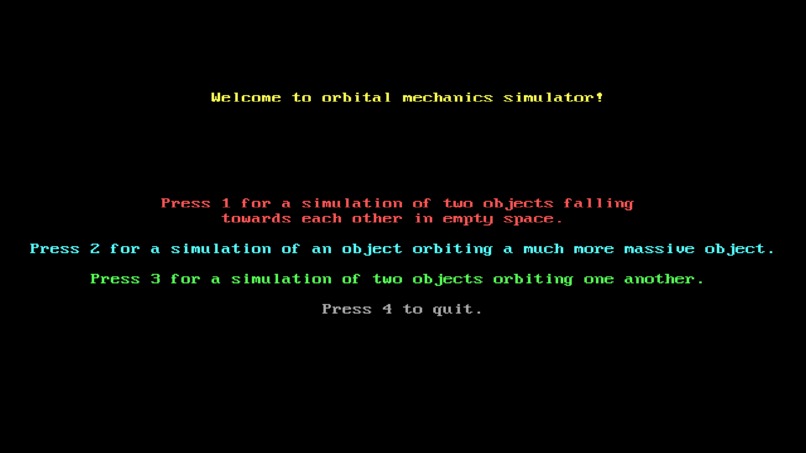
Main Menu
-
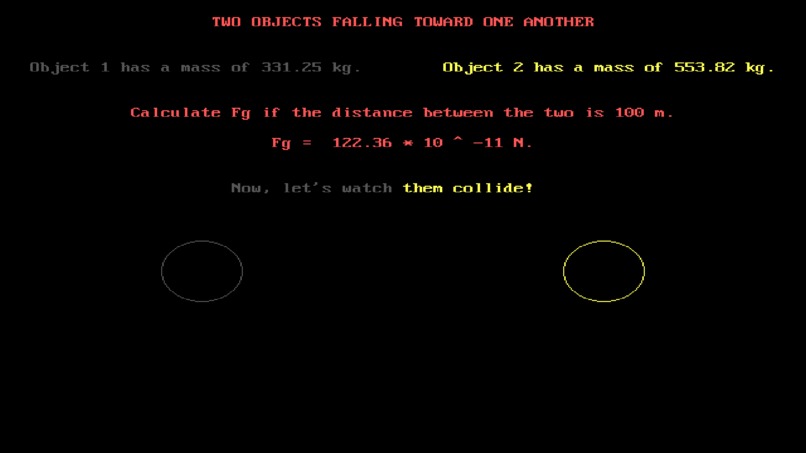
Simulation 1: Two Objects Falling Towards One Another
-
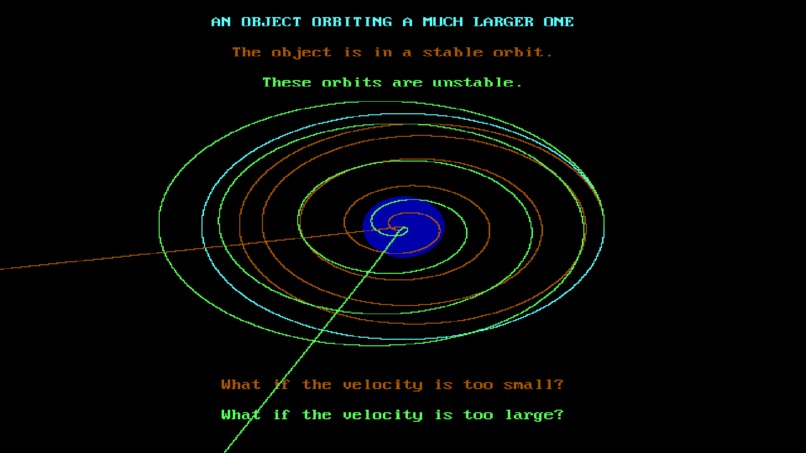
Simulation 2: Stable and Unstable Orbits Around Planets
-
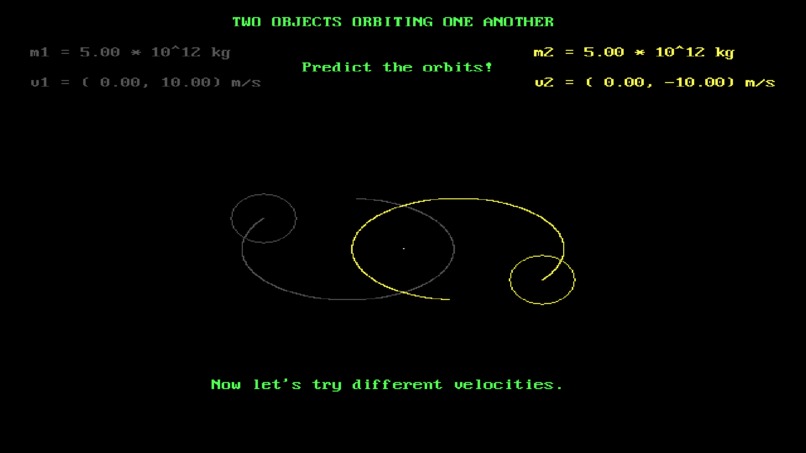
Simulation 3: Two Objects Orbiting One Another


Inspiration
In my physics classes in high school, I enjoyed numerically solving interesting problems to see what would happen, and I would often be greeted by interesting behavior. I was lucky enough that my teacher stressed this, but many students don't see examples of gravity affecting objects and the motion it can cause. I made this app for students to get hands-on experience with gravity and orbital mechanics so they can build their understanding of it and become intrigued by it as I was.
What it does
This app features three simulations.
- A simulation of two objects falling towards one another in empty space. This provides the masses of two random objects and asks students to calculate the gravitational force between them. It then shows the objects falling toward one another and counts how long this takes.
- A simulation of a smaller object orbiting a much more massive one. It asks the students to calculate the centripetal acceleration of the smaller object and its orbital velocity. It then prompts to student to consider what would happen if the object orbited at a different velocity around the large object. It then displays the different trajectories of different velocities around the planet to show that the orbital velocity produces a stable orbit.
- A simulation of two objects of similar masses orbiting one another. It provides the masses and velocities of the objects to the students and asks them to predict the orbits for three different scenarios: same masses and opposite velocities, same masses and random velocities, and random masses and random velocities. Students are then able to see the paths of the objects and their center of mass.
How we built it
This was built solely in QB64, and language built off of QBasic. This is because QB64 has graphics built into the language relatively easily, and it provides an older, 8-bit style to the program.
Challenges we ran into
I ran into multiple problems in numerically solving the simulations due to various, small bugs in my math. These hindered the process whenever they came up, and so I was unable to implement the final simulation I wanted to add of a 3 body simulation.
Accomplishments that we're proud of
I'm very proud of how the simulations look. I think it's very satisfying to see the different paths and orbits the objects take once they are running correctly. I was also able to efficiently erase and draw the screen without stuttering, which is a common issue in QB64. Lastly, I added a feature to Simulation 3 that traced the center of mass of each object and erased the path after a certain period of time.
What we learned
I learned more about numerically solving these types of problems and techniques for efficiently drawing them to the screen. I also learned to manage my time better as to not let math issues or perfectly styling the texts suck out too much time in coding the app.
What's next for Gravity for Students
The next steps would involve adding a 4th simulation, one for the 3-body problem. There are also other potential questions to ask in each simulation and other simulations to add once that has been implemented.
Built With
- qb64
Log in or sign up for Devpost to join the conversation.