-
-
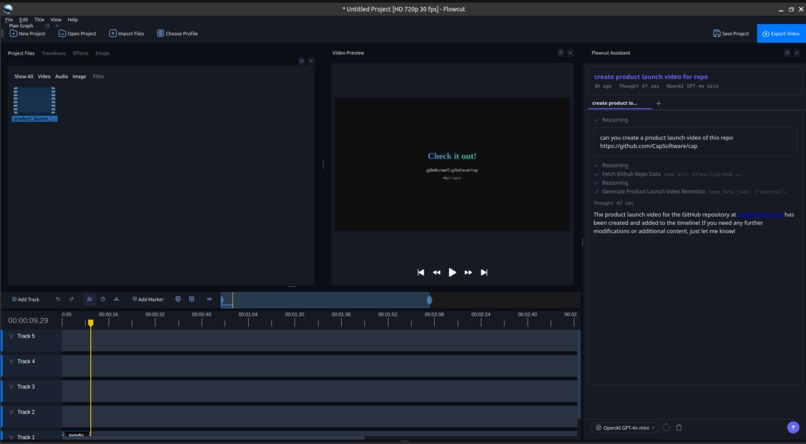
Qucik animates made with react framework
-
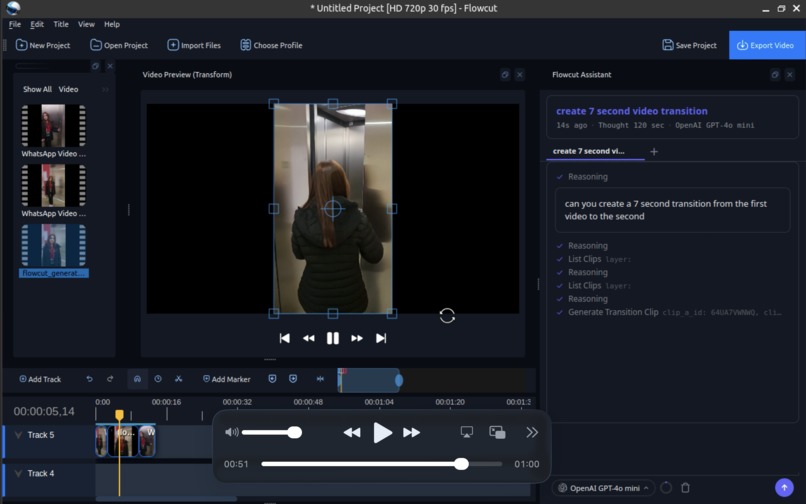
generate clips to make them complete!
-
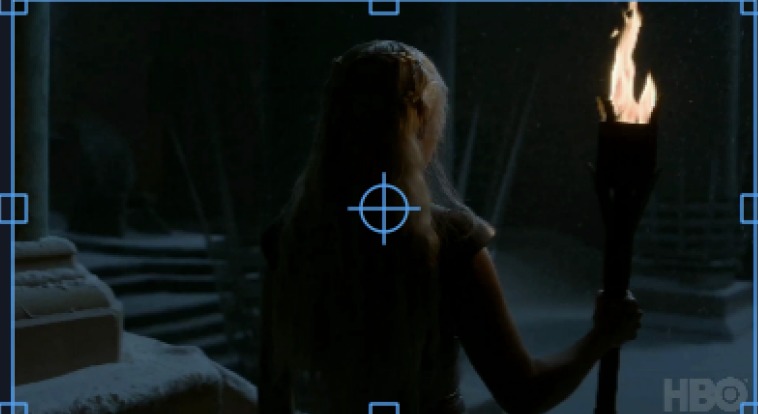
real clip
-
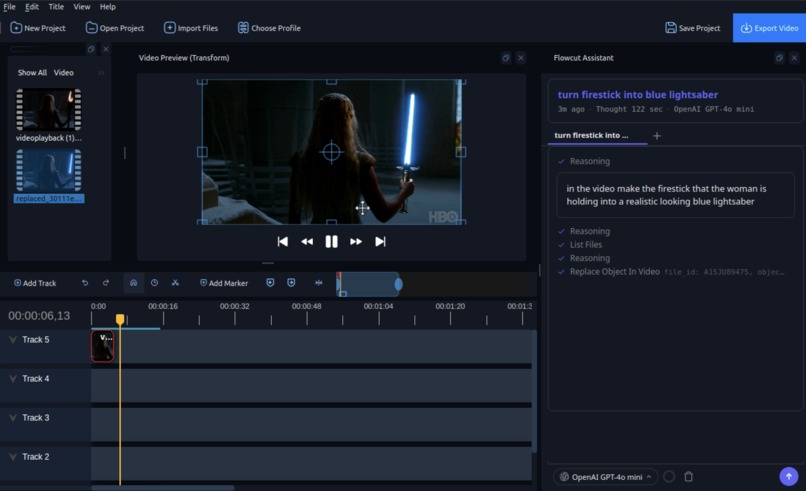
generate and replace the video elements!


Inspiration
Flowcut was born out of shared frustration. Each of us came into video editing from different angles—one recently diving into content creation and feeling the steep learning curve, another experimenting with editing from a young age, one deeply passionate about storytelling, and another editing out of necessity for work. Despite different motivations, we all ran into the same barriers: complex interfaces, endless micro-adjustments, time-consuming workflows, expensive subscriptions, and the need for powerful hardware just to keep up. Creativity often felt slowed down by the tool itself. We wanted something different—an editor that reduces friction instead of adding to it, runs locally to cut costs, respects ownership and privacy, and helps creators move from idea to polished video without breaking flow. Flowcut exists because we’ve experienced the struggle firsthand and believed editing should feel empowering, not exhausting.
What it does
Flowcut is a local agentic video editor that transforms how creators work on a timeline. Instead of manually performing dozens of micro-edits, users use natural language to direct the system to intelligently cut, trim, split, delete, rearrange clips, insert b-roll, sync audio, and generate music. Every change is captured in a hierarchical edit tree, allowing users to explore creative branches, compare variations, and revert to any prior state without losing work. It also features a Director Marketplace personas such as a Cinematic Filmmaker, YouTube editor, or Gen-Z content creator that live inside the editor who can critique pacing, suggest structural improvements, and guide narrative direction. For launch videos and motion-driven content, Flowcut integrates with Remotion to generate dynamic, code-based compositions that remain fully editable. Audio and soundtrack generation are powered by Suno, enabling theme-aligned music tailored to the mood of each video, while AI-generated visual sequences can be created using Runware to expand creative possibilities directly within the workflow. The result is a structured, collaborative, and deeply iterative video creation system that blends automation, version control, generative media, and creative direction into one unified platform.
How we built it
Key Components (Detailed)
We built a LangChain-powered root agent (supervisor) that routes user requests to 8 specialized sub-agents. A single agent with 50+ tools performs poorly — the LLM gets confused. By splitting into focused agents, each one has a tight system prompt and only the tools it needs.
| Agent | Purpose |
|---|---|
| Video Agent | Timeline editing, clips, export, AI video generation, object replacement (30 OpenShot tools) |
| Manim Agent | Educational/mathematical animations |
| Voice/Music Agent | Narration, TTS overlays (6 OpenAI voices) |
| Vision Agent | Real-time scene understanding, object detection using local LLaVA (NVIDIA Edge) |
|Text agent|
| Music Agent | Background music generation via Suno | | Transitions Agent | 412+ built-in OpenShot transitions | | Product Launch Agent | Animated GitHub repo showcase videos (Remotion) | | Directors | Multi-perspective video critique — parallel analysis, structured debate, consensus plan | | Parallel Versions | Spawns multiple agents simultaneously on isolated project snapshots |
Routing is intent-based — GitHub URL → Product Launch Agent, "add a fade" → Transitions Agent, "generate music" → Music Agent. The root agent can chain multiple sub-agents per request.
3. Backend Architecture
Base: OpenShot Video Editor (libopenshot C++ engine) with a PyQt5 GUI. We extended it with an AI chat interface and the multi-agent system described above.
The Qt Threading Problem: All GUI operations in PyQt5 must run on the main thread, but LLM calls take 1-5 seconds. We built MainThreadToolRunner — a QObject bridge that lets agents run on worker threads while marshaling tool calls to the main thread via Qt.BlockingQueuedConnection. Result: zero UI freezes during AI operations.
LLM Providers: Provider-agnostic registry supporting OpenAI (GPT-4o), NVIDIA (Nemotron-Mini), Anthropic (Claude 3.5 Sonnet), and Ollama (Llama 3.2) via LangChain. Users pick their preferred backend in settings. All agents use the same registry.
Parallel Version Execution: Users can generate multiple content variations simultaneously. Each version gets a deep copy of the project state — isolated snapshots so modifications never interfere. Switch between completed versions to compare and pick favorites.
4. AI Video Generation — Runware (Vidu/Kling on GPU)
Video generation runs through the Runware SDK, with models accelerated on the AscendGX10:
- Vidu Q2 Turbo (
vidu:3@2) — Text-to-video generation (default) - Kling AI (
klingai:kling@o1) — Morph transitions and high-res output (1920x1080)
Features:
- Text-to-video: "A serene mountain landscape at sunset" → 4-second clip, auto-added to timeline
- AI Morph Transitions: Extracts last frame of clip A + first frame of clip B → Kling generates a smooth morph between them (replaces hard cuts)
- Object Replacement: "Replace the water bottle with a Red Bull can" → frame-by-frame video-to-video processing
- Fallback: SDK (WebSocket) preferred, REST API (
api.runware.ai/v1) as backup
5. AI Music Generation — Suno
Suno API integration for background music, directly from chat:
- Modes: Topic-based ("upbeat tech demo music"), custom lyrics, instrumental toggle, style tags with negative tags
- Workflow: Generate → poll every 5s (180s timeout) → download MP3 → import to project → add to timeline on a new track
- The Music Agent also has access to all 30 OpenShot tools, so it intelligently places music — matching duration, adjusting position, creating tracks as needed
6. AI Image Generation
Image generation powered by Runware's GPU-accelerated pipeline on the AscendGX10. Supports text-to-image prompts with configurable resolution, and the results are automatically imported into the project file list for use on the timeline.
7. Remotion — React Video Templates
For product launch videos, we run a separate Node.js Remotion service (localhost:3100) that renders React components to MP4 in 5-10 seconds:
- IntroScene — Spring-animated repo name + description with gradient text
- StatsScene — Animated counters for GitHub stars, forks, language
- FeaturesScene — Key features extracted from README
- OutroScene — Call-to-action with GitHub URL
Python communicates via HTTP — thread-safe, no Qt dependencies, completely isolated from the main process. Renders in parallel (concurrency: 4) for speed.
8. OpenShot — Base Video Engine
All video editing operations run through libopenshot, the C++ engine underneath OpenShot Video Editor. This handles:
- Timeline rendering and playback
- Clip management (add, split, trim, remove)
- 412+ transitions (fades, wipes, circles, ripples, blurs)
- Effects and filters
- Multi-track audio/video
- Export to multiple formats via FFmpeg
We expose 30 of these operations as LangChain @tool functions so the AI agents can manipulate the timeline programmatically — importing files, placing clips, splitting at timestamps, applying transitions, and exporting, all from natural language requests.
Accomplishments that we're proud of
What we envisioned for our video editing system, we were able to bring to life within the hackathon timeframe. We successfully built a working local AI-driven editor capable of orchestrating structured timeline edits through natural language and visualizing every change in a transparent plan graph. We implemented branching edit history, integrated generative music and video capabilities, and connected code-based video generation for launch-style compositions. Most importantly, we didn’t just prototype the idea—we used Flowcut itself to produce our demo video, validating that the system works in practice, not just in theory. Turning a complex, ambitious concept into a functional, end-to-end product under time constraints is something we’re genuinely proud of.

Log in or sign up for Devpost to join the conversation.