-
-
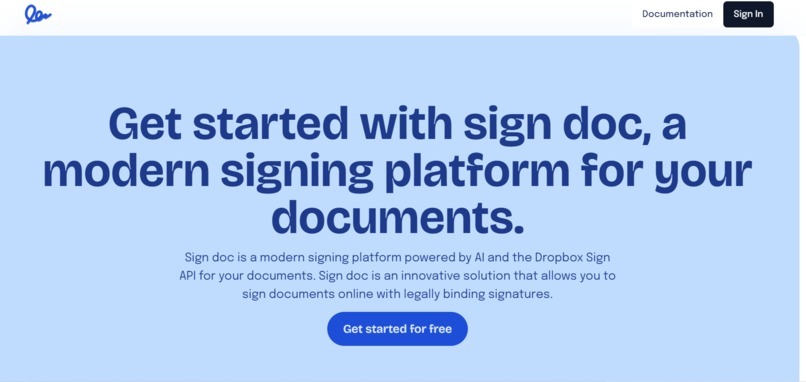
SignDoc Landing Page

💡 Inspiration
The inspiration for SignDoc stems from a rising need to modernize and streamline the document signing and agreement process. In recent years, demand for digital document management and e-signature solutions has soared.
In fact, a report by MarketsandMarkets highlights that the global Digital Signature Market size was valued at $5.5 billion in 2022, and it is projected to reach $25.2 billion by 2027, growing at a CAGR of 35.6% during the forecast period.
By the way, AI is obviously a wave taking the world by storm with its unique ways of streamlining, automating, and simplifying processes. If we can create a game-changing e-signing process, we believe we can create real value for businesses and individuals, as well as tap heavily into the booming market.
With this Hackathon project, SignDoc aims to simplify the whole process of e-signing right from the document importing stage to personal signing, as well as sending it to a third-party to sign.
⚙What it does
SignDoc is a ground-breaking solution for seamlessly e-signing documents with Dropbox Sign API. With SignDoc, you can seamlessly upload documents to your dashboard. Then sign and share via email to the third-party signer without difficulty. Guess what? No more having to manually read through documents or signing documents blindly because they are too tedious to read. Here is how we plan to do it with AI:
Document Scanning: SignDoc AI scans the document to identify areas that require signatures. It looks for keywords like "signatory" or "signature" and any dashed or straight lines, highlighting them for the user.
Implementation of Clarification: bots for any unclear statements, country laws, tax rules, or unfamiliar terms, users can highlight the text and trigger the bot. The bot will provide a clear explanation or definition, aiding the user in understanding the content and many more.
🛠 How we built it
Initially, we spent a lot of time collaborating with our designer to brainstorm and conceptualize the problem and solution at hand. This made it possible for us to have an idea of how we would start structuring our backend and frontend.
For the Frontend, we used Next.js and Typescript. Capitalizing on Next.js's numerous features like lazy loading, caching mechanisms, and robust static typing. To streamline our UI development, we used Tailwind and shadcn for our UI component library
For the backend, we use Next Route Handler and mongoDB for our backend storing user-related data. We also use Cloudinary for document storage.
For AI, we are using an Opensource AI platforms and tools for implementation.
💪Challenges we ran into
Our major hurdle on the frontend was being able to preview PDF files, since we had to do some wasm compilations to get everything working
On the backend, we faced some issues with auth flow since we used google oauth on the frontend.
📌Accomplishments that we're proud of
We are proud because we were all able to come together as a team and build this project together. We are also able to build a product that has a lot of potential for user adoption 🚀
📚 What we learned
We have learned how to build together as a team and also how to use the Dropbox Sign API, as well as working with AI. We also learned how to plan properly and think critically of a project architecture before any code implementation.
🛠What's next for SignDoc
We plan to keep building and improving on what we have. Below are some features we will keep on building on even after the hackathon:
Integration of signatory pad feature (potentially via Dropbox API or third-party library if needed).
Email Copy: Option to send a copy of the signed document via email.
AI Clarification Bot.
Utilize ML to recognize signatory-related words and lines for highlighting.
Inclusion of templates so users can choose from "Edit this template".
Also apart from document editing we also want to create a document creation experience where users don't have to build and upload to the platform alone, but can also create on it. In that they can create the doc as they see fit, query the AI to provide information such as task laws and fill in sections of the document. They can also handle paraphrasing for better content.
We also plan on extending the app to allow integration for uploads from Google drive and Dropbox.
Built With
- express.js
- mondodb
- next.js
- node.js
- openai
- shadcncomponentlibrary
- signdocapi
- tailwind
- typescript
Log in or sign up for Devpost to join the conversation.