-
-
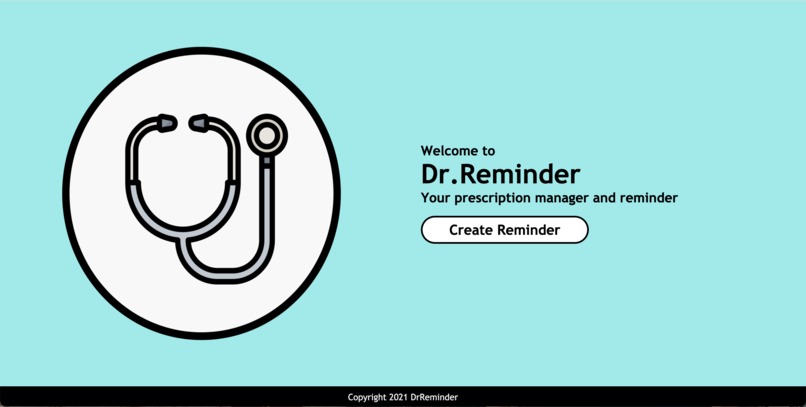
DrReminder

Inspiration
A lot of people, especially those in older populations, tend to have problems managing the different medicine prescriptions they have and reminding themselves to take the right medicines at the right time. This leads us into creating a web application that manages all the prescriptions in one place and additionally reminds them when to consume the right medicine.
What it does
Dr Reminder is a web application which works as a prescription manager and reminder. The user can take a picture of their prescription, which then the web app will identify the name of the prescribed medication and the frequency of when it should be taken. Alternatively, users are allowed to input their prescription manually as well. Additionally, when a user creates a new Dr.Reminder session, its link is sharable, so users can share it with their contacts. This is extremely helpful for family / loved ones who can help input the prescriptions and later share the reminders with their elderly.
How we built it
In the backend part, we wrote a simple CRUD flask app which is connected to a SQLite database, containing the sessions and reminders information. In addition, we have an OCR (Optical Character Recognition) api that we call to analyze images submitted by users and a NLP (Natural Language Processing) algorithm that converts the instructions into a calendar. For the frontend part, we structured the website using HTML5 and improved the interface using CSS styling.
Challenges we ran into
In the front-end, challenges include styling the table in "alarm.html" into a clean designed table that is uniform with the design theme of our web application. In addition, coding the responsive elements of the HTML page is one of the challenges, as our web application is designed for both mobile phone and desktop users.
In the back-end, challenges include working with a free OCR (Optical Character Recognition) API which has limited capabilities such as number of requests and image file size because it is a freemium. Similarly, our challenge extends to the NLP (Natural Language Processing) algorithm that transforms instructions into a calendar. Making sure the NLP algorithm covers a large variety of test cases including: Identifying key words to extract the frequency and times of the prescription from the list of words produced by the OCR API.
Accomplishments that we're proud of
In the front-end, one of the accomplishments is designing an aesthetically pleasing and modern themed website. Aside from the design, we are proud that we have no difficulties constructing the HTML page.
What we learned
First, we have learned to design the HTML page by researching and exploring the CSS functions that we could possibly implement to our web application. Importing new fonts from Google’s API is one of the factors that lead us into successfully making a well-designed web application. Besides, we learned a lot about backend and databases and how to create shareable links and how to create calendars.
What's next for Dr. Reminder
We are planning to develop a mobile app for Dr. Reminder that includes some improvements that will increase the efficiency of the application. Updates includes:
Major upgrades of the OCR API could be optimized to handle test cases beyond printed text, where it could identify Dr’s handwritten prescriptions. Further development includes directly identifying texts that are found on a medicine bottle’s curved surface.
Some minor improvements of the NLP algorithm include adding more possible patterns to compare with the OCR’s string of data. Further synthesizing the algorithm with an updated Medicine jargon Database and researching more on linguistics syntax structure within the medical industry.
Future ideas include synthesizing our technology to hospitals or working with pharmaceutical companies that automatically implement the user’s prescription details into their calendar applications.


Log in or sign up for Devpost to join the conversation.