-
-
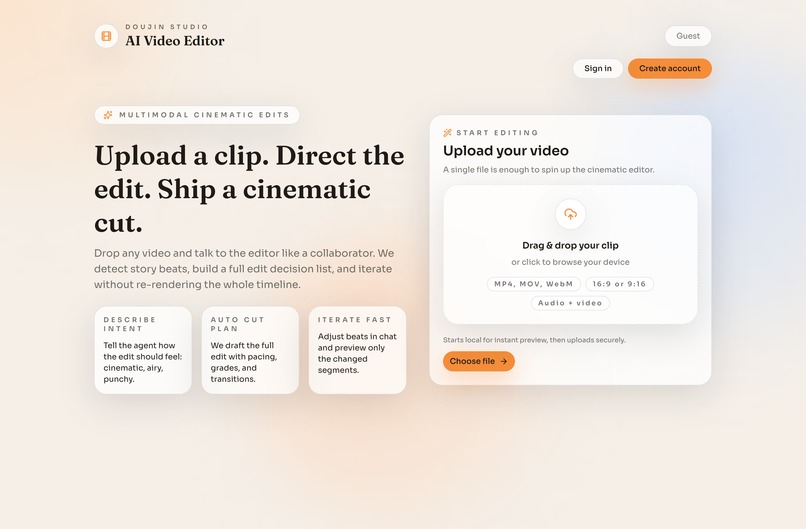
Home
-
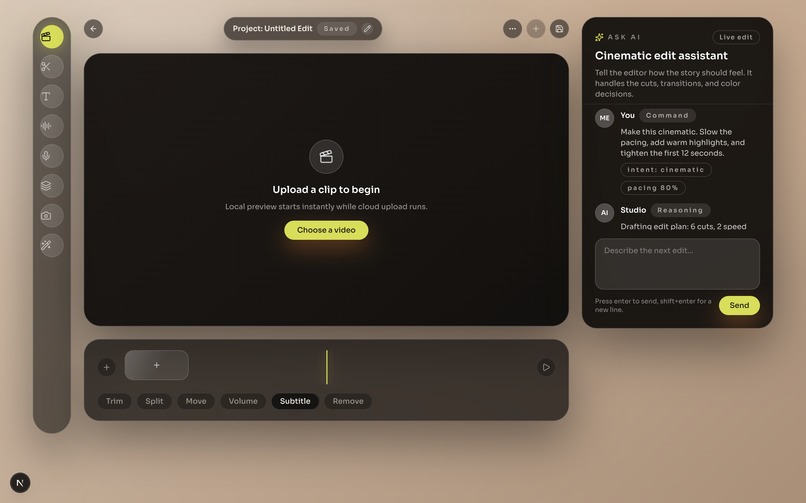
Editor


Inspiration
Video editing tools are powerful, but getting to a first cut is still a lot of repetitive clicking, scrubbing, and waiting on uploads. We wanted “edit video like text”: describe the change, see it applied instantly, and keep every step auditable and undoable.
What it does
Doujin Studio is a browser-based video editor where you can upload a clip, get an instant local preview, and edit a versioned timeline. You can also use an AI chat panel to request edits (like trims/reorders); the assistant streams a response and applies validated commands to create a new saved timeline version.
How we built it
- Monorepo with
pnpm+ Turborepo - Web editor: Next.js (React) + Tailwind + Radix UI
- API: Hono on Cloudflare Workers
- Auth: Better Auth (email/password sessions)
- Data: Drizzle ORM + Cloudflare D1
- Media: Cloudflare R2 using short-lived pre-signed upload URLs + secure file streaming (range support)
- Shared contracts: Zod schemas/types shared between web + API
- AI: Google Gemini via the AI SDK with streaming + constrained tool calls that mutate the timeline safely
- Tests/runbooks: Vitest + deterministic AI test mode + end-to-end validation guide
Challenges we ran into
- Making uploads feel instant while still being reliable (local preview + background R2 upload + seamless swap)
- Browser-to-R2 CORS and credential/session edge cases (especially hostname mismatches)
- Designing timeline autosave + optimistic locking + version history so edits (human or AI) don’t corrupt state
- Keeping AI edits safe: strict validation, bounded tool calls/commands, and graceful failure handling on an edge runtime
Accomplishments that we're proud of
- End-to-end flow: sign up → upload → instant preview → timeline CRUD + autosave + versioning
- AI chat that actually performs timeline edits through structured commands (not just “suggestions”)
- Shared contracts across frontend/backend to prevent schema drift
- Practical safety rails: rate limits, tool bounds, optimistic locking, and automated tests
What we learned
- Streaming AI + tool execution is only useful when backed by strong contracts and validation
- Pre-signed uploads and correct CORS policies are the difference between “works locally” and “works for users”
- Versioned timelines make AI-driven editing explainable, debuggable, and reversible
What's next for Doujin Studio
- Expand the command set (multi-clip operations, smarter trims, bulk edits) and improve edit explanations
- Add background processing for heavier tasks (analysis/transcription/thumbnails) with queued workflows
- Turn the rendering/export path into a first-class pipeline (building on the existing Remotion app)
- Collaboration and sharing (invite teammates, comment on versions, share view-only cuts)
Built With
- better-auth
- cloudflare
- gemini
- hono
- next.js
- pnpm
- radix
- remotion
- sql
- tailwind
- tailwind-css
- turborepo
- typescript
- vitest
- zod

Log in or sign up for Devpost to join the conversation.