-
-
DHost branding
-
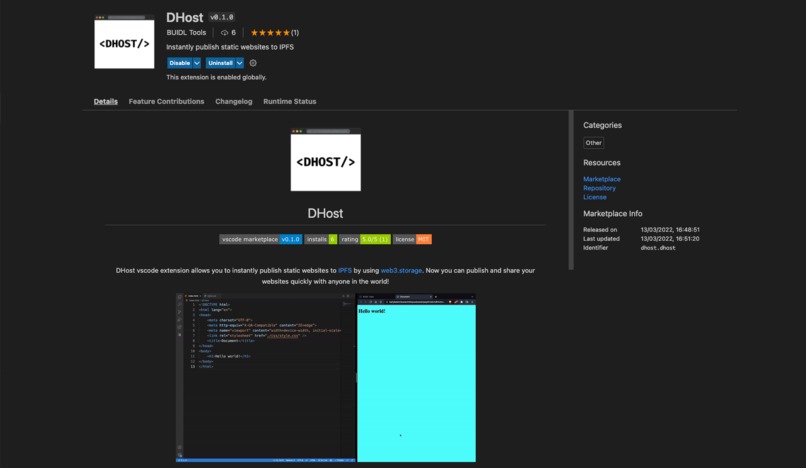
DHost on VSCode Extension Marketplace
-
Built by BUIDL Tools


Inspiration
The idea was to build a decentralized dev tool that can instantly publish websites from VS Code without any third-party centralized cloud services. Now, with DHost you can publish and share your websites quickly right from VS Code with anyone in the world!
What it does
DHost VS Code extension allows you to instantly publish static websites to "IPFS" by using "web3.storage".
- ✅ Decentralized
- ✅ Instant hosting (Publish your website with just 2 commands)
- ✅ Unlimited uploads
- ✅ Accessible to anyone
- ✅ Permanent storage (web3.storage helps to permanently pin your content)
- ✅ Secure (Share IPFS links instead of IP Address and host for development)
- ✅ Free to use
DHost even supports build directory uploads (production build of the app made with react.js, vue.js, etc.)
How we built it
- I used javascript to create the extension. And used web3.storage, basically it makes the content available over IPFS and permanently pins the content with the help of Filecoin infrastructure. I created a separate DHost API Token on web3.storage, it allows up to 1 TB of content pinning, after that we can request more storage for our respective use.
- After publishing the website to IPFS, web3.storage returns a CID
Qmeq5NxNX644KHNji.., which is a hash for an array of files stored on IPFS, and that later is combined with IPFS gateway linkhttps://ipfs.infura.io/ipfs/to access the website. Here's the GitHub extension.js code link where I used the web3.storage: https://github.com/buidltools/vscode-dhost/blob/main/extension.js
Challenges we ran into
- The whole thing was a challenge, There were so limited resources on how to build a vs code extension and publish it, so had a hard time going through the vs code extension docs and understanding how each function works.
Accomplishments that we're proud of
- From designing logos, learning about vs code extension and web3.storage, coding, creating the buidltools org, and finally publishing the extension, I've built everything in the span of this hackathon.
What we learned
- How to build a VS Code extension from scratch.
- How to use web3.storage and how it works.
What's next for DHost VS Code Extension
- Build a development feature (right now it's focused on publishing the websites) that will basically publish the site after saving the changes in VS Code, means after each
command+sit'll generate a new hash. - Research and implement ceramic to keep the output link same after each change for development purposes (like live server extension, so that the user can see the changes "live" and also can share the link with team members).
- Upgrade to TypeScript.
The vision is to build similar useful web3 infrastructure tools for the new decentralized internet on top of IPFS protocol.
Built With
- filecoin
- ipfs
- javascript
- web3
- web3.storage

Log in or sign up for Devpost to join the conversation.