-
-
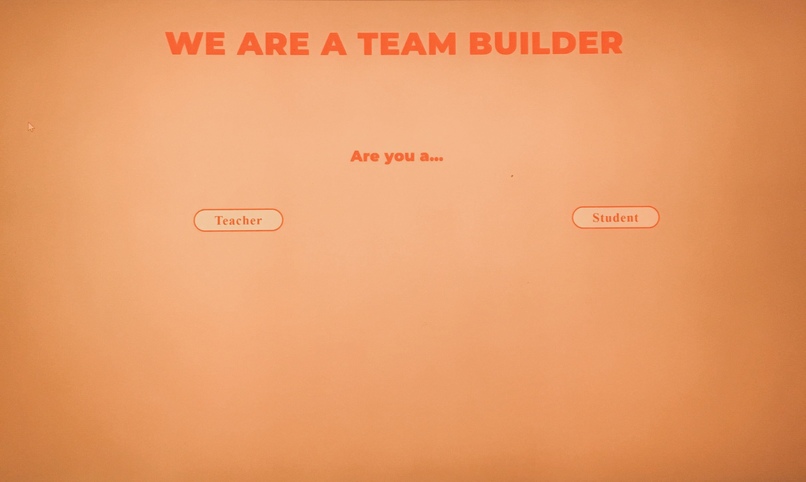
The landing page


Inspiration
In school and/or college, it was always awkward to have to form groups or to pair up in class, especially when we didn't really know people well enough. So, we wanted to create something that would help make that process easier and more fun.
What it does
The purpose of this program is to eliminate the stress of having to reach out and find a team. You simply fill out a form and an easy quiz and get matched with people of like interests or skills (or not depending on what you want). It is still relatively subjective, but at least this program does not require people to reach out to strangers and ask them to work together.
How we built it
We used HTML, CSS and Javascript.
Challenges we ran into
None of us had used HTML, CSS or Javascript before, so that was slightly challenging. We also created a domain name (csteambuilder.tech) but it hasn't been working. Additionally, our fourth teammate fell sick and was unable to make it to the event.
Accomplishments that we're proud of
We decided on one idea and were able to break it down into smaller chunks to work on. We are proud that each member was able to contribute and communicate effectively.
What we planned
Given more time and more technical skills, we would have liked to accomplish the following :
Create a website where the landing page asks if you are a professor or an event host. If you are a professor, you specify how many students you want on a team and then the website gives you a randomized code that you can give your students. We created some code that gives you this in JavaScript. We would create a variable that stores this random code so that when students register with the code, the program would remember who their professor is.
Example JavaScript code to create random code of 5 character length with letters and numbers function makeid(length) {
var result = ‘’;
var characters = ‘ABCDEFGHIJKLMNOPQRSTUVWXYZ0123456789’;
var charactersLength = characters.length;
for ( var i = 0; i < length; i++ ) {
result += characters.charAt(Math.floor(Math.random() * charactersLength));
}
return result;
}
console.log(makeid(5));
If you are an event host, you also specify team member capacity, but can also add other information you want from the participants (ie grade, skills, skill level) then get a randomized code. It is important to note the difference between these two main groups because the students or participants will have different questions. Lets say the random code is given to students. They would enter the code and fill out a google form with their name and contact information. They would then take a quiz with questions that test their thinking and personalities. This test is in the form of multiple choice on google forms.
The process is the similar for finding teams for events, but the initial criteria the participants would fill out could be different. Once they fill out all their info, this information is read into our code as an array and remembered for later. As they take the quiz, we have a counter that counts the number of “points” each person gets. We assigned a point value to each answer based on like interests or assumed personality traits. This makes it easier in the end to create a team. Then, you can choose if you want to be paired with someone with similar results (similar number) or someone completely different than you.
Once we have the answers, we would use a for loop of some sort and loop through all answers and then output who is similar/different based on what is wanted. Then we would use another for loop and go through each team and output that persons information (not their quiz results). And thus creating teams!
We have also included some example google forms and a mock up website with some HTML coding of what we are trying to accomplish.
Log in or sign up for Devpost to join the conversation.