-
-
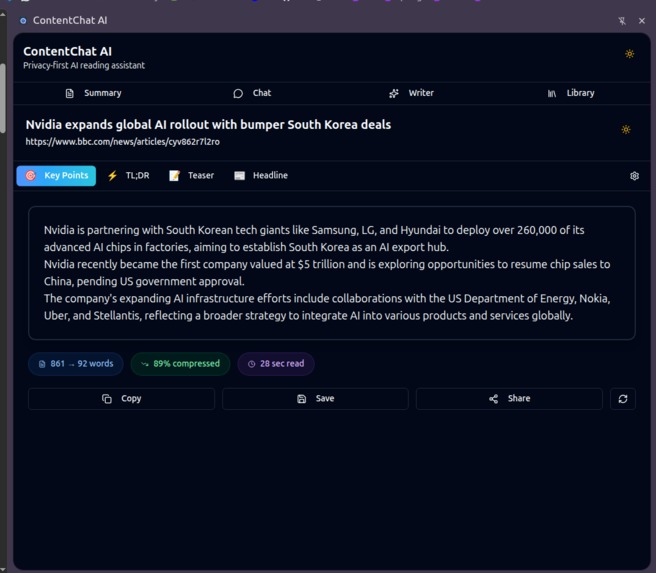
Summarize tools, it's provide the summarize of the current tabs
-
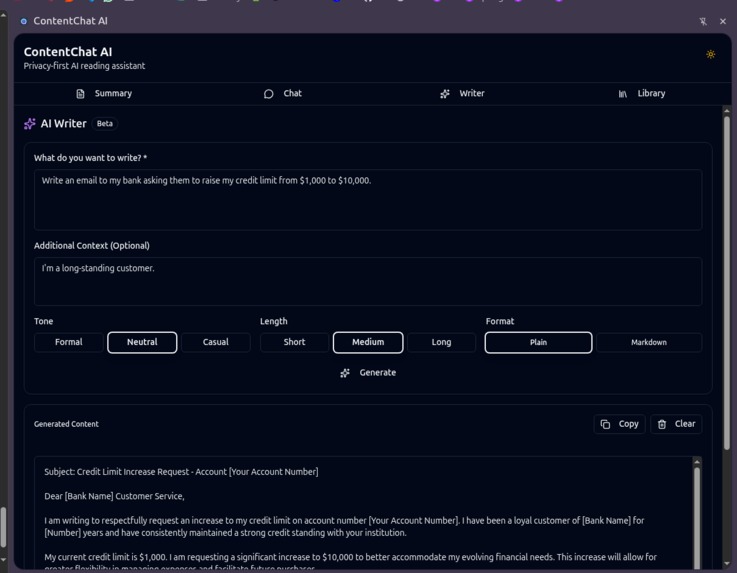
ReWrite API
-
-
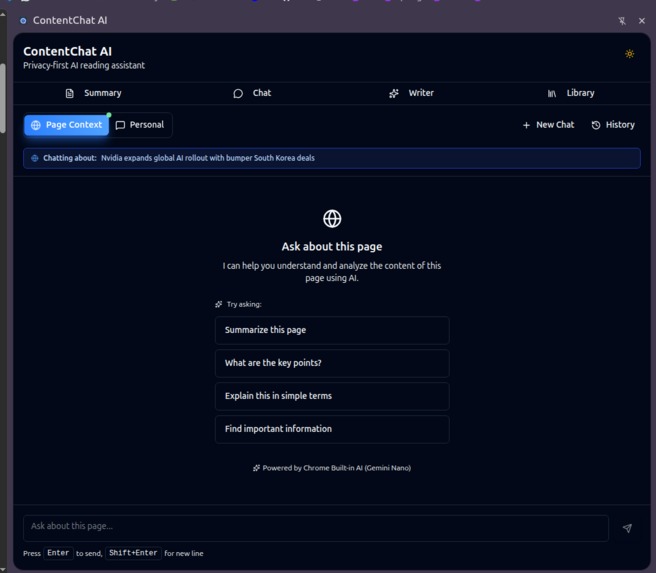
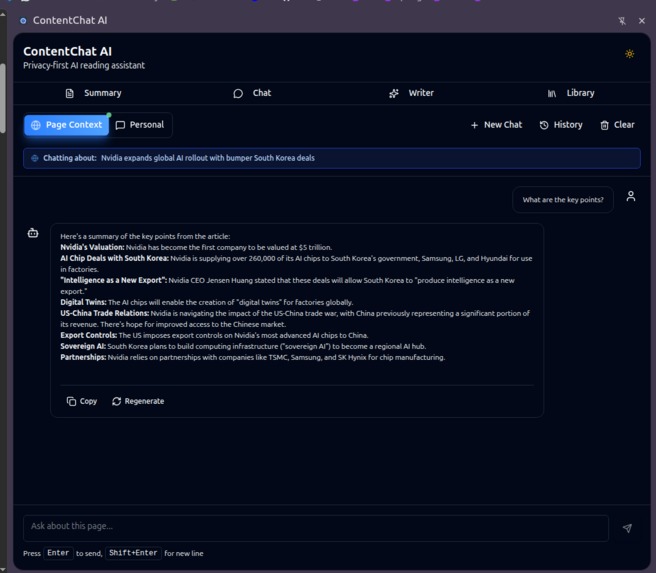
Chat with AI, It use page Context
-
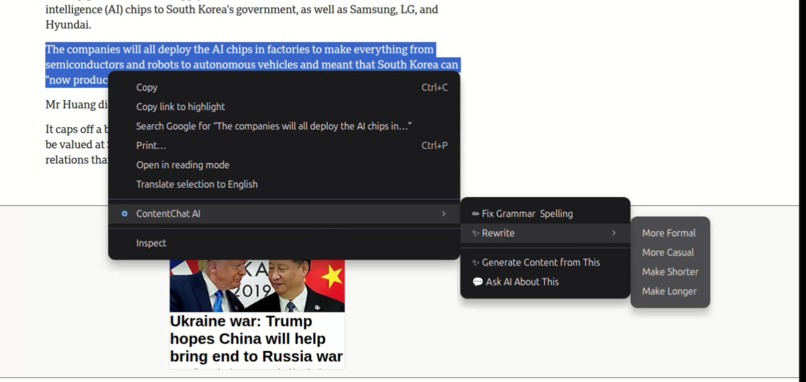
Context Menu


📖 Project Story
Full Version (Use this for the main description)
## Inspiration 🌟

In today's digital age, we're overwhelmed with content. Articles, research papers, documentation, blog posts—the list is endless. Traditional reading assistants either compromise privacy by sending data to cloud servers, cost money through API subscriptions, or require constant internet connectivity.

**I envisioned a different solution**: What if AI could help us read, understand, and interact with content—completely privately, completely free, and completely offline?

That's when I discovered Chrome's Built-in AI APIs. The idea of having **Gemini Nano running entirely on-device** meant I could build a truly privacy-first reading assistant without any of the traditional trade-offs.

## What it does 🚀

**ContentChat AI** is a Chrome extension that transforms how you consume web content using **5 different Chrome Built-in AI APIs**:

### **1. Smart Summarization** (Summarizer API)
- Generate **Key Points**, **TL;DR**, or **Headlines** from any webpage
- Three summary types optimized for different reading needs
- Perfect for research, news articles, or long-form content

### **2. Intelligent Chat** (Prompt API / LanguageModel)
- Ask questions about the current page content
- Context-aware responses using page text
- Streaming responses for real-time interaction

### **3. AI Writing Assistant** (Writer, Rewriter, Proofreader APIs)
- **AI Writer**: Generate professional content from prompts
- **Proofreader**: Check grammar, spelling, and style
- **Rewriter**: Transform tone (formal, casual, professional)
- All running completely on-device

### **4. Summary Library**
- Save and organize summaries across browsing sessions
- Full-text search across all saved summaries
- Statistics tracking (words saved, time saved)

### **5. Seamless Integration**
- Right-click context menu for instant summarization
- Side panel UI that doesn't interrupt browsing
- Works completely offline after model downloads

## How I built it 🛠️

### **Technology Stack**

**Frontend Framework:**
- **React 19** with TypeScript (strict mode)
- **Tailwind CSS v4** for modern, responsive UI
- **Zustand** for lightweight state management
- **shadcn/ui** components for polished UI

**Chrome Extension Architecture:**
- **Manifest V3** for modern security standards
- **Service Worker** for background processing
- **Content Scripts** for page interaction
- **Side Panel API** for non-intrusive UI

**Chrome Built-in AI APIs (5 APIs):**
1. **Summarizer API** - Three summary types (key-points, tl;dr, headline)
2. **Prompt API (LanguageModel)** - Context-aware chat
3. **Writer API** - Content generation
4. **Rewriter API** - Tone transformation
5. **Proofreader API** - Grammar and style checking

**Data Layer:**
- **IndexedDB** (via idb wrapper) for local storage
- **DOMPurify** for XSS protection
- **marked** for markdown rendering

**Build Tools:**
- **Vite 5.4+** with `@aklinker1/vite-plugin-web-extension`
- **TypeScript 5.x** with strict type checking
- **Vitest** for unit testing
- **Playwright** for E2E testing

### **Architecture Highlights**

**Modular Design:**
```text
src/
├── background/         # Service worker
├── content/           # Page interaction
├── sidepanel/         # React UI
│   ├── components/    # Feature components
│   ├── hooks/         # Custom React hooks
│   ├── stores/        # Zustand state
│   └── services/      # Business logic
└── lib/               # Shared utilities
    ├── chrome-ai/     # AI API wrappers
    ├── db/            # IndexedDB layer
    └── services/      # Core services
Key Design Patterns:
- Container/Presentational pattern for component separation
- Custom Hooks for reusable logic (typewriter effect, streaming)
- Service Layer for business logic isolation
- Error Boundaries for graceful failure handling
Challenges I ran into 🧗
1. Translation API Instability
I spent significant time implementing the Translation and Language Detection APIs, following the official documentation precisely. After writing ~800 lines of code across 10+ files, I discovered a Chrome internal bug that crashes the translation service after model download.
Solution: Made the tough decision to remove the feature entirely (1 day before deadline) to focus on 4 stable, working features rather than debugging Chrome internals.
2. React 19 Breaking Changes
React 19 requires explicit initialization for useRef() and createContext(). This broke several patterns from React 18.
Solution: Refactored all refs and contexts with explicit generic types:
// React 19 requirement
const contentRef = useRef<HTMLDivElement>(undefined);
const ChatContext = createContext<ChatState | null>(null);
3. AI Model Download UX
Chrome Built-in AI models require 22GB+ disk space and download on first use. Users need clear guidance.
Solution: Created comprehensive error handling with progress indicators and helpful messages:
 const availability = await (self as any).Summarizer.availability();

if (!availability) {
  return {
    error: 'Summarizer API not available. Please update to Chrome 128+'
  };
}

const summarizer =await (self as any).Summarizer.create({
  monitor: (m) => {
    m.addEventListener('downloadprogress', (e) => {
      // Show progress to user
    });
  }
});
4. Service Worker Lifecycle
Chrome service workers can terminate anytime, making state management challenging.
Solution: Used IndexedDB for persistence and message passing for communication:
chrome.runtime.onMessage.addListener((msg, sender, sendResponse) => {
  handleMessage(msg).then(sendResponse);
  return true; // Keep channel open for async
});
5. TypeScript Strict Mode
Enabling strict: true revealed hundreds of implicit any types.
Solution: Defined comprehensive type definitions:
// src/types/chrome-ai.d.ts
interface AI {
  summarizer: SummarizerFactory;
  languageModel: LanguageModelFactory;
  writer: WriterFactory;
  rewriter: RewriterFactory;
}
Built With
- dompurify
- indexeddb
- lucide-icons
- prompt-api
- proofreader-api
- react
- rewriter-api
- shadcnui
- sidepanel
- summarizer-api
- tailwind
- vite
- writer-api
- zustand
Log in or sign up for Devpost to join the conversation.