-
-
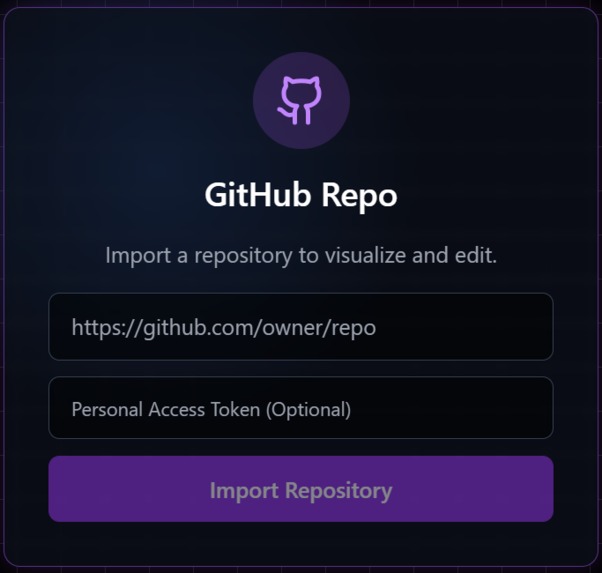
start the process and dive in the visuals like never before
-
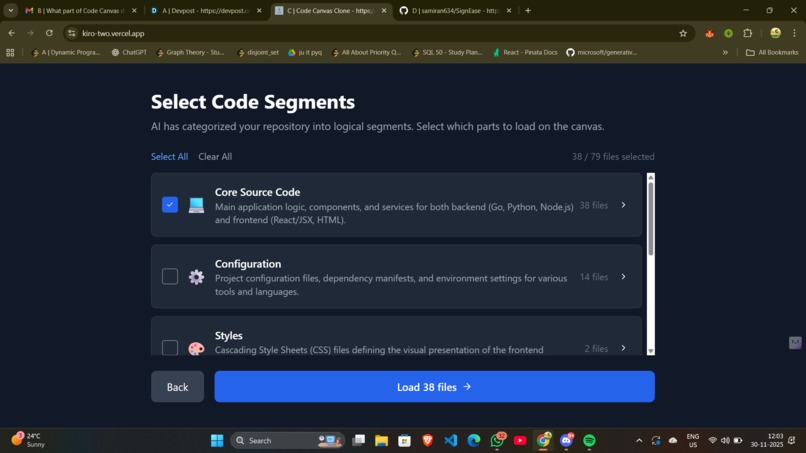
separating codebase into logical segments
-
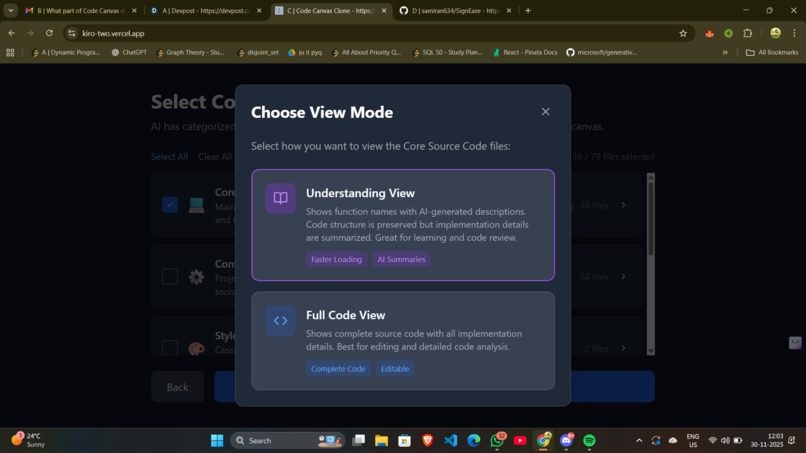
view depending on your choice
-
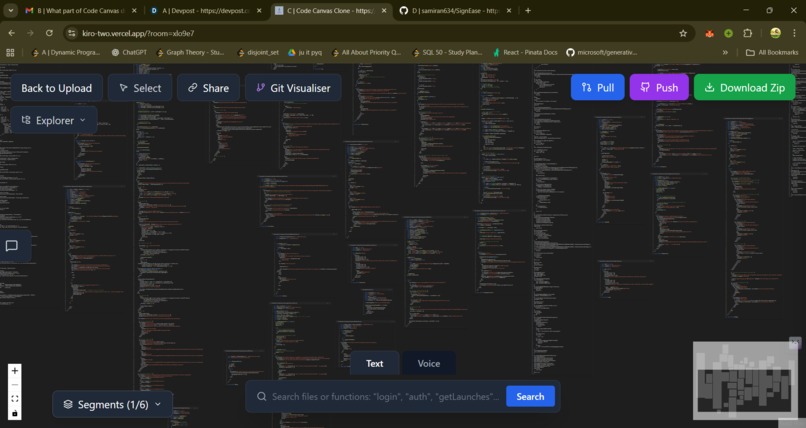
smooth loading
-
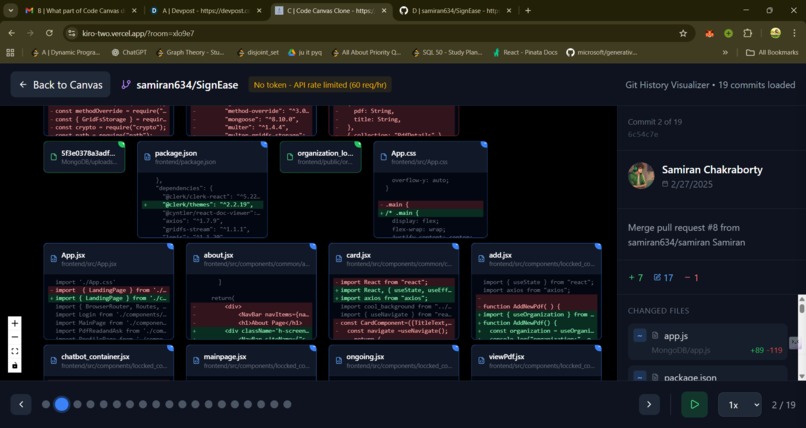
dynamic visualizationof git history
-
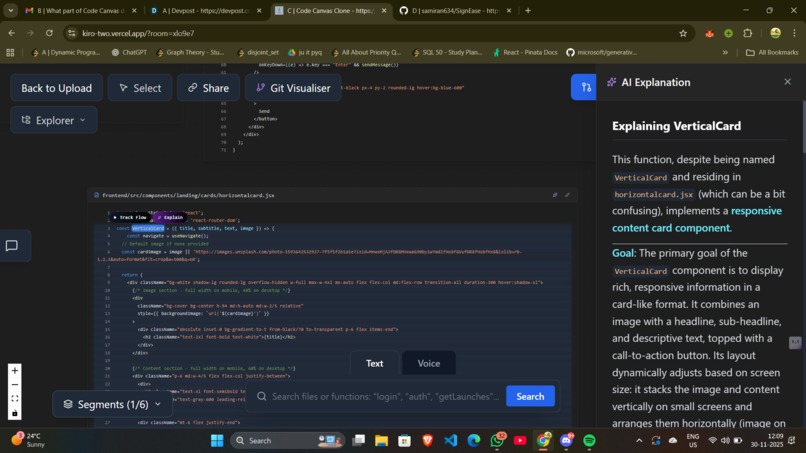
function logic explained by canva ai and cool function track flow visualizar
-
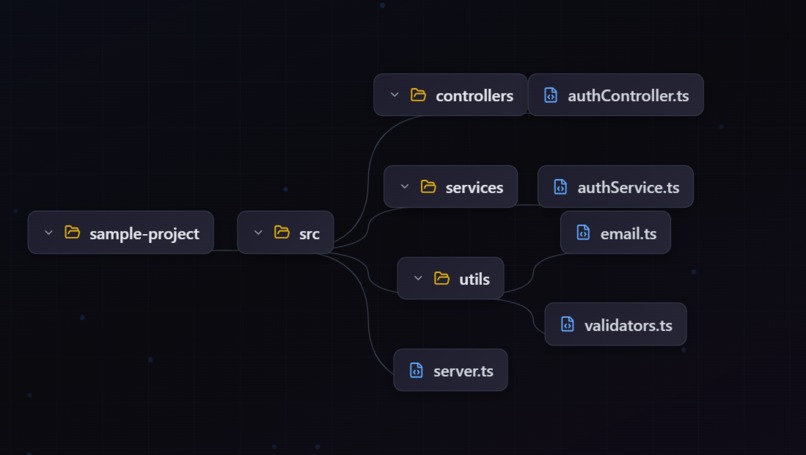
tree view for better navigation


Code Canvas - Visual Code Intelligence Platform
Inspiration
As developers, we've all experienced the frustration of diving into a new codebase—whether it's a legacy project, an open-source repository, or even our own code from months ago. Traditional IDEs show us files and folders, but they don't show us the story of how code flows through the system. We were inspired by the question: "What if we could see code the way we think about it—as a living, breathing network of connected ideas?"
We envisioned a tool that would transform the intimidating wall of files into an interactive canvas where you could literally see function calls travel through your codebase, visualize architectural patterns emerge, and understand complex systems at a glance. The inspiration came from tools like Figma (for collaborative design) and Obsidian (for knowledge graphs)—we wanted to bring that same spatial, visual thinking to code exploration.
What it does
Code Canvas is a visual code intelligence platform that transforms any repository into an interactive, explorable canvas. Here's what makes it unique:
Core Features
- Visual Repository Explorer: Import any GitHub repo or local folder and see your code as an infinite canvas of interconnected nodes
- AI-Powered Code Understanding: Uses Google Gemini AI to automatically categorize repositories into logical segments (Core, Config, Tests, etc.) and generate human-readable explanations of complex code
- Interactive Flow Tracking: Click any function to watch an animated visualization trace execution paths through your codebase—see function calls flow in real-time with smooth camera movements
- Dual View Modes: Toggle between full source code and AI-generated "Understanding Mode" that shows high-level summaries instead of implementation details
- Smart Search: Natural language + voice search with fuzzy matching—say "find authentication logic" and it finds relevant files and functions
- Real-time Collaboration: Share a room link and collaborate with teammates—drawings, file changes, and chat all sync in real-time
- Git History Visualizer: Watch your repository evolve over time with an animated commit timeline showing file additions, modifications, and deletions
Advanced Capabilities
- Drawing & Annotation: Freehand sketches, shapes, and text notes that persist across sessions
- GitHub Integration: Full two-way sync—pull changes, resolve conflicts visually, and push edits back to your repository
- Function Call Graphs: Automatic detection of function definitions, calls, and API endpoints with visual connection mapping
- Voice Commands: Hands-free navigation with Web Speech API integration
How we built it
Architecture & Tech Stack
We built Code Canvas as a full-stack TypeScript application with a modern, performance-focused architecture:
Frontend:
- React 18 + TypeScript for type-safe component development
- React Flow for the infinite canvas and node-based visualization
- Zustand for lightweight state management (easier to debug than Redux)
- Vite for blazing-fast dev builds and HMR
- Tailwind CSS for rapid UI development
- Prism.js for syntax highlighting across 20+ languages
Backend:
- Node.js + Express for the API server
- Socket.IO for real-time WebSocket communication
- Yjs + WebRTC for conflict-free CRDT-based drawing synchronization
AI & Analysis:
- Google Gemini 2.5 Flash API for code explanations, repository categorization, and function summarization
- TypeScript Compiler API for static code analysis (AST parsing, function detection, call graph generation)
- Octokit (GitHub REST API) for repository operations
Key Implementation Details:
Static Code Analysis Engine: We built a custom analyzer using TypeScript's compiler API to parse source files into ASTs, extract function definitions, track imports/exports, and map call relationships—even detecting Express API routes automatically.
Smart Overlap Resolution: Implemented a physics-inspired algorithm that detects node collisions and uses iterative nudging with organic spacing variation to create natural-looking layouts (inspired by force-directed graph algorithms but optimized for our use case).
Incremental Search Index: Built a custom search engine with keyword extraction, abbreviation expansion (e.g., "auth" → "authentication"), and Levenshtein distance for fuzzy matching. The index updates incrementally as files change, avoiding expensive full rebuilds.
Flow Animation System: Created a state machine that steps through function calls, animating camera movements and rendering colored dots that travel along edges—all synchronized with code highlighting.
Real-time Collaboration: Implemented a hybrid sync strategy: Socket.IO for file changes (simple broadcast) and Yjs CRDTs for drawings (handles concurrent edits without conflicts).
Challenges we ran into
1. Performance at Scale
Loading 500+ file repositories caused severe lag. The initial naive approach rendered all nodes simultaneously.
Solution: Implemented lazy rendering with React Flow's viewport-aware rendering, debounced analysis updates, and aggressive memoization. We also added incremental search indexing—only re-analyze changed files instead of rebuilding the entire index.
2. TypeScript AST Complexity
Detecting function calls across different patterns (arrow functions, function expressions, method calls, JSX components) was surprisingly complex. Edge cases like destructured imports and dynamic calls initially broke our analyzer.
Solution: Spent significant time studying TypeScript's AST structure and created comprehensive visitor patterns to handle all function declaration types. Added extensive test coverage with real-world code samples.
3. AI Consistency
Gemini API sometimes returned markdown-wrapped JSON or inconsistent formats, breaking our categorization.
Solution: Added robust parsing with regex fallbacks, JSON validation, and a complete rule-based fallback system that kicks in when AI fails. Also used responseMimeType: "application/json" in the API config.
4. Git Merge Conflicts
Handling three-way diffs in a visual interface was harder than expected—we needed to show local changes, remote changes, and merged results simultaneously.
Solution: Built a custom conflict resolver with side-by-side diffs using diff library, highlighting additions/deletions, and providing merge strategy buttons. Integrated with GitHub's blob API for fetching remote versions.
5. Real-time Drawing Sync
Initial Socket.IO implementation caused drawings to flicker and duplicate when multiple users drew simultaneously.
Solution: Switched to Yjs CRDTs which mathematically guarantee convergence. Added y-websocket provider for proper CRDT synchronization over WebSockets.
6. Voice Search Accuracy
Web Speech API's continuous mode kept stopping after a few seconds of silence.
Solution: Implemented auto-restart logic with error handling, added visual feedback for listening state, and created a command parser that handles natural language variations ("find", "show", "search for").
Accomplishments that we're proud of
User Experience Wins
Zero-config setup: Paste a GitHub URL and within seconds you have an interactive visualization—no build steps, no configuration files
Two-second "aha!" moments: Click any function → instantly see its entire call tree visualized with glowing paths
AI that actually helps: Understanding Mode turns cryptic code into readable summaries without losing context
Real-time feels instant: Sub-100ms latency for drawing sync and chat messages
What we learned
Technical Lessons
AST parsing is deceptively hard: What seemed like "just find function names" turned into weeks of handling edge cases like computed property names, destructured imports, and JSX components as calls.
Performance requires architecture changes, not micro-optimizations: We spent days shaving milliseconds off render times before realizing we needed lazy loading and viewport culling—architectural changes that instantly made everything fast.
CRDTs are magic: Yjs's conflict-free replicated data types eliminated an entire class of bugs we were struggling with in our manual sync implementation.
AI needs guardrails: Raw LLM outputs are unreliable—we learned to use structured prompts, JSON mode, validation layers, and always have fallbacks.
Development Process Insights
Build the hard thing first: We tackled the static analyzer early. This gave us confidence and informed our architecture decisions. Starting with UI would have been a mistake.
Real codebases are messier than examples: Testing with our own repositories revealed patterns we never anticipated—dynamic imports, circular dependencies, monorepo structures.
Voice UI requires different thinking: Text search can be exact; voice search needs to handle "um", "uh", pauses, and natural language variations. We learned to be forgiving with input parsing.
Code Canvas aims to be the Figma for code—a collaborative, visual workspace where understanding and building software is intuitive, social, and dare we say... fun. We believe that when developers can see their code as a living system rather than a static file tree, they build better software faster.
We're excited to bring visual thinking to the world of software development, one canvas at a time. 🚀
Built With
- gemini
- kiro
- node.js
- react
- socket.io
- typescript
- zustand


Log in or sign up for Devpost to join the conversation.