-
-
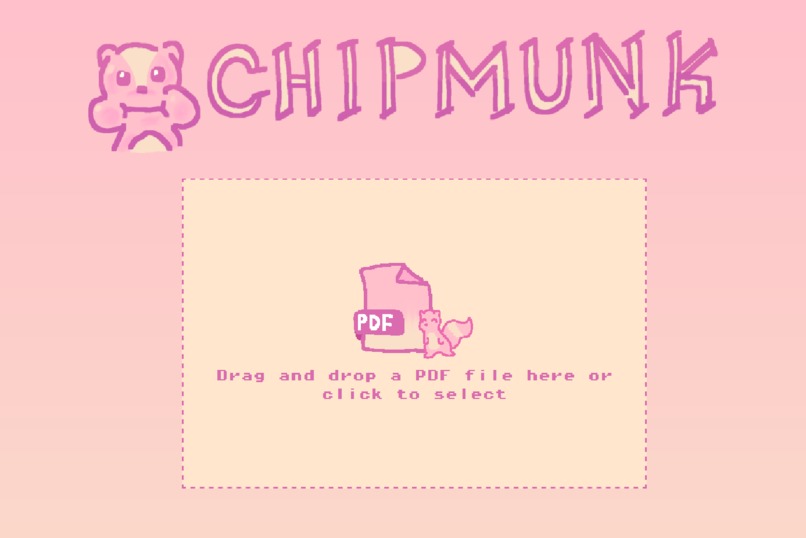
Front upload page.
-
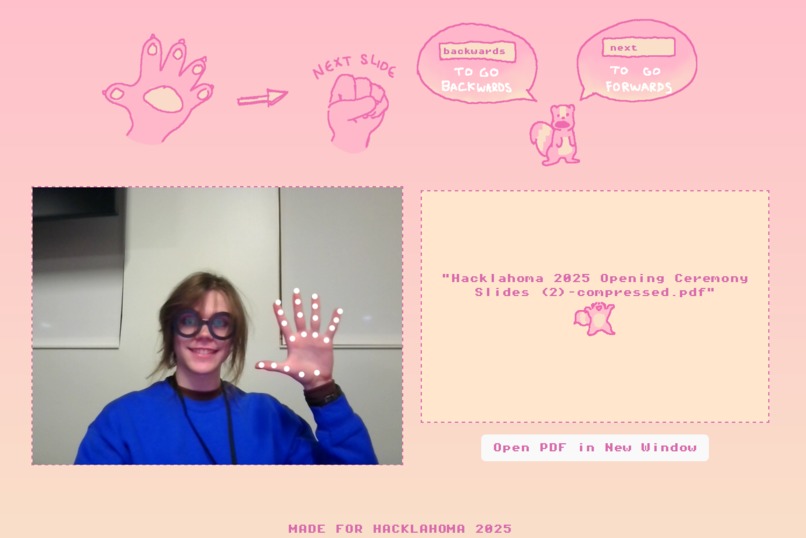
Instruction and settings page before pdf opened.
-
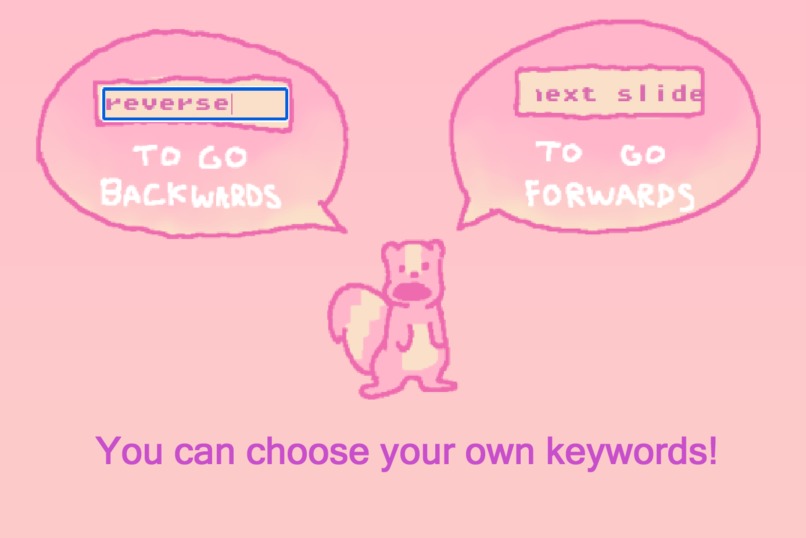
Vocal keyword settings.
-
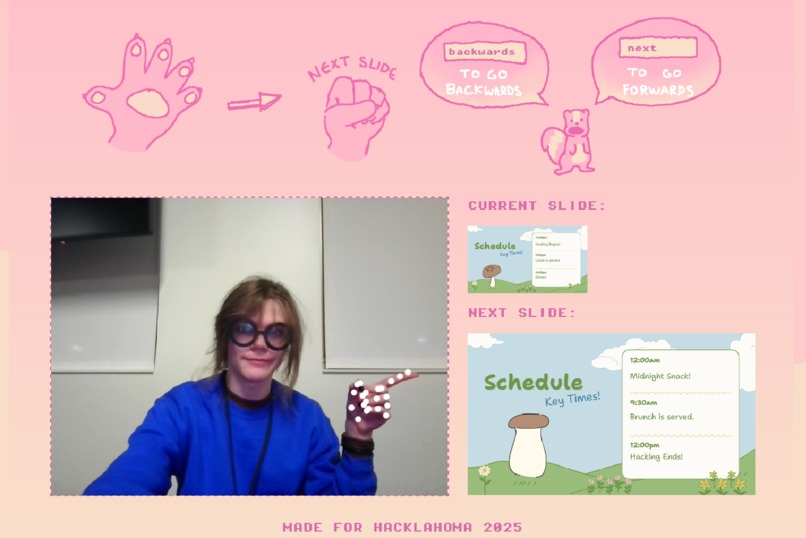
Current and next slide preview after pdf opened.
-
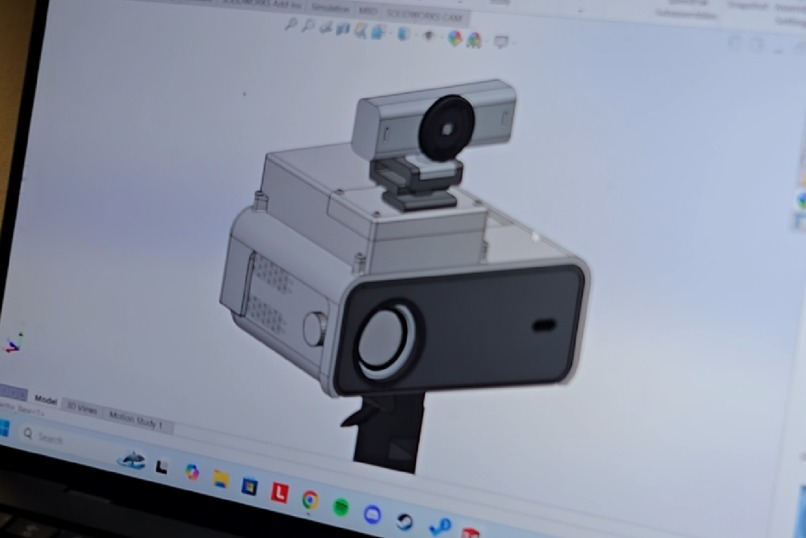
3D CAD model of a design to accompany the chipmunk webapp.
-
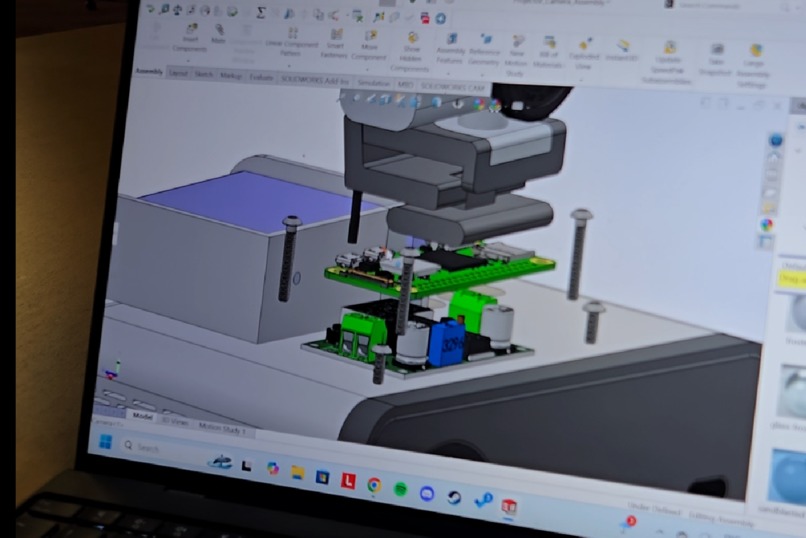
Insides of previously mentioned 3D CAD model.


Secondary video: https://youtu.be/wVOCIhUdsYQ
Inspiration
We noticed that during presentations, speakers would often lose momentum when they had to change slides, and we saw an opportunity to improve the slide transitions, and eventually, the whole process. We have devised a straight-forward presentation system; using technology so you don't have to worry about technology.
What it does
- Seamlessly change slides using hand signs via hand tracking
- Customizable voice commands to change slides
- Automatic ai-generated subtitles
- Captures presentation slides (with subtitles) and webcam
How we built it
Using TensorFlow we tracked the hands then mapped them, after they are mapped we compare the first and last coordinates to see if they are touching or not. The comparison is shown here:
if (Math.abs(changeInX[0] - changeInX[1]) < 20 && Math.abs(changeInY[0] - changeInY[1]) <= 100) {
                if (!handClosed) {
                    handClosed = true;
                    handClosedStartTime = new Date().getTime();
                } else {
                    const currentTime = new Date().getTime();
                    if (currentTime - handClosedStartTime >= 500 && !pageTurned) {
                        if (pageNum < pdfDoc.numPages) {
                            pageNum++;
                            openerWindow.postMessage({ type: 'pageTurned', pageNum }, '*');
                        } else {
                            pageNum = 1;
                        }
                        renderPage(pageNum);
                        console.log("closed, page turned");
                        pageTurned = true;
                    }
                }
            } else {
                handClosed = false;
                pageTurned = false;
            }
Which decides if the hand is closed then the page will turn, otherwise it will not.Using webkitSpeechRecognition we set up voice recognition:
recognition = new (window.SpeechRecognition || window.webkitSpeechRecognition)();
    recognition.lang = 'en-US';
    recognition.continuous = true;
whenever the speaker finishes a sentence a function is called that turns it into a string:recognition.onresult = function(event) { const transcript = event.results[event.results.length - 1][0].transcript.trim().toLowerCase(); console.log('Voice command received:', transcript);we then compare this to the set forward and backward commands:if ((transcript.toLowerCase()).includes(frontKeyword)) { if (pageNum < pdfDoc.numPages) { pageNum++; openerWindow.postMessage({ type: 'pageTurned', pageNum }, '*'); } else { pageNum = 1; } renderPage(pageNum); } else if ((transcript.toLowerCase()).includes(backKeyword)) { //continues with implementation..Using what the voice commands already set up with transcript we fill an earlier definedelement with the text from the transcript:
document.getElementById('subtitles').textContent = transcript;`The screen and webcam captures operate through the MediaRecorder API. The API captures the webcam stream and the screen stream until the PDFViewer tab closes.
mediaRecorder = new MediaRecorder(combinedStream, { mimeType: 'video/webm' });

        mediaRecorder.ondataavailable = function(event) {
            if (event.data.size > 0) {
                recordedChunks.push(event.data);
            }
        };

        mediaRecorder.onstop = function() {
            const blob = new Blob(recordedChunks, { type: 'video/webm' });
            const url = URL.createObjectURL(blob);
            const a = document.createElement('a');
            a.style.display = 'none';
            a.href="/?originalUrl=https%3A%2F%2Fdevpost.com%2Furl%3B%2520%2520%2520%2520%2520%2520%2520%2520%2520%2520%2520%2520a.download%2520%3D"camera.mp4';
            document.body.appendChild(a);
            a.click();
            window.URL.revokeObjectURL(url);
        };
Challenges we ran into
Originally we were planning on using hand tracking with python and using flask to make it a website, but unfortunately the hand tracking library we were planning on using was outdated for python and flask wasn't for the purposes that we intended. Another problem was that when the hand tracking and voice commands were functional, we didn't realize because they weren't compatible with our browsers, which caused quite a bit of wasted effort. Finally, since we came into the project without fully understanding how react apps worked, the code was a mess, and it made the already tedious process of transferring data between pages much more difficult.
Accomplishments that we're proud of
- The hand tracking works well and can tell if it's closed or open
- The UI is very well made and pleasing to look at
- The CAD model was very detailed and looked realistic
- The program flows well together and makes sense intuitively ## What we learned
- We learned how to better connect and orchestrate smaller parts of a larger system
- We gained experience in implementing real time systems ingesting, processing, and presenting annotated data.
- We learned how to pace and manage team operations with Trello (a workflow, task managing application) -We worked with pretrained AI models to better improve the overall experience of the app
What's next for chipmunk
If we had more time, the next additions for chipmunk would be to add support for other file types like pptx, improving the hand-tracking to be for both hands, adding other gestures, and other more quality of life changes. Some of these changes are simpler like saving the subtitles as a text file alongside the recording, so it could be a transcript of the presentation. However, some potential improvements, notably making the AI automatically tell if the person wants to go to the next slide, could be done by analyzing the next slide and then basing it on what the speaker is talking about to change slides without the speaker even thinking about it.
Built With
- css
- html5
- javascript
- pdfjslib
- react
- solidworks
- tensorflow
- vite
- webkitspeechrecognition


Log in or sign up for Devpost to join the conversation.