-
-
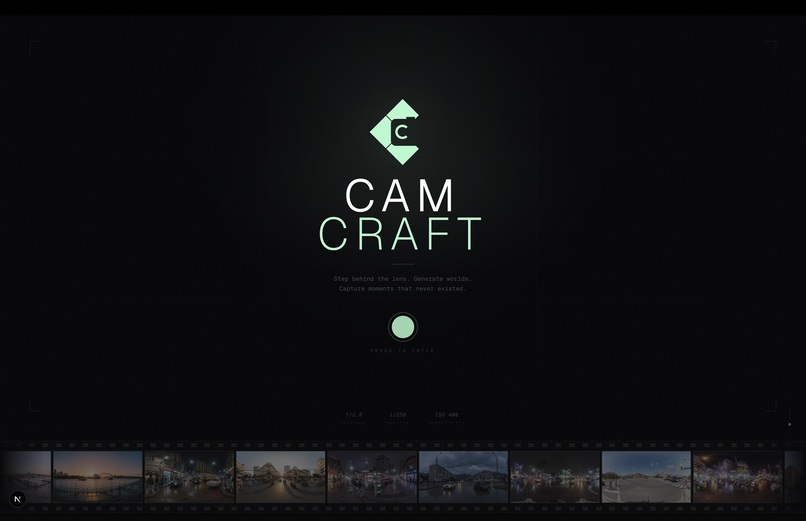
Landing Page
-
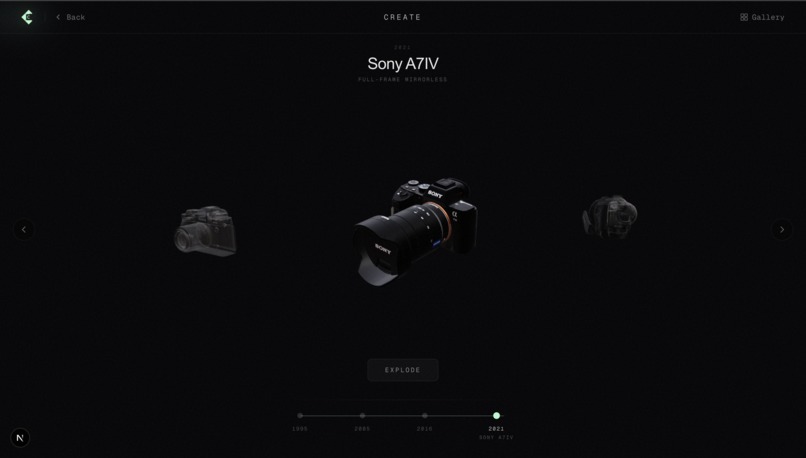
Camera Selection Page
-
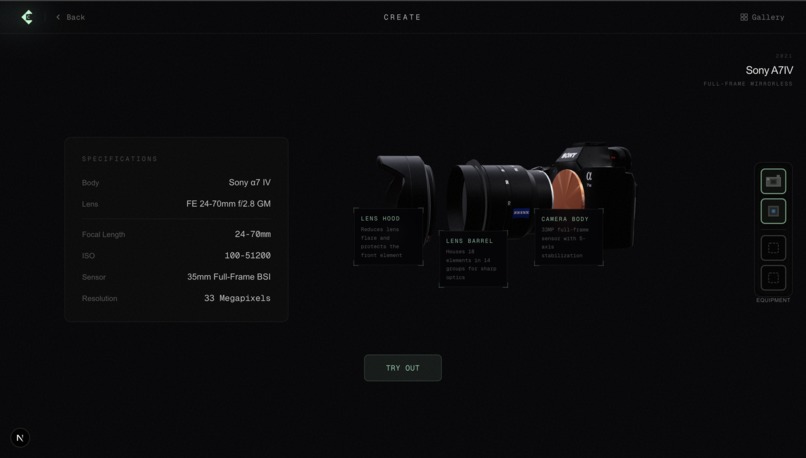
Exploded View
-
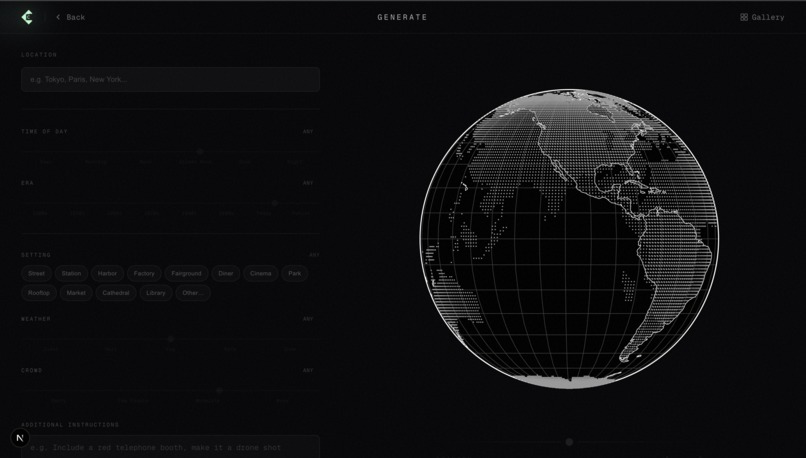
Generate Page
-
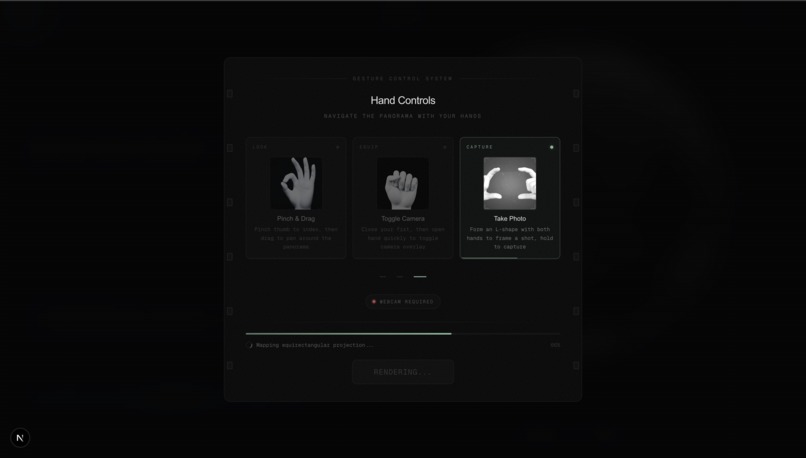
Hand Controls
-
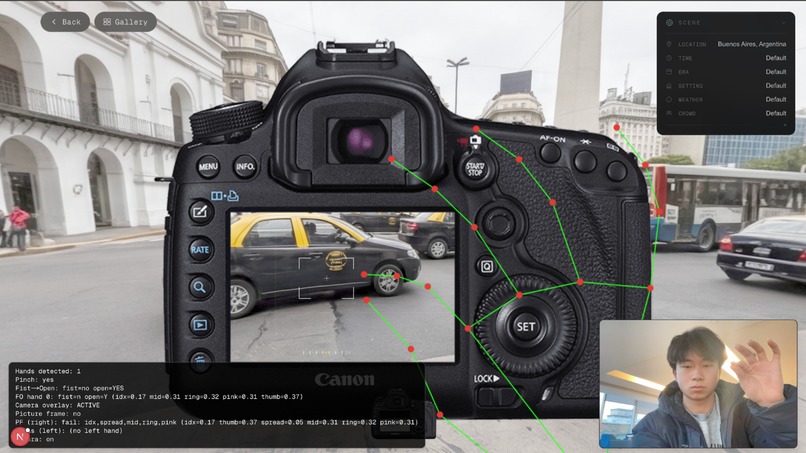
Panoramic View
-
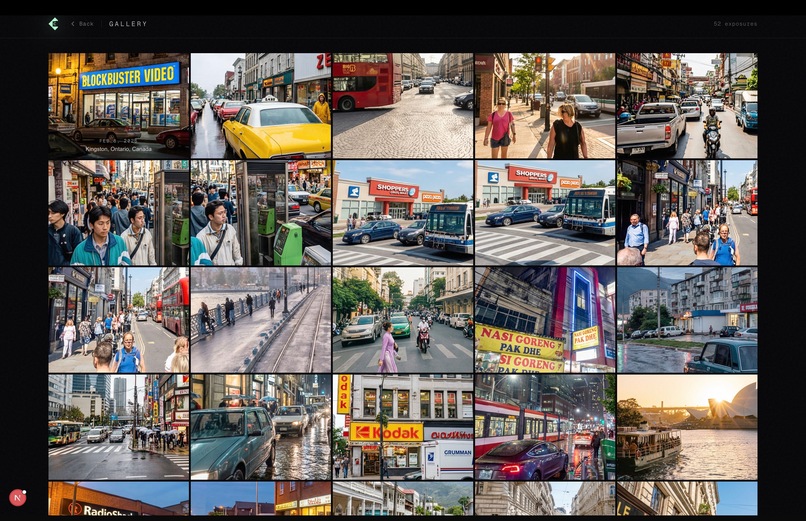
Gallery


Inspiration
Every photographer knows the pain:
- Location scouting takes hours of travel, only to find the light isn't right
- Gear decisions require expensive rentals or purchases before knowing if a camera suits your style
- Unpredictable conditions — you planned for golden hour but got overcast skies
- Client expectations — "Can you show me what this would look like?" before the shoot even happens
We built CamCraft as the ultimate photographer's playground. An environment where you can test any camera, under any conditions, such as time period and location, without leaving your desk. It's pre-visualization for photography: the same way architects render buildings before construction, photographers can now preview shoots before pressing the shutter.
What it does
CamCraft lets photographers:
Explore cameras in 3D — Browse an interactive showroom of iconic cameras (Sony Handycam, Digital Camera, Fujifilm X-T2, Sony A7IV). Rotate models, view exploded diagrams of internal components, and compare specs.
Generate any location — Search for any place on Earth and configure conditions: time of day, weather, crowd level, even historical era. AI generates a photorealistic 360° panorama you can step into.
Shoot with hand gestures — Use your webcam and natural hand movements to navigate the scene, toggle camera viewfinder overlays, focus on subjects, and capture photos.
Preview camera output — The "focus" feature uses AI to render your current view as if shot with your current camera specs, showing what the final photo would actually look like.
Review and analyze captures — The gallery page displays all your shots in a professional contact-sheet grid with lightbox viewing. Each photo preserves complete metadata: scene parameters (location, time, weather, era), camera specifications (body, lens, ISO, sensor), and capture timestamps. Click any image to open a full-screen lightbox with a detailed sidebar. The AI analysis feature uses Gemini 2.0 Flash to critique your photos across six dimensions (composition, lighting, color & tone, exposure, subject & story, technical quality), providing an overall score, specific composition tips, and camera rig recommendations to improve your next shot.
How we built it
Frontend: Next.js 16 with TypeScript and Tailwind CSS 4. The 3D camera showroom uses React Three Fiber with GSAP animations. The panorama viewer uses vanilla Three.js for performance.
Hand Tracking: MediaPipe Tasks Vision detects 21 hand landmarks at 60fps. We built a custom gesture engine recognizing pinch, fist-open, and frame gestures with cooldowns and dead zones for reliability.
AI Integration:
- Gemini Nano Banana Pro generates 4K equirectangular panoramas from location/condition parameters + transforms low-res viewport crops into sharp professional photographs
- Gemini 2.0 Flash analyzes photographs and provides structured critiques with scores and improvement tips
- Veo 3.1 generates video tutorials demonstrating hand gestures
3D World Pipeline
- Config branch — User inputs (location, time, era, weather) are embedded and used to condition generation.
- Panoramic branch — An equirectangular prior is refined and circular-padded so 360° edges match.
- Encoding — Both branches are encoded by a VAE into a latent space; noise is added for diffusion.
- Generation — A diffusion transformer (DiT) with LoRA denoises the latent using a text prompt.
- Training — MSE on predicted noise; seam loss for edge continuity; yaw loss for orientation.
- Output — Iterative denoising yields a seamless, high-fidelity 360° panorama.
Challenges we ran into
Gesture false positives — Early detection triggered accidentally. We added cooldown timers, hold-duration requirements, and movement dead zones until the interface felt as deliberate as a physical camera shutter.
Panorama seams — AI-generated panoramas had visible seams where edges met. We refined prompts to explicitly request "equirectangular with perfect seam connection" and Street View-quality realism.
Focus realism — The AI-enhanced "focus" feature initially looked like AI art, not camera output. We tuned prompts to specify lens characteristics (85mm, f/1.4), bokeh quality, and professional photography aesthetics.
60fps performance — Running MediaPipe + Three.js + React simultaneously pushed browser limits. We used refs instead of state for gesture data and chose vanilla Three.js over R3F for the panorama renderer.
Gallery data synchronization — Merging client-side metadata (localStorage) with server-side image files required careful deduplication and conflict resolution. We implemented a two-pass merge algorithm that prioritizes server files while preserving local metadata for images not yet uploaded.
Accomplishments that we're proud of
- The gesture system actually works — Pinch-to-pan, frame-to-capture, and fist-to-toggle feel natural and reliable after extensive iteration
- Seamless AI panoramas — Generated scenes are immersive enough for genuine pre-visualization work
- The "focus" feature — Transforming a blurry panorama crop into a sharp 85mm portrait with realistic bokeh feels like magic
- Professional gallery experience — The contact-sheet grid with lightbox viewer, keyboard navigation, and comprehensive metadata makes CamCraft feel like a real photography workflow tool
- AI photo critique — The analysis feature provides actionable feedback that photographers can actually use to improve their work, not just generic compliments
- End-to-end photographer workflow — From browsing gear to scouting locations to capturing test shots to reviewing and analyzing in the gallery, all in one app
- Minecraft-style equipment HUD — A fun UI element that emerged from wanting to show "what camera am I using right now"
What we learned
- MediaPipe is production-ready: Real-time hand tracking at 60fps in a browser with just a few lines of code
- Gesture design requires iteration: We tested dozens of hand poses to find ones that feel intuitive and don't trigger accidentally
- AI image generation has crossed a threshold: Gemini can create panoramas realistic enough for actual pre-visualization work
- AI can critique, not just create: Gemini 2.0 Flash provides structured, actionable photography critiques that feel like feedback from a professional mentor
- Details sell the experience": Shutter sounds, viewfinder overlays, focus animations, and a professional gallery interface make users feel like they're testing real gear
- Photographers think in equipment: Users wanted to see what's currently "equipped," leading to our HUD design
- Metadata matters: Photographers care about scene parameters and camera specs, so we built a gallery that preserves and displays this information like a real photo management system
What's next for CamCraft
- More cameras: Expand the library with film cameras, medium format, and vintage gear
- Lens simulation: Let users swap lenses and see how focal length and aperture affect the scene
- Camera-specific rendering: Simulate each camera's unique color science, dynamic range, and noise characteristics
- Collaborative scouting: Share generated locations with clients or team members
- Mobile support: Touch-based controls for scouting on the go
- Export to lightroom: Generate mock RAW files with metadata matching the simulated camera
- Batch analysis: Analyze multiple photos at once to compare compositions and identify patterns
- Learning mode: Track improvement over time by comparing analysis scores across sessions
Built With
- gemini
- mapbox
- mediapipe
- next.js
- reactthreefiber
- tailwindcss
- three.js
- typescript
- veo3.1
- vercel


Log in or sign up for Devpost to join the conversation.