-
-
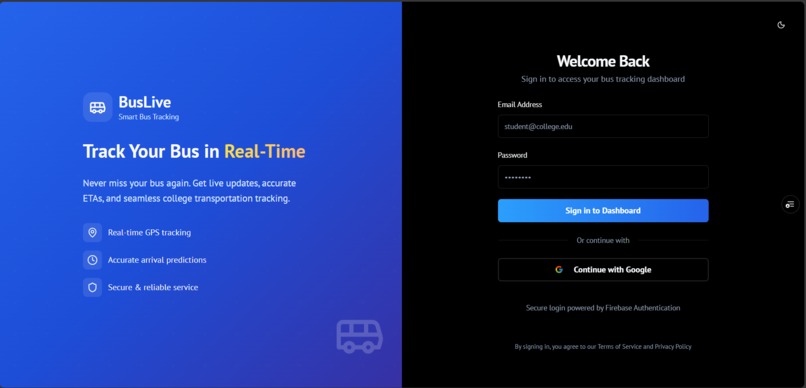
Login-SignUp-Page
-
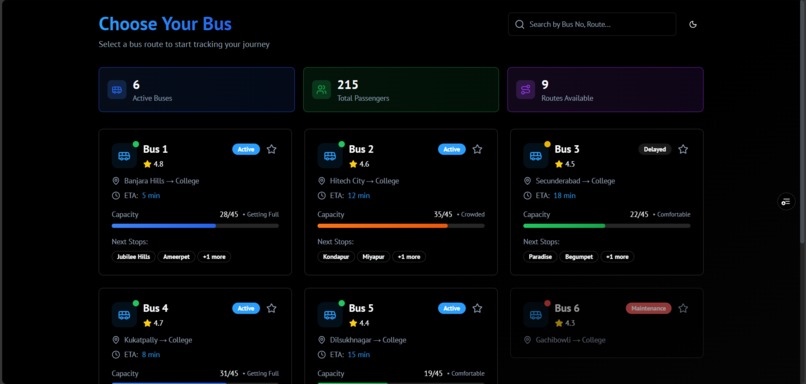
Bus-Selection-Page-Dark-Mode
-
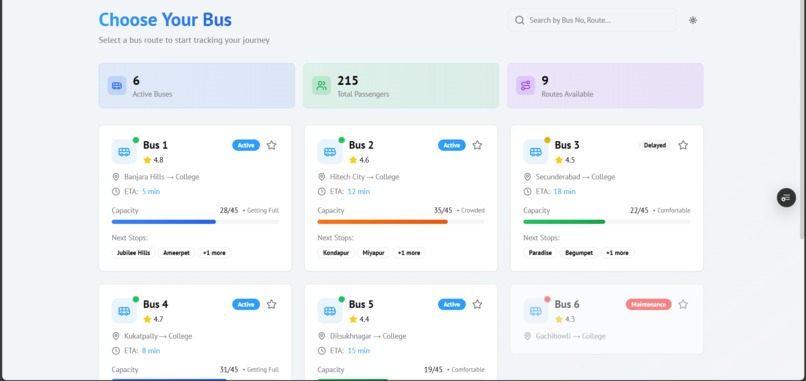
Bus-Selection-Page-Light-Mode
-
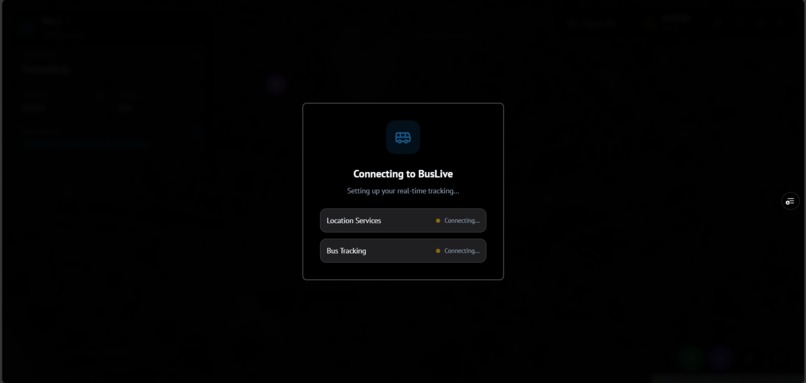
Rendering-Page-When-Any-Route-is-Selected-&-Live-Location-is-Fetched
-
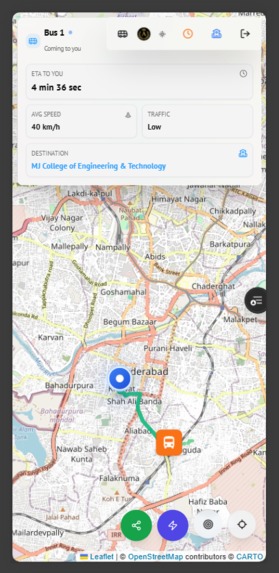
Live-bus-Location-Tracking-Page-Mobile-View-Light-Mode
-
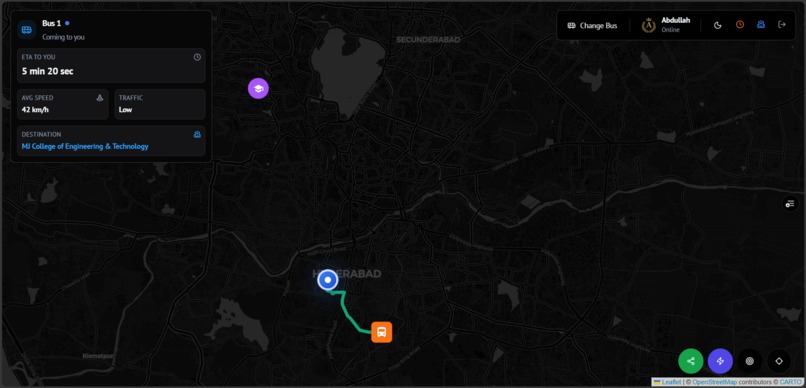
Live-Location-Tracking-Page-Desktop-View
-
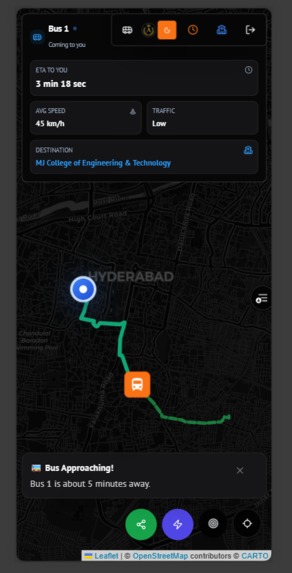
Live-bus-Location-Tracking-Page-Mobile-View-Dark-Mode


💡 Inspiration
I've been there—standing at a bus stop, checking my watch, wondering if the bus has already left or if it's just stuck in traffic. The uncertainty of public transport doesn't just waste time; it creates anxiety and disrupts daily schedules.
For students and daily commuters, this "blind waiting" is a daily struggle. I realized that while ride-sharing apps like Uber have democratized real-time tracking for private rides, public transport (especially in developing regions or campuses) remains largely offline and opaque.
I wanted to bridge this gap. I asked myself: Why can't catching a bus be as predictable as ordering a pizza?
🚌 What it does
BusLive is a comprehensive, real-time bus tracking ecosystem that brings transparency to public transit.
- Real-Time Live Tracking: Users can see the exact location of their bus moving on the map in real-time, not just static updates.
- AI-Powered Insights: I integrated Google Gemini AI to analyze traffic conditions. Instead of just showing a red line on a map, the AI explains why there is a delay (e.g., "Heavy congestion reaching the campus gate") and offers recommendations.
- Smart Alerts: The app creates a geofence around the user. You get a notification when the bus is 5 minutes away, so you never miss a ride.
- Dynamic ETAs: I calculate accurate arrival times based on distance and average speed, updating instantly as the bus moves.
⚙️ How I built it
I built BusLive with a mobile-first mindset, knowing most users would be tracking on their phones.
- Frontend: I used Next.js 16 with React 19 for a blazing-fast, server-rendered interface. Tailwind CSS and shadcn/ui helped me create a premium, accessible design that looks great in Dark Mode.
- Maps & Routing: I utilized Leaflet.js for interactive maps and OpenRouteService to snap bus coordinates to actual roads, ensuring the bus doesn't look like it's flying over buildings.
- Real-Time Engine: Firebase Realtime Database was the backbone for syncing coordinates. It allows sub-second latency updates from the bus hardware to the user's screen.
- The Brain (AI): I used Google's Gemini API via a custom Genkit flow. I feed it the bus's speed, location context, and time of day, and it returns a human-readable analysis of the commute conditions.
- Hardware Simulation: I built a robust simulation engine that mimics realistic bus movement, including varying speeds, stops, and traffic delays, to demonstrate the platform's capabilities without needing a physical bus fleet.
🚧 Challenges I ran into
- The "Jumping" Bus Problem: Raw GPS data is often noisy. When I first plotted points, the bus would "teleport" or jitter on the map. I had to implement interpolation logic to make the movement smooth and realistic between update intervals.
- Context-Aware AI: Initially, the AI would just say "Traffic is bad." I had to fine-tune the prompts and provide structured inputs (speed variance, historic data) to get helpful insights like "Moderate traffic, but moving well. Expect a 2-minute delay."
- Geofencing Logic: Calculating distances is easy; knowing when to trigger an alert without spamming the user was hard. I had to implement state management to ensure the "Bus Approaching" alert only fires once per meaningful event.
🏆 Accomplishments that I'm proud of
- Butter-Smooth UI: The map experience feels native. The car icons rotate with the bearing of the road, and the transition between dark and light modes is seamless.
- Live AI Integration: It’s not just a chatbot; the AI is an active observer of the trip, pushing insights automatically.
- Scalability: The architecture is decoupled. I could plug in a real hardware tracker (ESP32) tomorrow, and it would work without changing a single line of frontend code.
🧠 What I learned
- Maps are hard: Coordinate systems, different projections, and calculating accurate bearings took a lot of trial and error.
- Real-time is a mindset: You can't just fetch data once. You have to design for streams, subscriptions, and connection drops.
- AI adds empathy: Adding the AI layer transformed the app from a cold utility tool into a helpful assistant that "understands" the commute.
🚀 What's next for BusLive
- IoT Integration: deploying actual ESP32 GPS modules on university buses for a pilot run.
- Crowdsourcing: Allowing users to report on-ground incidents (accidents, breakdowns) to feed back into the AI model.
- Predictive Scheduling: Using historical data to generate "true" bus schedules that account for daily traffic patterns automatically.
Built With
- firebase
- geminiapi
- leaflet.js
- llamaapi
- lucid-react
- nextjs
- openrouteservice
- react
- shadcn
- tailwindcss
- typescript
- zod

Log in or sign up for Devpost to join the conversation.