-
-
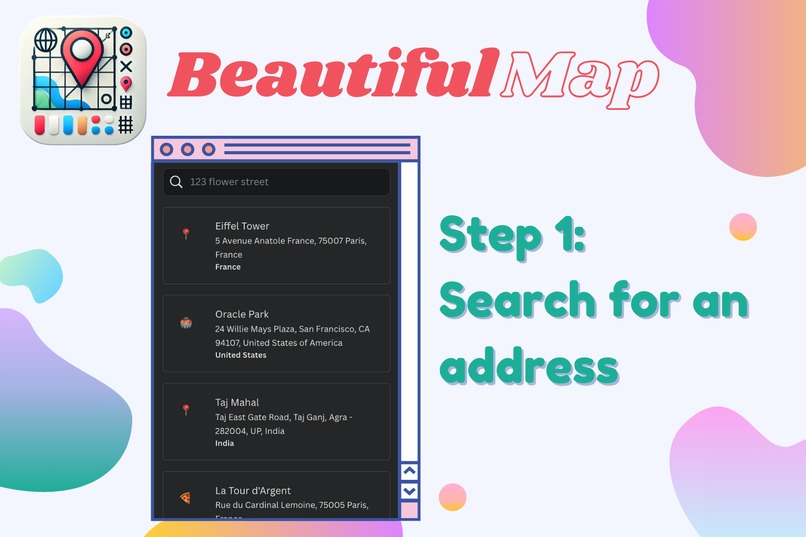
Search for an address or a Point of Interest
-
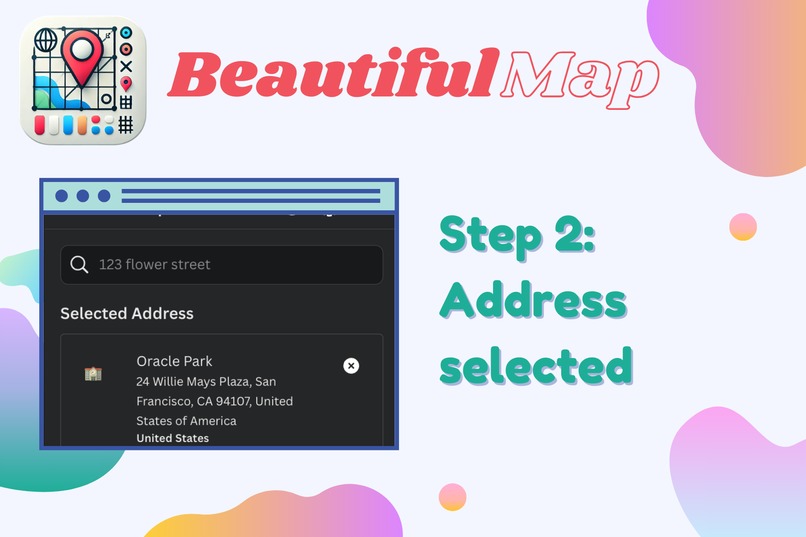
Select the desired location
-
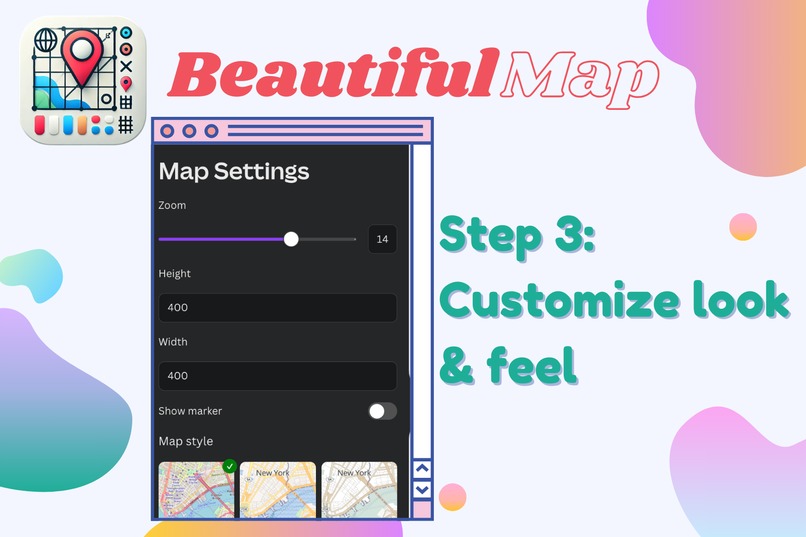
Customize the look and feel of the map
-
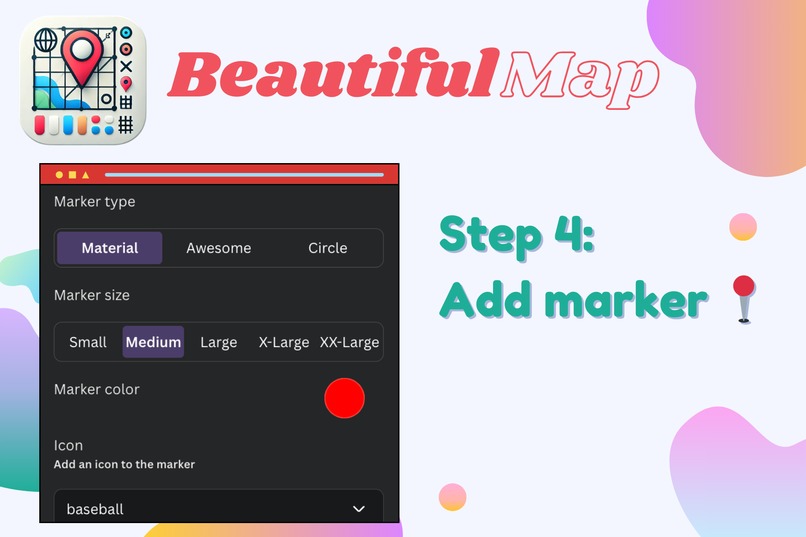
Add and customize an optional marker
-
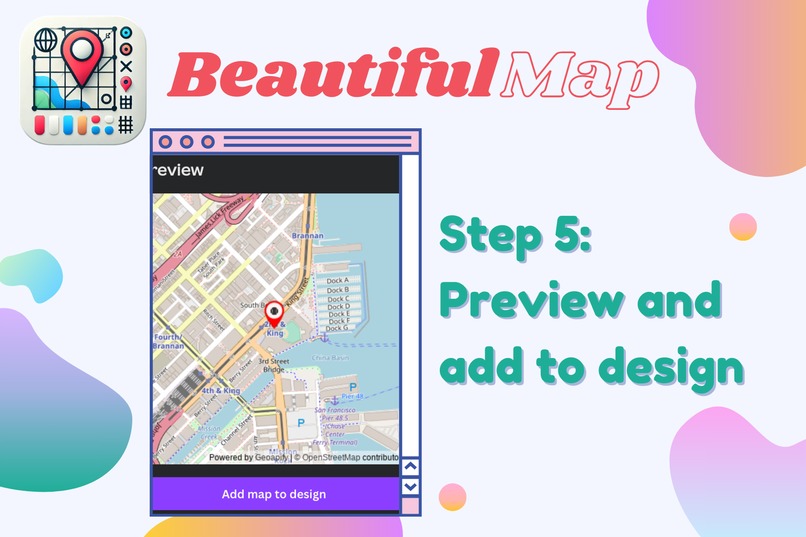
Preview before adding to design
-
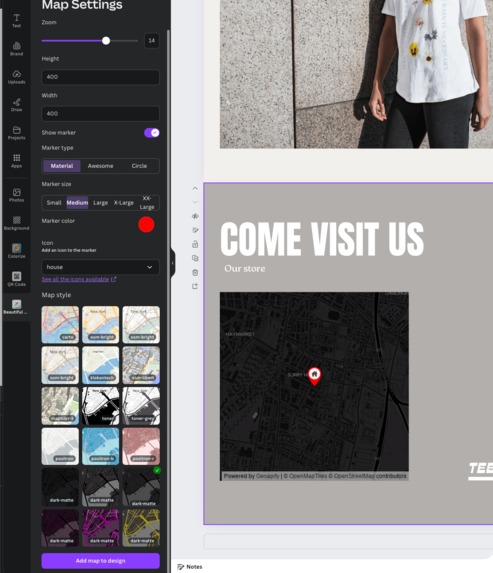
Map added to your design


Inspiration
The inspiration for this app came from the limitations of the existing Google Maps app in the marketplace. It lacked customization options and didn't allow for a branded look that could seamlessly integrate with a user's design. We aimed to create something that looks better and offers more control over the visual elements of maps.
What it Does
The app allows users to search for any address around the world—be it a business, stadium, or personal address—and then fully customize the map's appearance. Users can adjust the height, width, and zoom level and choose whether to include a marker. Additionally, they can personalize the style of the marker and the map by selecting from various available themes.
How We Built It
We started with the example repository and integrated Geoapify API for address autocomplete and map image generation. The app was built using the Canva App SDK, which provided the necessary tools to create a seamless user experience within Canva's design environment.
Challenges We Ran Into
One of the challenges we faced was the lack of a feature to make references or store metadata, which would have made editing existing maps much easier. Additionally, navigating the App UI kit was a bit difficult at times.
Accomplishments That We're Proud Of
We’re proud that the app works as intended and successfully integrates customizable maps into Canva designs. The functionality and ease of use met our expectations, making it a valuable tool for users.
What We Learned
Love the new Canva's App SDK. It's very flexible and easy to use.
What's Next for Beautiful Map
Our next step is to launch the app on the Canva marketplace, making it available to a wider audience. We’re excited to see how users will leverage the customization options to enhance their designs.
We also want to integrate with the Brand Kit API to easily pick colors from existing brand kit, and style the map using those.
Built With
- canva
- geoapify
- next
- node.js


Log in or sign up for Devpost to join the conversation.