-
-
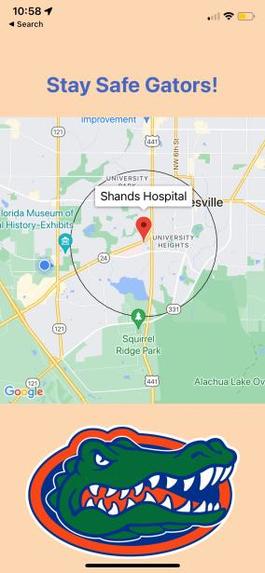
Clicking on red pin will show location name
-
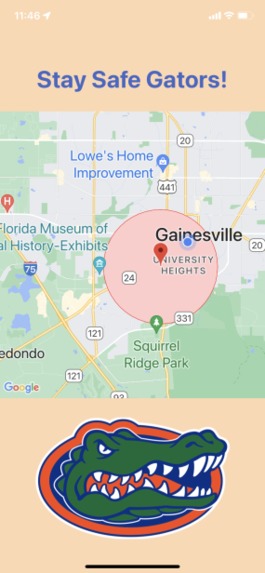
Landing page showing current location and radius
-
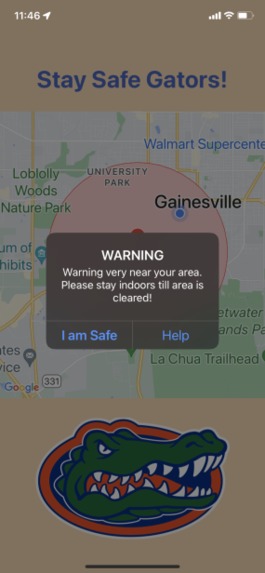
Notification to choose "I am Safe" or "Help"


Inspiration
As UF students living in the Gainesville community, we often receive alerts from the University, alerting us about potential dangers around campus. These can be helpful to make students aware about their surroundings; however, due to the large size of campus, it is sometimes difficult to determine what location they are talking about. For instance, certain street names may not be well known and we may not know the names of certain buildings that they text us about. Especially for freshmen, these alerts can be alarming but not helpful because of the lack of familiarity with the surrounding campus. To increase the resourcefulness and capabilities of the UF alerts feature, we created a notification system to enact based on our current location.
What it does
Our mobile application utilizes the UF Alert to receive the location of the alerts in the local Gainesville area and locates it on the map. Based on our current location and the location of the incident, we are able to deduce whether the incident occured at a nearby location. If the incident is within 2.5km radius of your current location, the application will send a notification to notify you about this incident and ensure your safety. If you are not in a safe location we will start an audio recording and a call to emergency contact/authorities.
How we built it
We built this application using React Native, Expo, Node.js, Javascript, Google Map API, UF Alert API, Rest API, Git, Github.
Challenges we ran into
Few of the challenges we faced include the learning curve of the project. All of the members did not know Javascript and most of us were unfamiliar with the Expo client. We faced challenges when utilizing the Expo client and installing the dependency packages using Node. In addition, finding and hosting the correct format for the UF Alert API was a difficult task. However, through continued discussions and research, we were able to overcome these challenges and complete this prototype mobile application that is available on both android, ios, and web browser.
Accomplishments that we're proud of
We are proud of diving into new languages and APIs that some of us were unfamiliar with. Although it took us time to decide on an idea, we believed the concept we ended up choosing was a valuable application for the UF community. We were able to successfully implement the maps feature in Expo using the Google Map API. We came together as a team to help each other overcome the learning curve and complete a working application.
What we learned
As most of the members’ first hackathon, we became familiar with new concepts and programs that we did not know previously, such as React Native and Node.js. We also learned how to implement Git and Github commands, which will be beneficial knowledge for future projects. Effective researching and experimenting were also practiced to further allow ourselves to learn about new concepts.
What's next for Alertillio
In the case of an emergency, we would want the user to input a certain contact information when downloading the application as emergency contacts. We would also want to create a program that can automatically create an API for the UF Alerts once a text message is sent. In addition, this has been catered toward University of Florida students, however, being able to support other Universities and locations will be essential. We would also like to collect the location data using a cloud database to populate areas that frequently are listed in the alert to help tourists and new students avoid certain areas of the city.
Built With
- expo.io
- git
- github
- google-maps
- javascript
- node.js
- react-native
- uf-alert-api-(json-api)


Log in or sign up for Devpost to join the conversation.