-
-
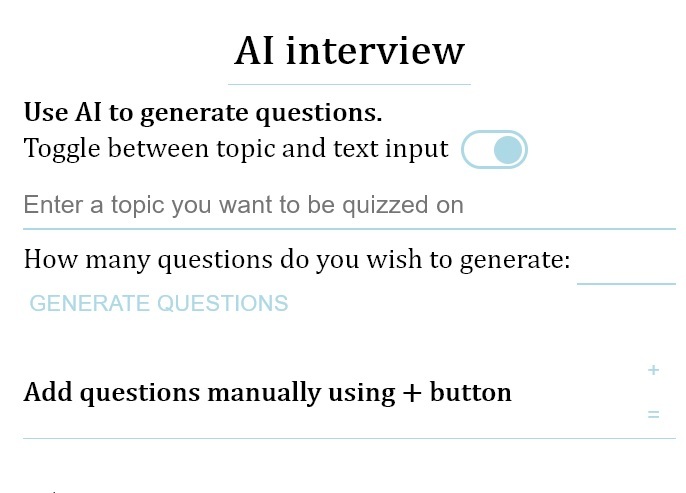
AI question generation form
-
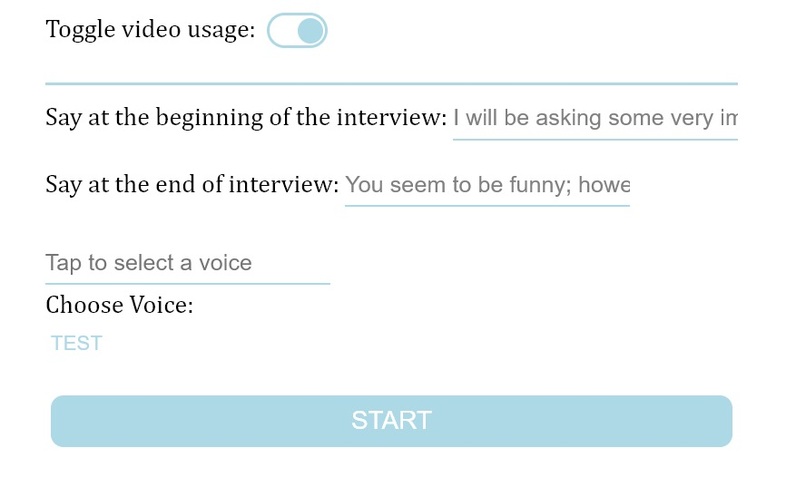
Video Settings for Interview


Inspiration
I made this initially in 2023 to practice for my Visa Interview. It helped me prepare since I lived in a remote area from where I could not attend mock visa interviews.
What it does
The platform helps you analyze how you might perform in a mock interview, allowing you to record your responses to spoken questions. It can be used to mimic quizzes, funny interviews, or just to implant a material in memory. Basically, you can get creative and make it do much more.
The web interview platform saves your questions for later, captures video and text data, and provides a satisfactory user experience. It also has a straightforward interface, replacing traditional modals, providing drag and drop support, utilizing toggles, and supporting keyboard only input.
How we built it
I used the following Browser APIs to build this project.
SpeechSynthesis API: Text-to-speech, providing different voices depending on your browser and internet connection. MediaStream API: 'Storing' video and audio tracks. Audio API: Syncing microphone and speaker audio, essentially inventing a way to store browser's speechSynthesis.speak output. MediaRecorder API: Recording media streams. I used HTML and CSS for the frontend view.
Furthermore, I built a Django backend and incorporated the Gemini API to include the following "Generate questions" feature. Instead of having users add questions manually, I would like them to provide some text or a topic from which I can generate questions using the Gemini API.
I implemented a backend function to monitor my API usage, rejecting requests if I cannot currently use Gemini because of my usage plan. I made effective prompts for generating JSON arrays from Gemini, detailing my requests. My view functions return Gemini generated JSON to the JavaScript frontend fetch API, which communicates with other frontend JavaScript code to build question boxes.
Challenges we ran into
- It was difficult to find a way to record SpeechSynthesis API audio output. I had issues using the fetch API to make a post request to my Django backend.
Accomplishments that we're proud of
I was able to make a list of voices, allowing users to choose the voice they want for their interviewer (a test button reads some text in the chosen voice).
I was able to find a method to record speechSynthesis audio output directly. I used screen recording, discarding the video result. However, mobile devices do not support web screen recording except with advanced libraries. I will solve that issue soon.
I like the use of modals for alert and confirm in the app.
I used promises effectively, having methods run after they are resolved.
What we learned
I learnt that there are various ways of solving a problem. I learnt to constantly ask the online community / do a google search for help with any issue.
What's next for AI Interview
I aim to include the following additional features in the coming days.
- Rewrite: Maybe an input/output feels better when written in a certain way.
- Resay: Understand interview questions better by telling the AI to say it differently.
- Save as text: A video might be too much, converting it to a tabular for would be crucial in some circumstances.
- PDF/Image parsing: Why copy and paste when you can just upload a document.


Log in or sign up for Devpost to join the conversation.