-
-
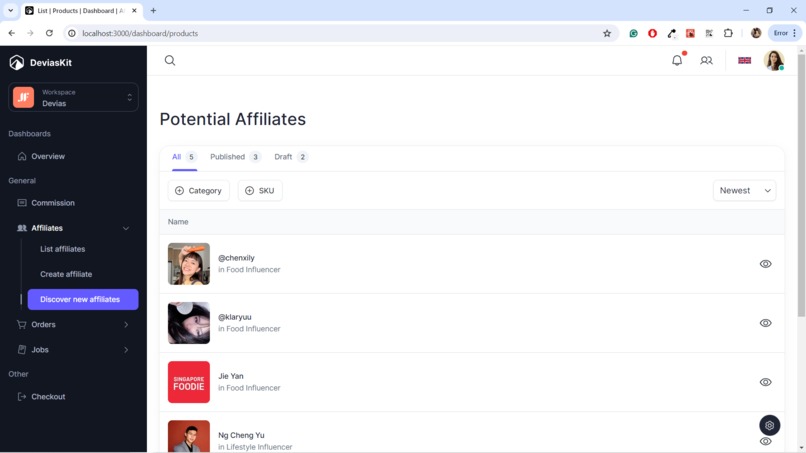
Discovering local influencers near you to be your affiliate!
-
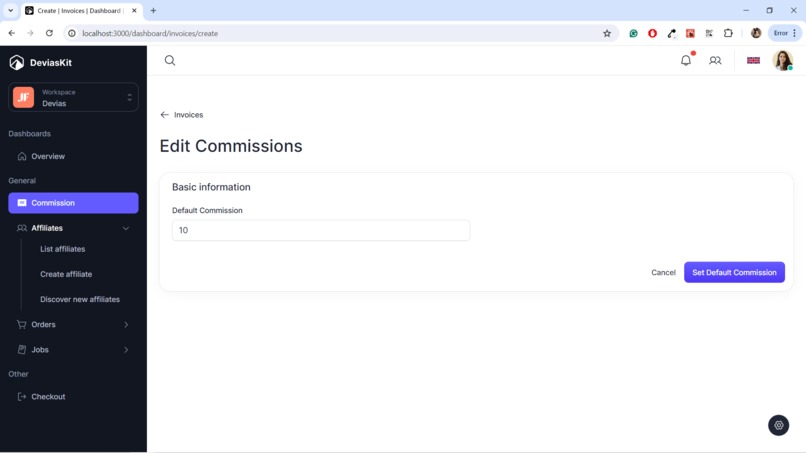
Adjusting your commission rate to a comfortable level!
-
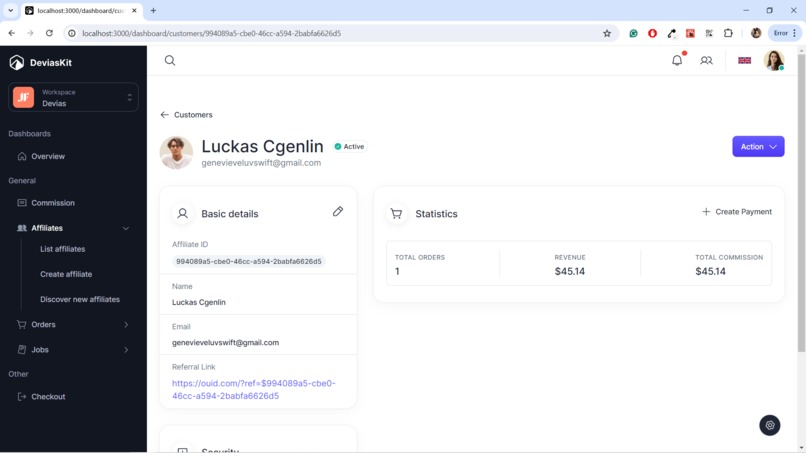
View and payout your affiliate accordingly!


Inspiration
Small local businesses often have incredible products that struggle to get discovered beyond their immediate community. While they offer high-quality goods and services, reaching a wider audience through marketing can be challenging, especially with limited resources. This inspired us to build Affilink - an affiliate marketing platform that connects local businesses with content creators to help drive sales.
What it does
Affilink is a two-sided marketplace that facilitates affiliate marketing partnerships between businesses and content creators (influencers, bloggers, tiktokers, etc.).
For businesses, Affilink provides:
- A database of content creators to discover and invite as affiliates based on factors like niche, location, and audience demographics.
- Tools to create affiliate programs, set commission rates, and share marketing assets.
For content creators, Affilink offers:
- The ability to promote products/services to their audiences and earn commissions on sales.
- A dashboard to manage campaigns, track earnings, and get unique affiliate links.
How we built it
The backend is a Node.js and Express server that integrates with Square's e-commerce APIs for secure checkout and payment processing. We used MongoDB as the database. The frontend is a React app styled with Tailwind CSS, supporting separate flows for businesses and creators. As for Square API and functionalities, we used
- Square Tracking Tools (Under Home > Online > Settings)
- square Snippets API (Upsert - used to store the referral id into the local storage)
- square sites (List - Get sites tied to the user)
- square OAuth API (Authorise)
- square OAuth API (Obtain)
How it works
- Sign in
- Create an account
- Login: Once you've created an account, log in using your credentials.
- Tie your account to Affilink portal
- To integrate with your checkout tracking tool, insert the following script into your code. Note: This script was tested with Only Ouid, so make sure to adjust the code accordingly if you are using a different platform. Ensure that your checkout page contains either the text "ORDER TOTAL" or "ESTIMATED TOTAL" alongside a checkout button labeled "PLACE ORDER" or "CHECKOUT" for the script to accurately retrieve the total cart value. Perhaps there is a more elegant solution out but its still in the works!
// Function to check if a button contains the word "checkout" in its text
function isCheckoutButton(button) {
  return button.textContent.toLowerCase().includes('checkout') || button.textContent.toLowerCase().includes('orders') || button.textContent.toLowerCase().includes('order');
}

// Function to check if a div contains the total amount
function findTotalAmount() {
  const totalDivs = document.querySelectorAll('.confirmation__TotalText-x9zjkb-3.fSXSdT');

  // Loop through each total div and check for variations of total amounts
  for (const totalDiv of totalDivs) {
    const totalText = totalDiv.textContent.toLowerCase();
    if (totalText.includes('estimated total') || totalText.includes('order total')) {
      return totalDiv.innerHTML.replace('$', ''); // Return the total amount without the dollar sign
    }
  }

  return null; // Return null if total amount not found
}

// Function to handle the click event
function handleButtonClick(event) {
  const clickedButton = event.target;

  // Check if the clicked element is a button and contains "checkout"
  if (clickedButton.tagName === 'BUTTON' && isCheckoutButton(clickedButton)) {
    const totalText = findTotalAmount();

    // Check if total amount is found
    if (totalText !== null) {
      // Encode the total amount as a URI component
      const encodedTotal = encodeURIComponent(totalText);

      // Specify the website URL with the affiliate_id, total, and site_id as query parameters
      const websiteURL = `https://affilink-henna.vercel.app/process-payments?affiliate_id=994089a5-cbe0-46cc-a594-2babfa6626d5&total=${encodedTotal}&site_id=site_557618212497265825`;

      // Open a new tab with the specified website URL
      window.open(websiteURL, '_blank');
    } else {
      console.error('Total amount not found.');
    }
  }
}

// Find all buttons on the page
const allButtons = document.querySelectorAll('button');

// Attach click event listener to each button
allButtons.forEach(button => {
  button.addEventListener('click', handleButtonClick);
});
Challenges we ran into
Integrating with Square's e-commerce APIs for the first time proved challenging. The onboarding process was a little convoluted and confusing initially. We had to navigate through Square's documentation and resources to understand how to properly utilize different APIs like Square Tracking Tools, Snippets API, Sites API, and OAuth for authorization and obtaining access tokens.
Moreover, Square Sandbox Online is not available outside of Sandbox. As such, we needed to either use live transactions or mock the checkout flow.
Accomplishments that we're proud of
We successfully built a full-stack two-sided marketplace from scratch to facilitate affiliate marketing for local businesses. This involved integrating Square's e-commerce APIs!
What's next for Affilink
The current version of Affilink represents our minimum viable product (MVP), and our vision is to evolve it into a comprehensive affiliate marketing solution. We aim to enhance the workflow for businesses using Square, enabling them to tailor the tool to their specific needs. For instance, we'll introduce the capability for businesses to customize commissions on a per-product basis rather than globally.

Log in or sign up for Devpost to join the conversation.