
- Example - Home
- Example - Environment
- Example - Strings
- Example - Arrays
- Example - Date & Time
- Example - Methods
- Example - Files
- Example - Directories
- Example - Exceptions
- Example - Data Structure
- Example - Collections
- Example - Networking
- Example - Threading
- Example - Applets
- Example - Simple GUI
- Example - JDBC
- Example - Regular Exp
- Example - Apache PDF Box
- Example - Apache POI PPT
- Example - Apache POI Excel
- Example - Apache POI Word
- Example - OpenCV
- Example - Apache Tika
- Example - iText
- Java Useful Resources
- Java - Quick Guide
- Java - Useful Resources
How to merge two PPTs using Java
Problem Description
How to merge two PPTs using Java.
Solution
Following is the program to merge two PPTs using java.
import java.io.FileInputStream;
import java.io.FileOutputStream;
import java.io.IOException;

import org.apache.poi.xslf.usermodel.XMLSlideShow;
import org.apache.poi.xslf.usermodel.XSLFSlide;

public class MergingMultiplePresentations {
   public static void main(String args[]) throws IOException {

      //creating empty presentation
      XMLSlideShow ppt = new XMLSlideShow();

      //taking the two presentations that are to be merged
      String file1 = "C:/poippt/presentation1.pptx";
      String file2 = "C:/poippt/presentation2.pptx";
      String[] inputs = {file1, file2};

      for(String arg : inputs) {
         FileInputStream inputstream = new FileInputStream(arg);
         XMLSlideShow src="/?originalUrl=https%3A%2F%2Fdev.tutorialspoint.com%2Fnew%2520XMLSlideShow(inputstream)%3B%2520%2520%2520%2520%2520%2520%2520%2520%2520for(XSLFSlide%2520srcSlide%2520%3A%2520src.getSlides())%257B%2520%2520%2520%2520%2520%2520%2520%2520%2520%2520%2520%2520%2F%2Fmerging%2520the%2520contents%2520%2520%2520%2520%2520%2520%2520%2520%2520%2520%2520%2520ppt.createSlide().importContent(srcSlide)%3B%2520%2520%2520%2520%2520%2520%2520%2520%2520%257D%2520%2520%2520%2520%2520%2520%257D%2520%2520%2520%2520%2520%2520%2520String%2520file3%2520%3D"C:/poippt/combinedpresentation.pptx";

      //creating the file object
      FileOutputStream out = new FileOutputStream(file3);

      // saving the changes to a file
      ppt.write(out);
      System.out.println("Merging done successfully");
      out.close();
   }
}
Input

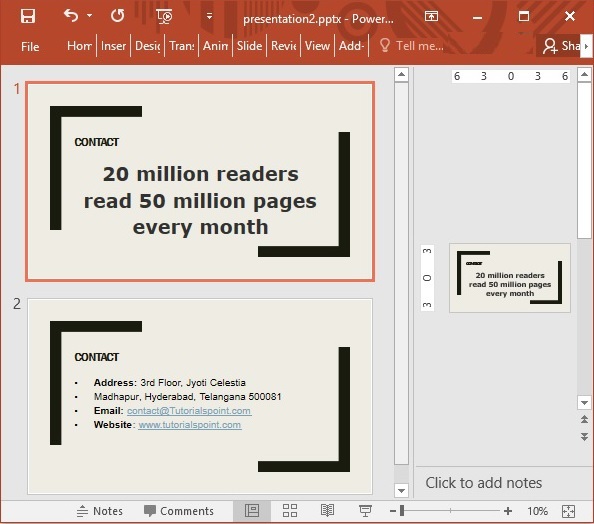
Output

java_apache_poi_ppt
Advertisements